iShareBlog
Share buttons that give readers something good to say. Every share opens with a ready-made summary of the post, plus click-to-share quotes, "Summarize with ChatGPT" and share analytics.
Readers share more when the words are already there
Most share buttons open an empty box with a bare link. The reader has to think of something to say, and most of them close the window instead.
iShareBlog writes a short post for each network when you publish, and every share button opens with it already filled in. The same drafts sit in the post editor, ready for you to copy to your own accounts. It adds no external scripts or tracking pixels to your pages.
Everything sharing should do
Lightweight, privacy friendly and styled to match your theme without any CSS.
Share buttons
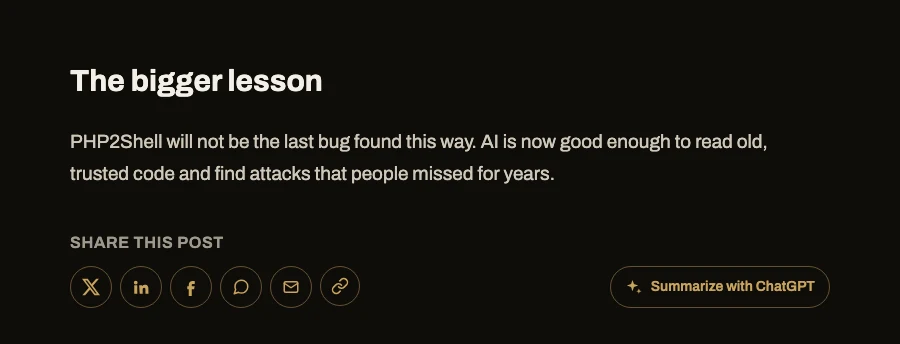
X, Facebook, LinkedIn, WhatsApp, Telegram, Reddit, Pinterest, email and copy link, added before or after posts or anywhere with [ishareblog].
Prefilled summaries
X, LinkedIn, WhatsApp, Telegram and email open with a summary already written. Facebook copies it so the reader can paste it.
Summarize with ChatGPT
A button that opens ChatGPT with a prompt for an overview and the key takeaways of the post. Claude and Perplexity versions too.
Click-to-share quotes
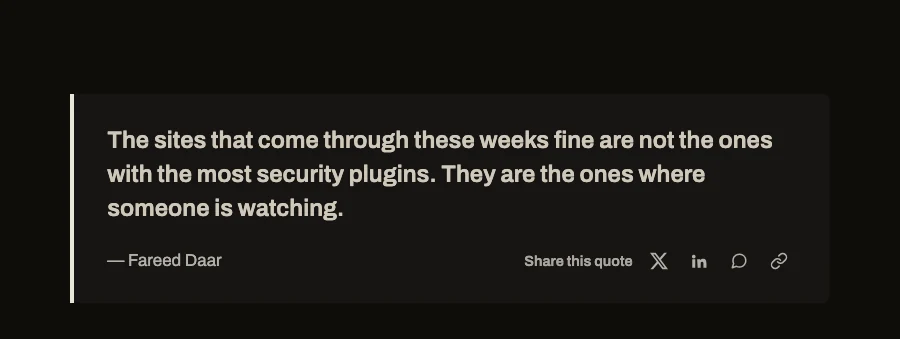
A "Shareable Quote" block, or [ishareblog_quote] in the classic editor, with its own share buttons under the quote.
Highlight to share
Readers select any sentence in a post and share it from a small popup, with a link back to the post.
AI social posts
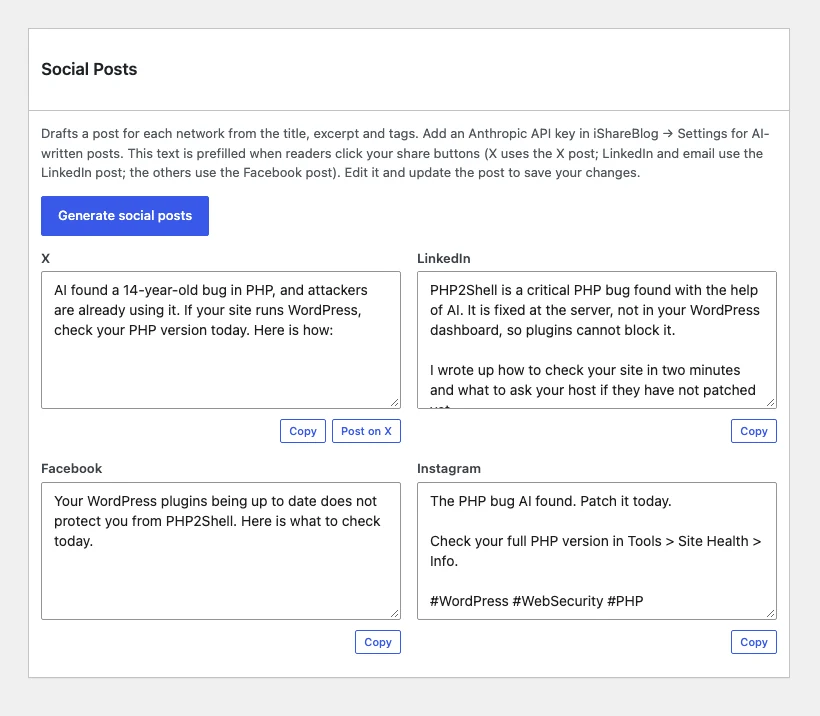
A "Social Posts" box in the editor drafts posts for X, LinkedIn, Facebook and Instagram with Claude, or from a template without an API key.
Share analytics
Total shares, shares per day, top networks, top posts and where shares come from, plus a Shares column in your posts list.
Matches your theme
Outlined, icon-only buttons that pick up your theme's primary color automatically, with pill, square and labeled styles.
On the post and in the dashboard
Installation
Shortcodes: [ishareblog] and [ishareblog_quote]. Works with any theme.
- Download the zip and upload it from Plugins, Add New, Upload Plugin.
- Activate it from the Plugins menu.
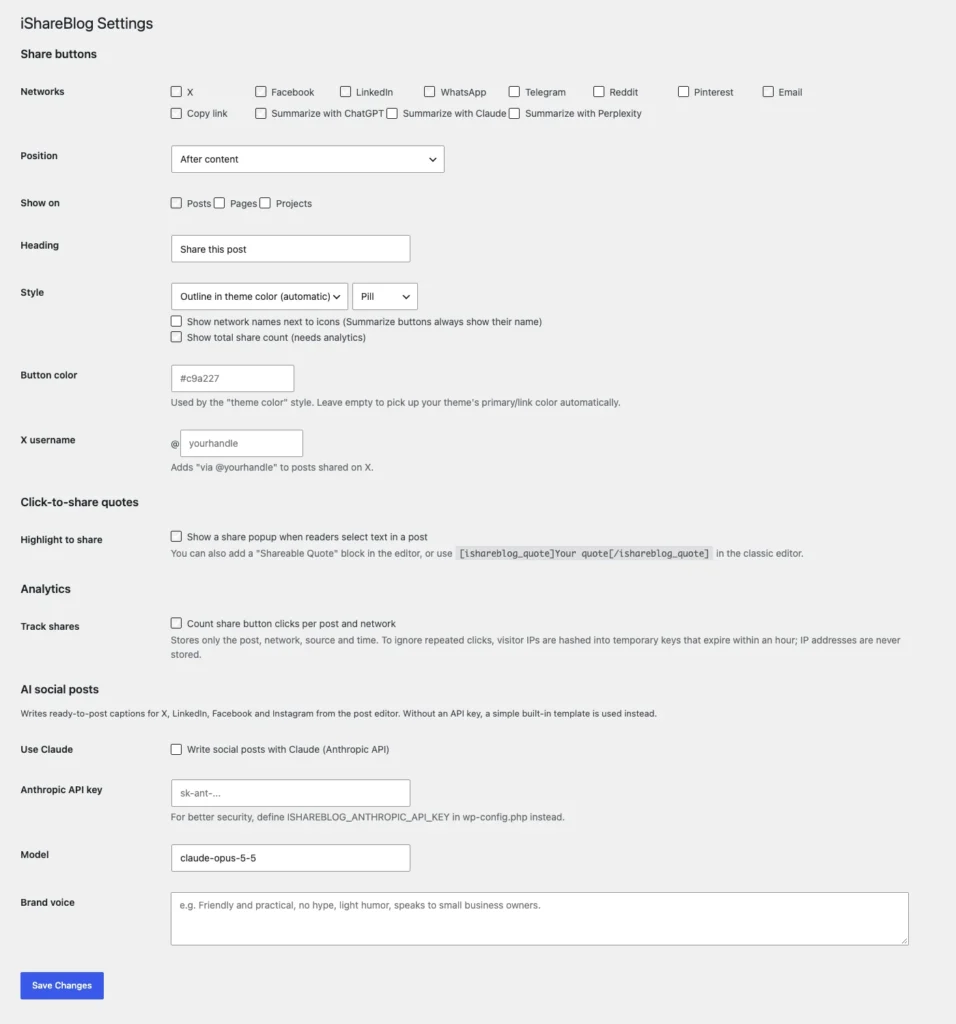
- Go to iShareBlog, Settings and choose your networks, style and placement.
- Optional: add an Anthropic API key for AI-written summaries and social posts.
- Open any post. The buttons are already there.
Frequently asked
No. Without one, the summaries and social posts are built from the post's title, excerpt and tags. With an Anthropic API key, Claude writes them, in your brand voice if you describe it in the settings.
Set Position to "Don't insert automatically" and use the shortcode, for example [ishareblog networks="x,linkedin,copy" heading="Spread the word"].
Yes. Edit the drafts in the post's Social Posts box and update the post. X uses the X draft, LinkedIn and email use the LinkedIn draft, and the other networks use the Facebook draft.
No. There are no external scripts, fonts or tracking pixels. The buttons are plain links with inline icons and one small stylesheet and script.
No. Analytics store only the post, the network, where the click came from and the time. Repeat clicks are ignored using a hashed key that expires within an hour, and IP addresses are never stored.
Yes. Pass the real visitor IP with the ishareblog_client_ip filter, using the header your proxy sets, so per-visitor limits are not shared.
Release history
- First release.
Give readers something to say
Free to download and use. If you want it set up or customized for your site, get in touch.