Retail Manager (RMS)
Point of sale, inventory, purchasing, customers and reports for shops with one till or many branches. It runs on a computer inside the shop, every till opens it in a browser, and selling carries on when the internet does not.
Built for the shop counter
Most retail software is either a cloud subscription that stops when the connection drops, or an old desktop program that only one computer can open. Shops in Pakistan live with load shedding and patchy internet, sell on credit to regular customers, and count money in lakhs, not millions.
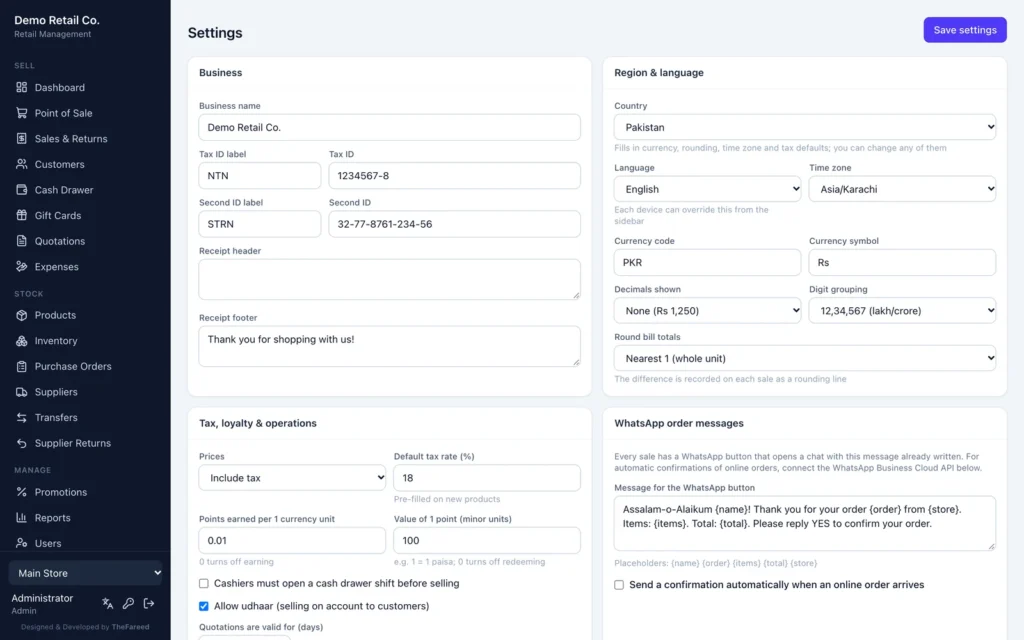
RMS installs on one computer in the shop, on a UPS, and every till and back office joins it over the local network. Currency, digit grouping, tax and language are settings, with a Pakistan preset of rupees, lakh and crore grouping, 18% GST included in prices, NTN and STRN on receipts, and a full Urdu interface.
What is inside
Point of sale
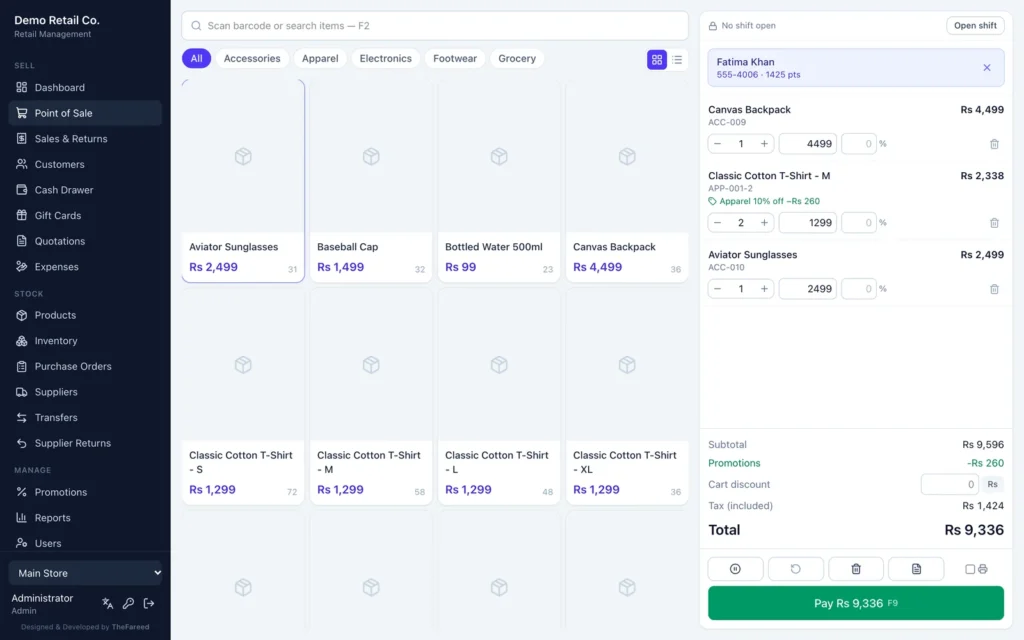
Barcode scanning, product tiles by category, line and cart discounts, automatic promotions, split payments across cash, card, mobile wallet, cheque, gift card and points, hold and recall, and an 80 mm receipt. F2, F4, F8 and F9 keep cashiers off the mouse.
Offline selling
Tills cache the catalogue. If the server cannot be reached, sales are saved on the device with a provisional receipt and sent when the connection returns, never twice.
Udhaar and khata
Sell fully or partly on account with a per-customer credit limit, take part-payments, and print a statement with the running balance.
Inventory
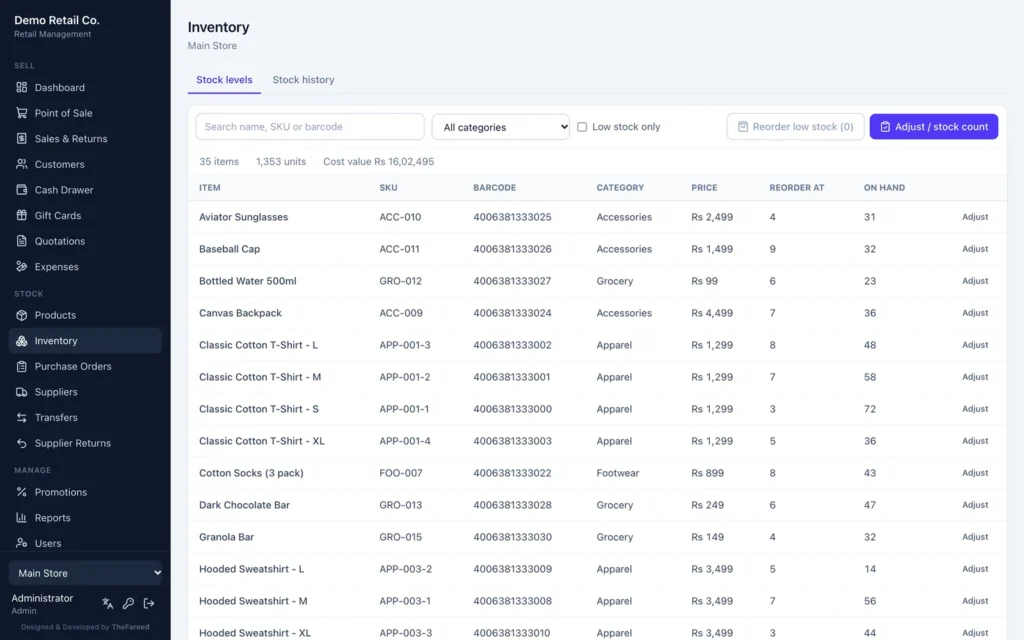
Per-store stock, counts and adjustments with reasons, and a full movement history. Reorder low stock turns low items into a ready purchase order.
Purchasing and suppliers
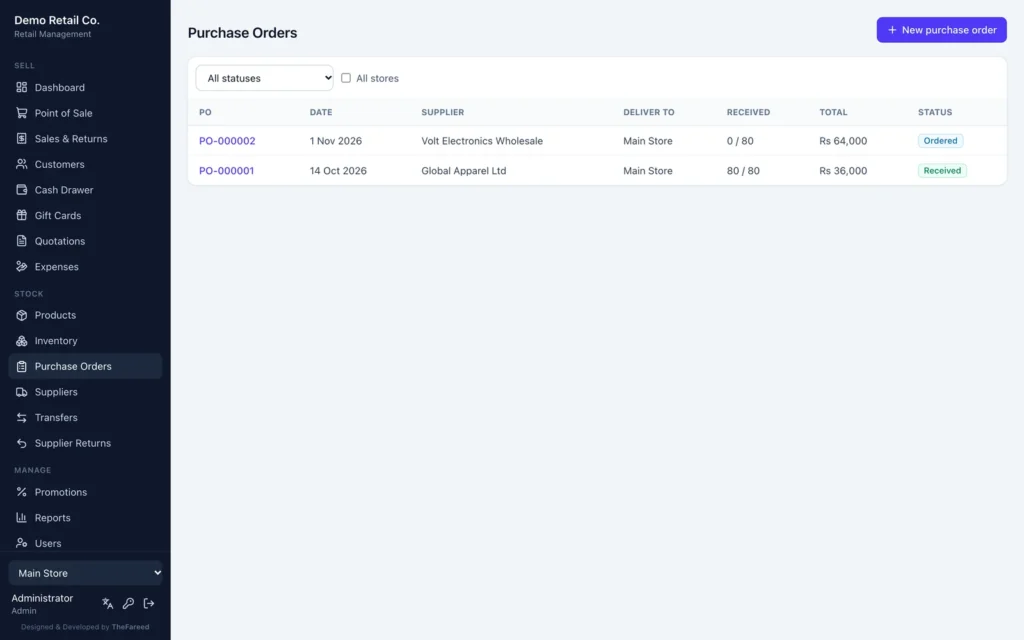
Purchase orders from draft to received, partial receiving, cost price updates on receipt, and returns to supplier against what was actually received.
Multi-store and transfers
Branches with their own stock and staff. A transfer leaves the sender at once and lands when the receiving store confirms it.
Customers and loyalty
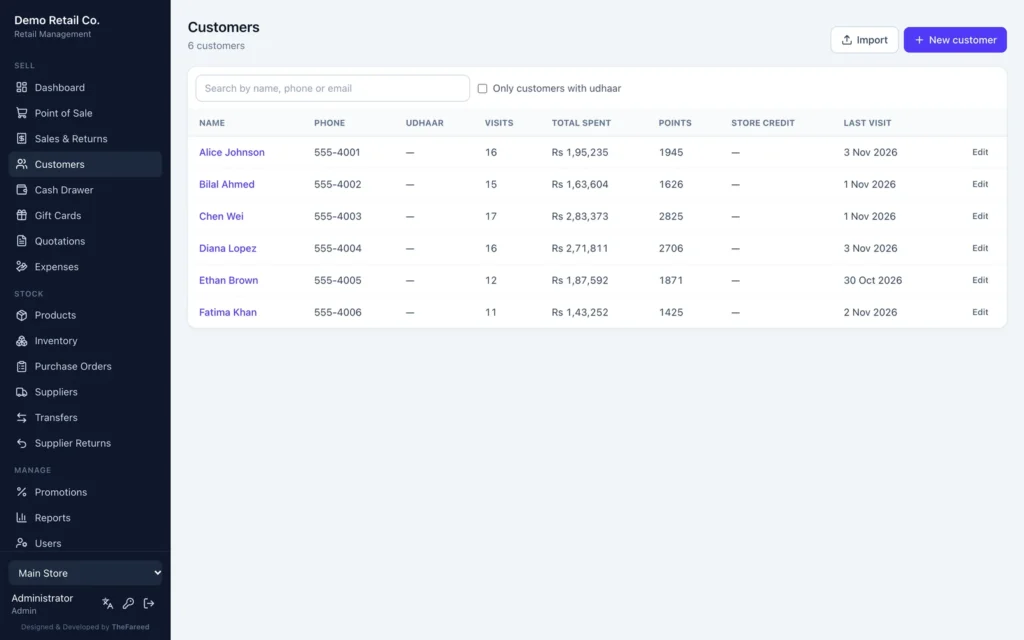
Purchase history, total spend, store credit, gift cards and loyalty points, with every balance change written to a ledger.
Cash drawer shifts
Open with a float, record pay-ins and pay-outs, close with a blind count and print a Z-report with over or short.
Reports
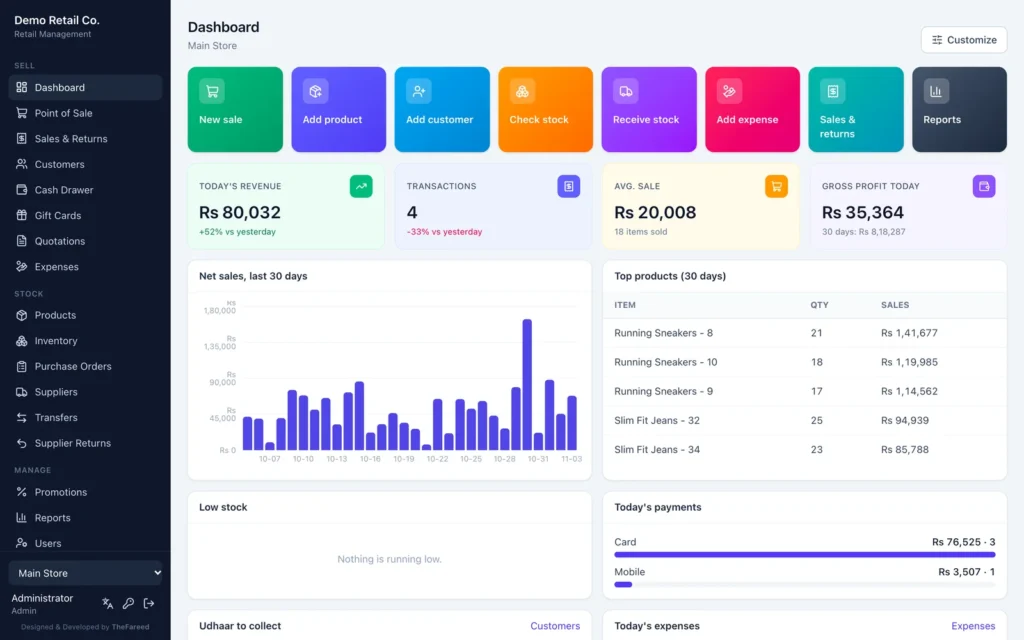
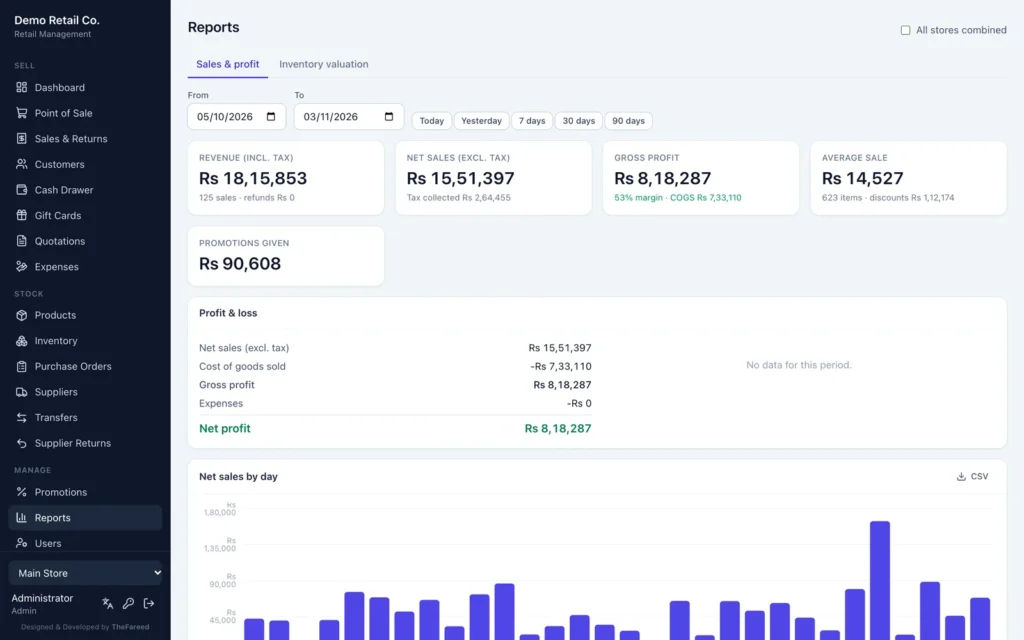
Sales and profit by day, category, product, staff, payment method and hour, profit and loss after expenses, and inventory valuation at cost and retail.
Online stores
Connects a Shopify or WooCommerce store. Stock goes out, online orders come in as sales, and items link by SKU.
The app itself
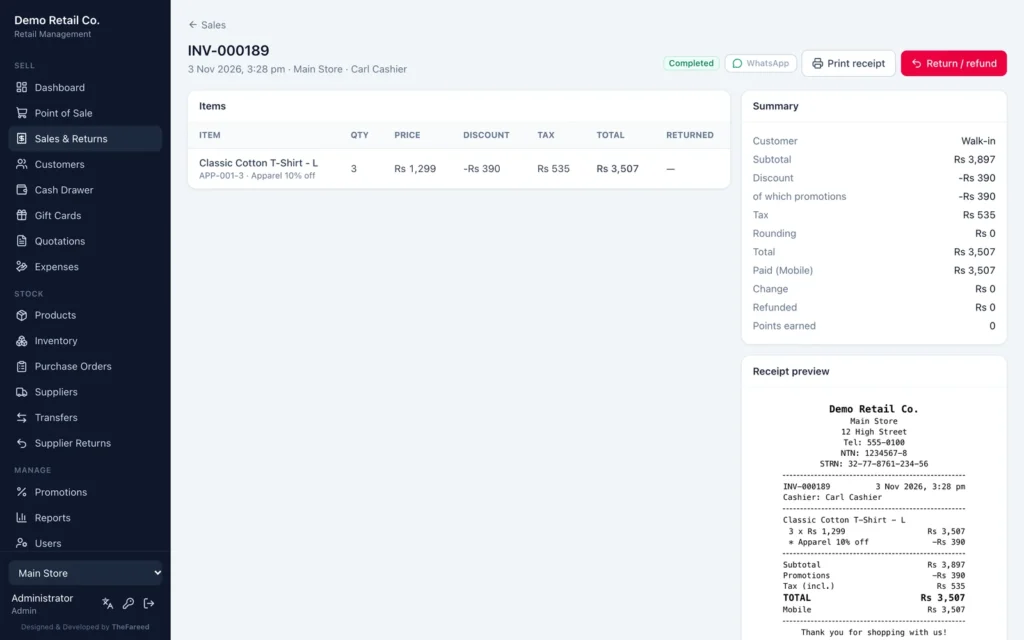
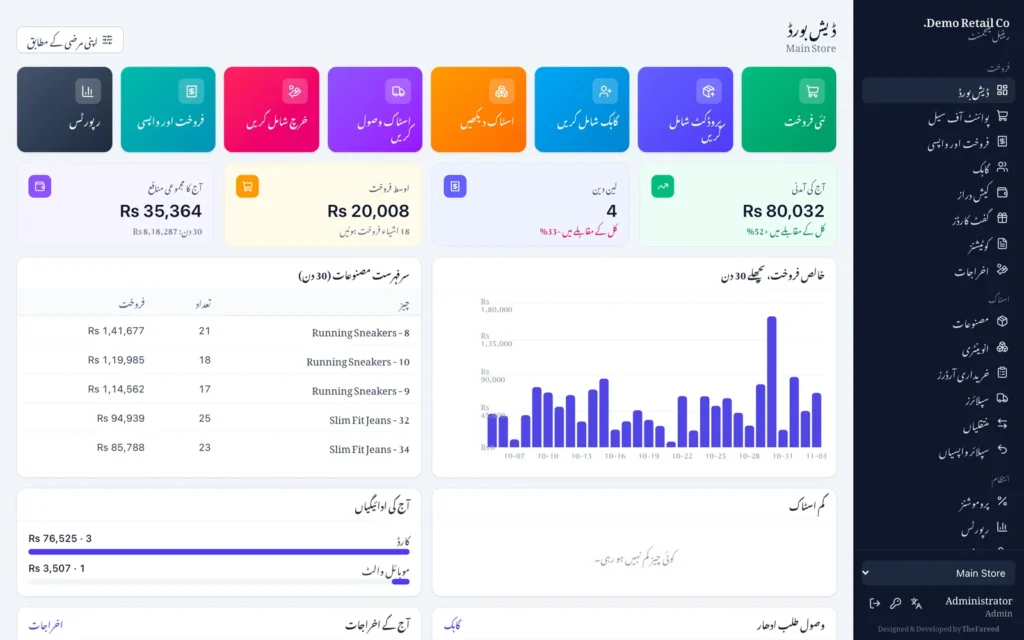
Captured from the built-in demo shop. Every store, product, customer and sale shown is sample data.
How a sale moves
A cashier should not need a manual. Scan, check the total, take the money.
- The cashier opens a shift with the float in the drawer.
- Items are scanned or tapped, and promotions apply on their own.
- The customer is found by phone, or added in two fields.
- Payment is taken in one method or split across several, or put on udhaar.
- The receipt prints, stock drops and loyalty points are added.
- At closing, a blind count and a Z-report show whether the drawer is over or short.
Pay for what the shop uses
Every shop gets the core. A corner shop stops there, a chain adds branches and purchasing, and an online seller adds the store sync. Anything not included shows a lock and stays out of the way.
RMS Basic, always included
- Point of sale with cash, card, mobile wallet and cheque
- Products, inventory and stock adjustments
- Sales, returns and refunds
- Customers
- Dashboard, plus sales by day and by product
- CSV import and export
- English and Urdu
- Daily automatic backups
- One store and three users
Add-ons
- Udhaar and khata
- Cash drawer shifts
- Purchasing and suppliers
- Multi-store and transfers
- Promotions
- Gift cards, store credit and loyalty
- Quotations
- Expenses and profit and loss
- Advanced reports
- Variants and barcode labels
- Shopify and WooCommerce sync
- Automatic WhatsApp confirmations
- Activity log
- Offline selling
- Custom dashboard
- Extra users and stores
Money that always adds up
- One pricing engine. The till and the server share the same code for promotions, discounts, tax and rounding, so the receipt never disagrees with the books.
- Every stock change is a movement. Sales, returns, counts, receiving and transfers all write a movement row in the same transaction, and the tests check that stock always equals the sum of its movements.
- Money stored in whole units. No floating point anywhere near a total, and refunds of the last units take the remainder so totals never drift.
- Permissions enforced by the server. A cashier cannot reach a manager action by guessing a URL. Five wrong passwords lock an account for fifteen minutes.
- Tested hard. 157 API tests, including 150 random carts checked for exact money, parallel duplicate sales, offline sync and full ledger reconciliation, plus browser runs of the main flows.
- Installer-first delivery. One installer for Windows and one for macOS. RMS starts with the computer, restarts itself if it stops, and keeps shop data outside the program folder so updates never touch it.
Choices worth defending
Because the shop has to keep selling during load shedding and when the internet drops. A computer on a UPS inside the shop serves every till over the local network, and the internet is only needed for online store sync and WhatsApp.
Every till, laptop or tablet in the shop already has one. Nothing is installed on the tills, a new counter is ready in a minute, and one update on the main computer updates every screen.
Selling on credit to regular customers is how many shops actually work. Keeping it in a notebook means arguments over balances. RMS keeps the khata next to the sales, with limits that only a manager can set.
A single-counter shop should not pay for branches, purchase orders and online sync it will never open. The core runs a shop on its own, and add-ons are switched on with a new license key, without reinstalling.
The FBR POS integration is built, including invoice numbers, QR codes on receipts and credit notes for returns. It is switched off for now and will be turned on once it has been checked against FBR’s final integration requirements.
Automatically every day, keeping the last thirty, again before every upgrade or restore, and on demand, with an optional second copy on a USB drive or a cloud-synced folder.
Still running the shop on a register?
RMS is licensed per shop and installed on your own computer. Get in touch for a walkthrough of a full day at the till, from opening the drawer to the Z-report.