iChatAssist
A chat for your WordPress site that answers visitor questions, walks them through a short enquiry and saves every lead to your dashboard. AI answers are optional and off by default.
Turn quick questions into real enquiries
Most small business sites lose visitors the same way. Someone has a quick question, like "How much does it cost?", cannot find the answer and leaves. Or they send a contact form that says "Hi, I need a website", and it takes a week of emails to get the details.
iChatAssist does the asking for you. It answers common questions from facts you write, asks for the service, budget and timeline in a few taps, and saves the enquiry with the full conversation before any email is sent. It works fully without AI.
What it does
A chat that qualifies leads, with AI only if you want it.
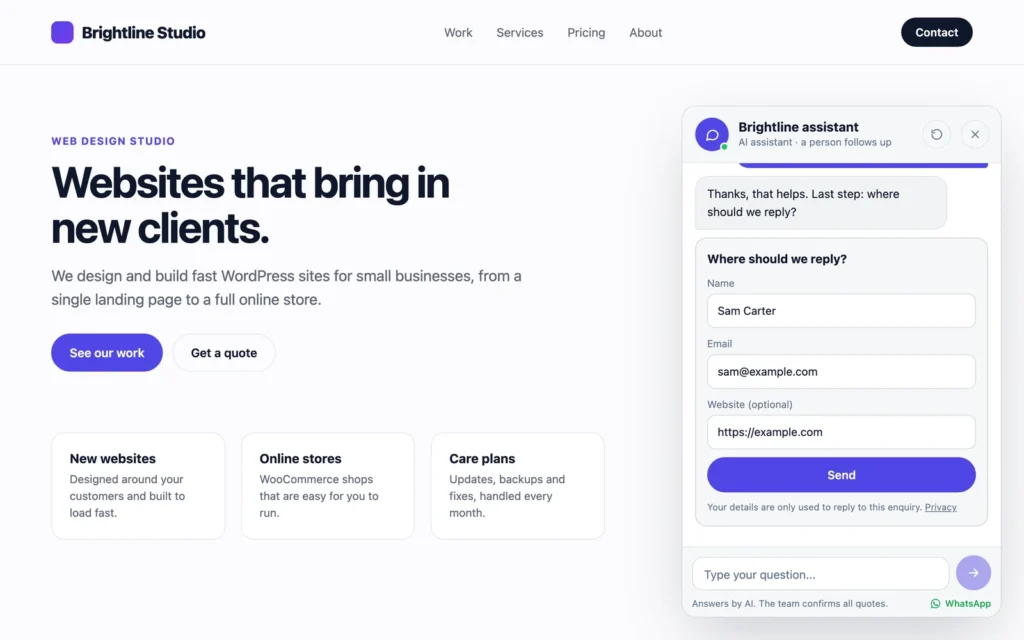
Guided enquiry
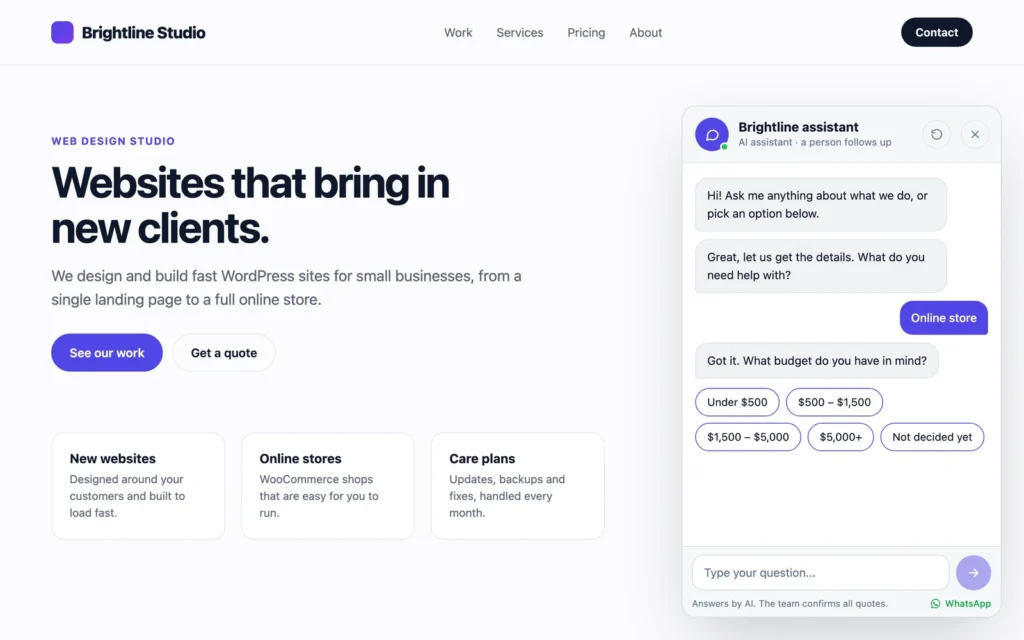
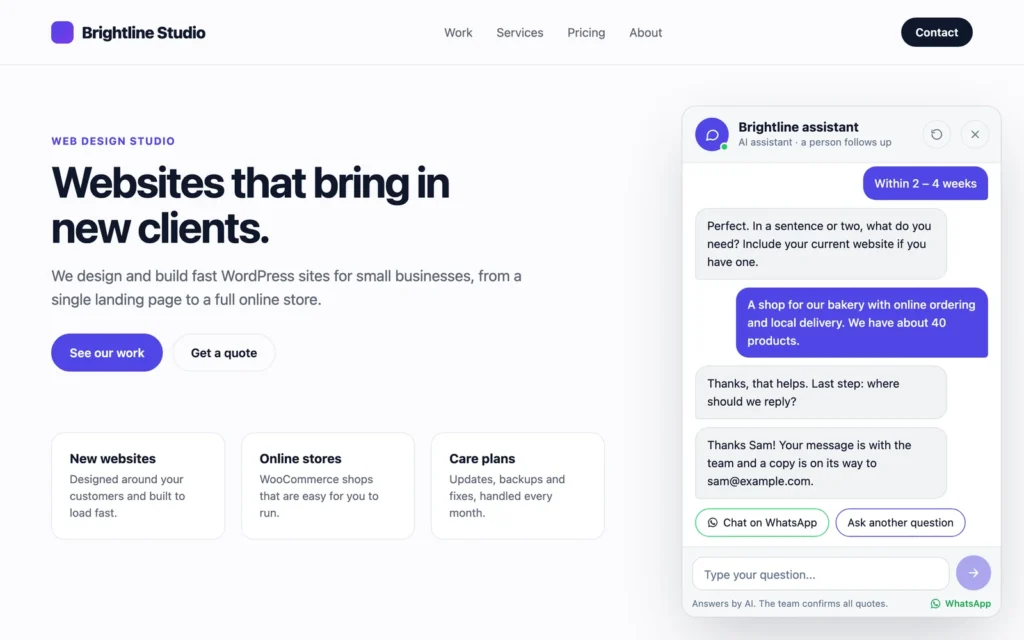
Service, budget and timeline in a few taps, then a short description and contact details. You set your own options, so it works for a studio, a clinic or a photographer.
Quick answers
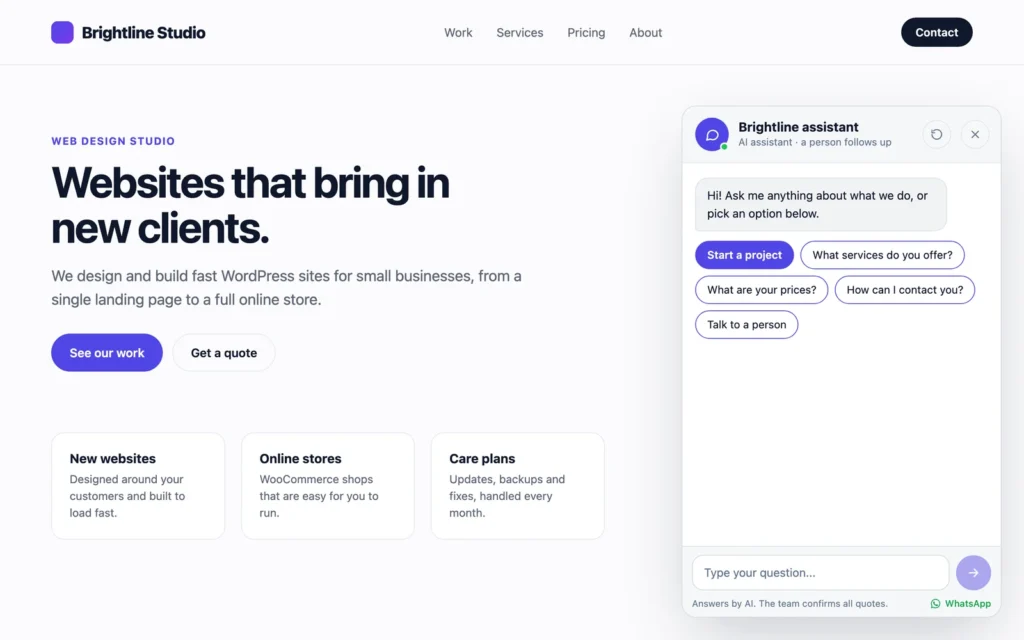
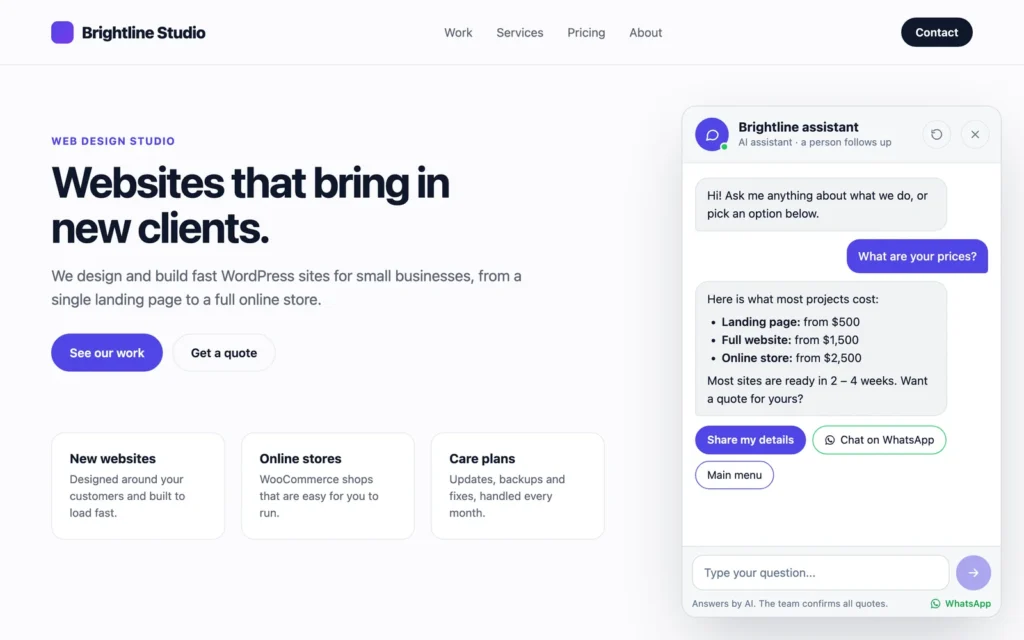
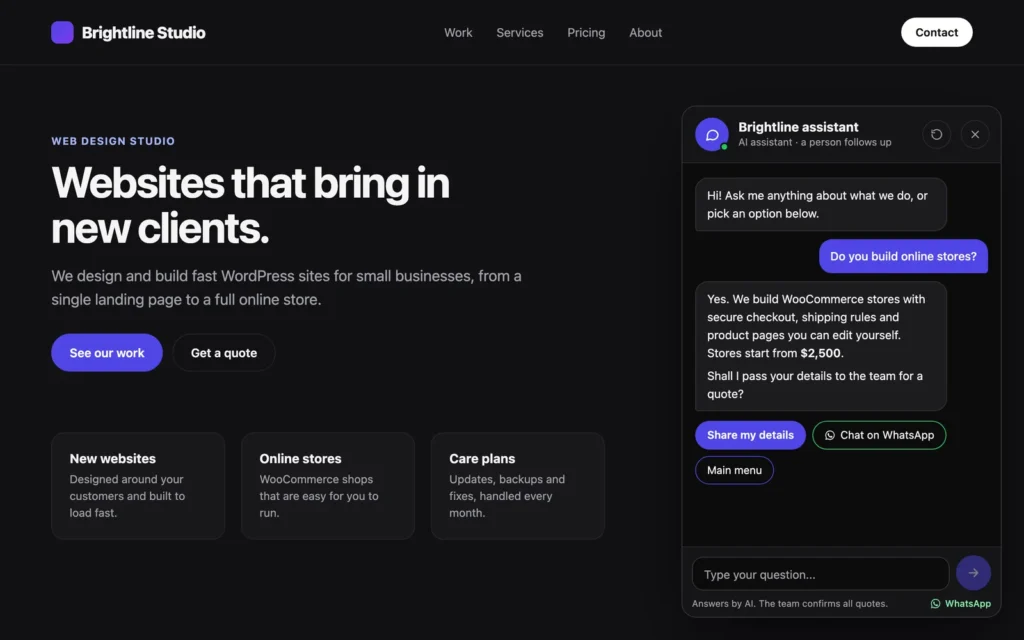
Write your own replies for prices, hours and common questions, matched by keywords. Up to six quick questions show as buttons when the chat opens.
Optional AI answers
Uses the AI Client built into WordPress 7.0 and the provider you connect in Settings, Connectors. The plugin never asks for or stores an API key. Off by default.
Grounded in your site
The AI only uses what you write about your business, your pricing, your quick answers and, if you allow it, your published pages. If the AI is unavailable, quick answers take over.
Leads are never lost
Every enquiry is saved under iChatAssist, Leads with the full chat before any email goes out, and the screen shows whether the email was delivered.
WhatsApp button
Add your number and visitors can carry the conversation on to WhatsApp with a prefilled message.
Fits your brand
Light or dark style, your accent color, your avatar or site icon, bottom left or right, and full screen on phones. Keyboard accessible and respects reduced motion.
Privacy friendly
No tracking and no third-party scripts. Visitor IP addresses are never stored, and leads work with the WordPress personal data export and erase tools.
See it in action
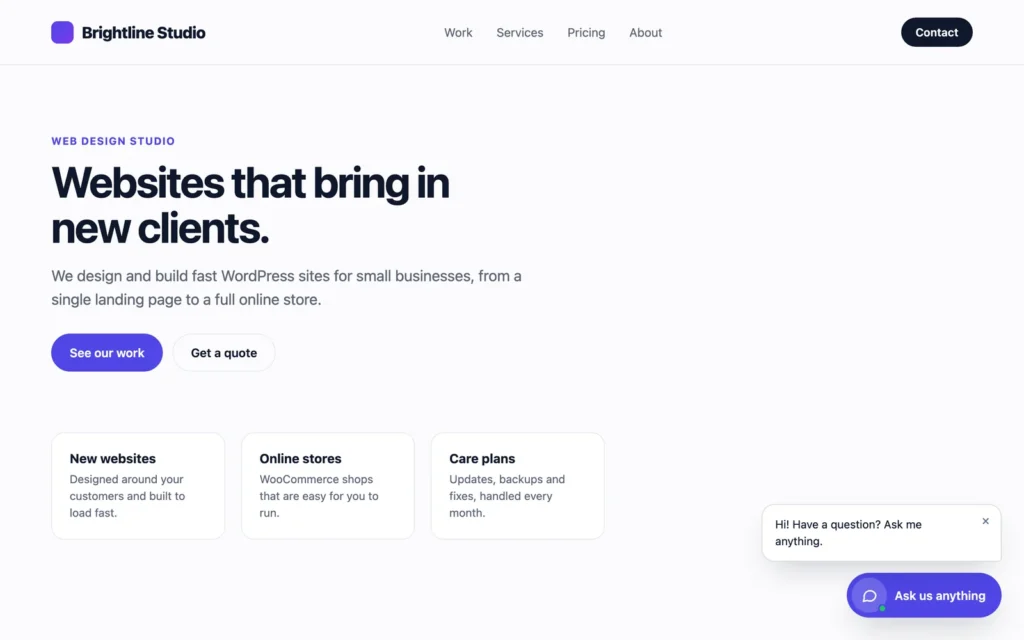
Shown on a sample business site, "Brightline Studio". All names and details are demo data.
Installation
About ten minutes, most of it writing your business details.
- Go to Plugins, Add New Plugin, search for iChatAssist and click Install Now, then Activate. It needs WordPress 7.0 or newer.
- Open iChatAssist, Settings. Describe your business, add your pricing and quick answers, and set the services, budgets and timelines for the guided enquiry.
- Check the notification email, and add a WhatsApp number if you want the button.
- Optional: connect an AI provider in Settings, Connectors, then tick "AI answers" in iChatAssist, Settings.
- Optional: add a "Chat with us" menu item that links to #chat. Any link to #chat opens the chat.
Frequently asked
No. AI answers are off by default, and the chat runs the guided enquiry and your quick answers on its own. Turning AI on only adds AI replies to questions visitors type.
Not in the plugin. AI answers go through the AI Client built into WordPress 7.0, so you connect a provider such as Anthropic, Google or OpenAI once in Settings, Connectors. iChatAssist never asks for or stores the key.
Only when AI answers are on: the last messages of the conversation (up to 12) plus the facts you wrote in the settings and, if you allow it, the title, link and opening text of your published pages. Contact details from the lead form are never sent.
Replies are short (400 tokens at most), only the last 12 messages are sent, and each visitor can send 40 messages an hour. Developers can change these limits with the ichatassist_max_tokens and ichatassist_rate_limit filters.
Yes. The chat loads the same for every visitor and talks to the site through the REST API, so cached pages work.
Yes, with the ichatassist_show filter, for example to hide it on the checkout page.
They are kept, unless you tick "Delete settings and all saved leads when the plugin is deleted" in the settings first.
Release history
- AI answers are now off by default and must be turned on in the settings.
- First release.
Let your site start the conversation
Free on WordPress.org, with questions welcome in the support forum. If you need more, like leads sent to your CRM, product answers from WooCommerce or a booking step in the chat, I can build it for you.