Clinico
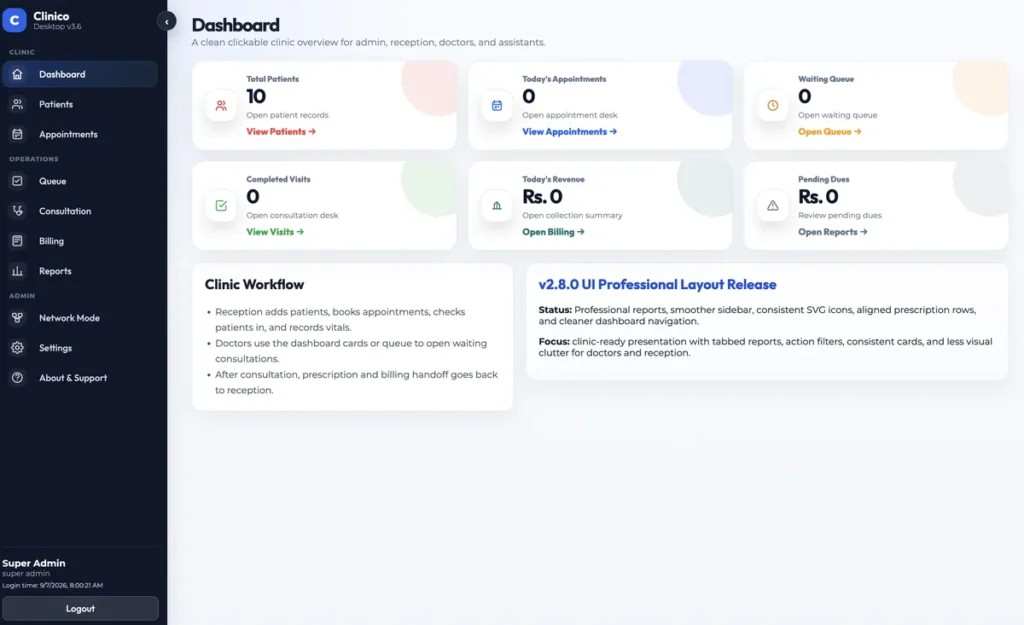
A clinic management system that runs on the clinic computers themselves. Reception books, vitals get recorded, the doctor works the queue, and billing closes the visit, with every record held in a local database that keeps working when the internet does not.
Built for the clinic floor
Small and medium clinics rarely have reliable connectivity, a server room, or someone to call when a cloud tool goes down. What they do have is a reception desk, a doctor room, and a shared patient record that has to be right.
Clinico installs like any desktop app. Data lives in a local SQLite database on the main computer, other terminals join over the clinic network, and staff only ever see the part of the workflow that belongs to them.
What is inside
Patients
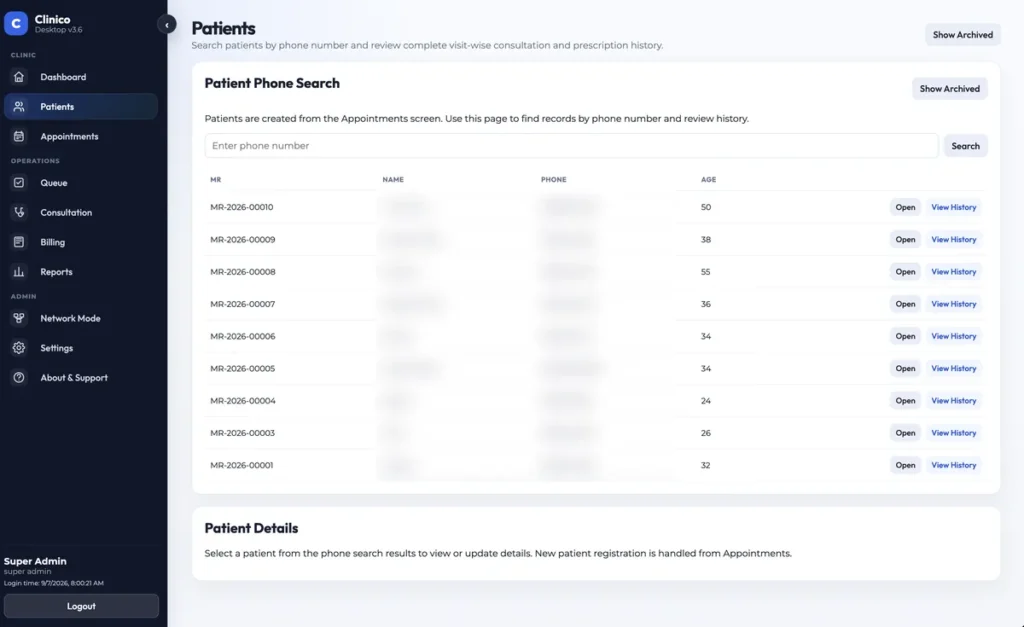
Records are looked up by phone number, which is the field clinics actually remember. Each profile carries visit history grouped by month, appointments, invoices and files.
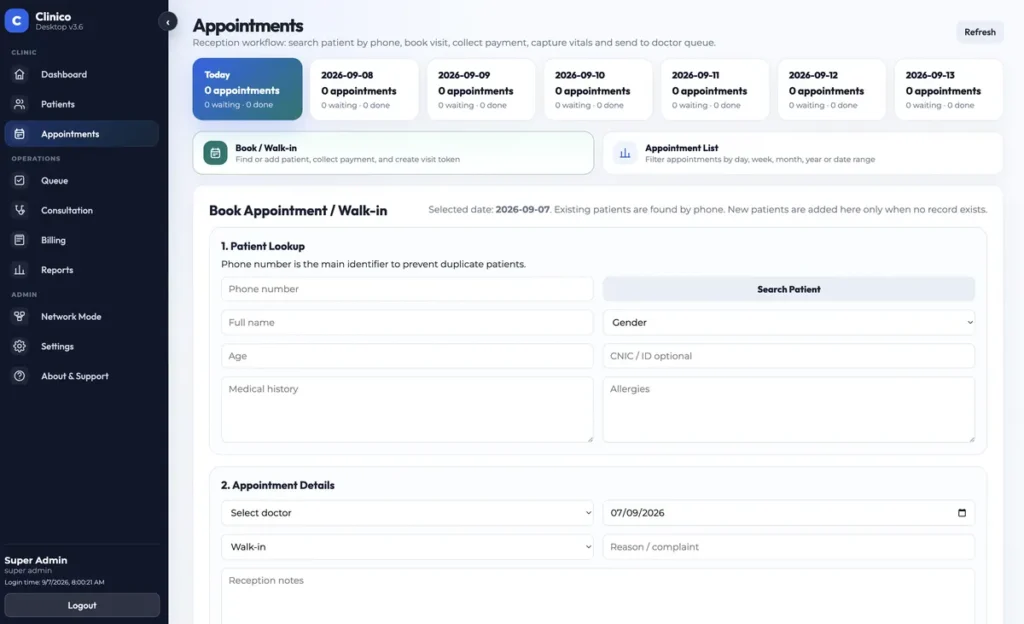
Appointments and walk-ins
A seven day date strip, filters for today, week, month, year or a custom range, and pagination once the list gets long. Walk-ins go through the same screen.
Check-in vitals
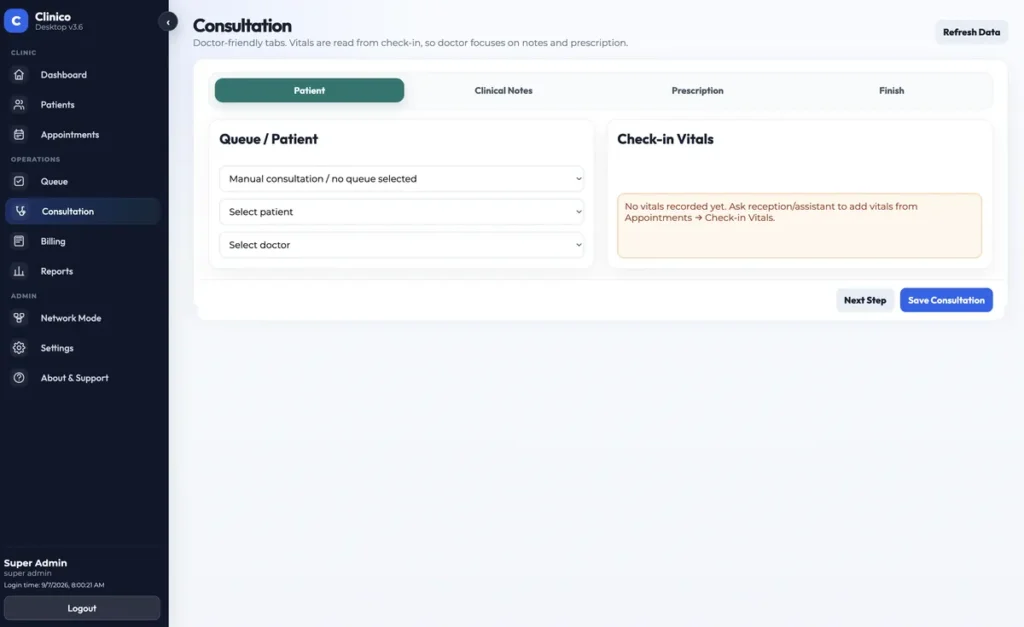
Reception or an assistant records vitals before the consultation, so the doctor opens a chart that is already complete.
Queue and tokens
Checked-in patients form a live queue. The doctor works from it rather than from a paper list.
Consultation and prescription
Chief complaint, diagnosis, clinical notes, advice and follow-up date, with a prescription builder attached to the same visit record.
Billing and ledger
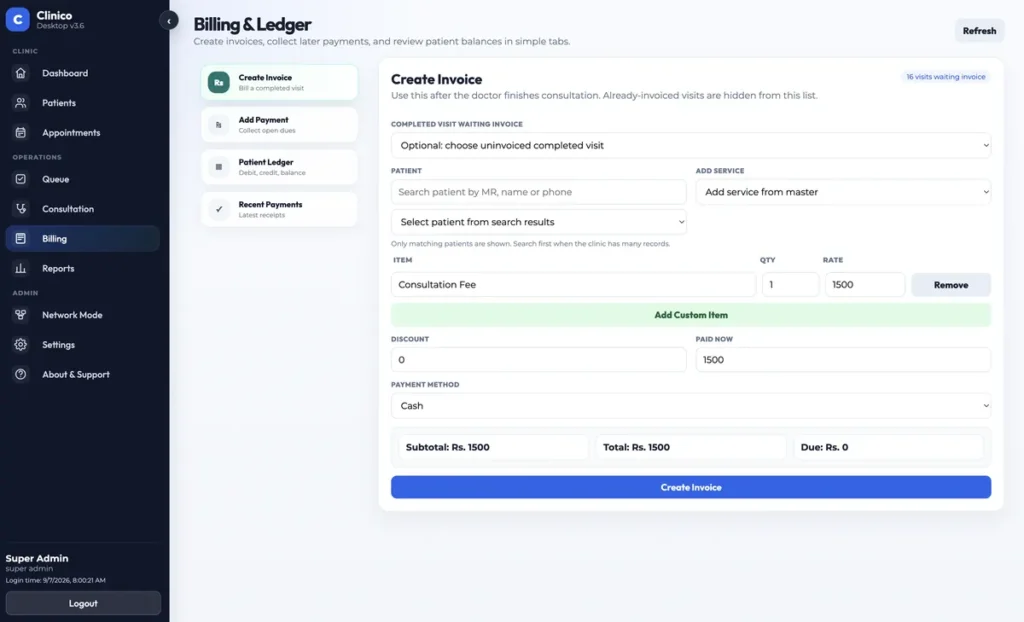
Invoices are raised after the consultation, payments are collected against open invoices, and every patient keeps a running ledger. Both selectors are searchable.
Reports
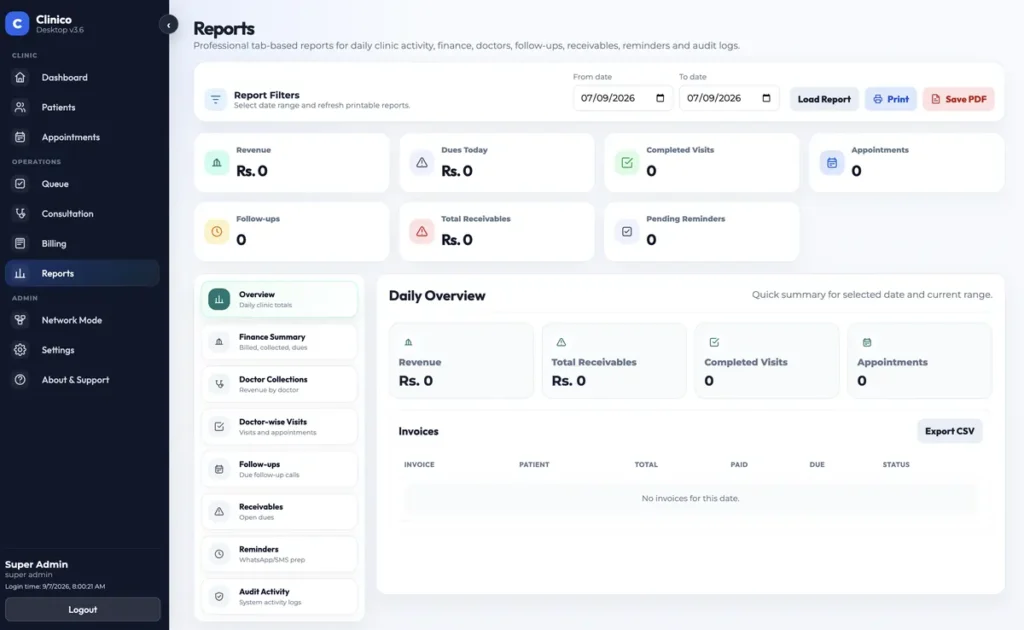
Day-to-day operational reporting over the same local data, with no export step needed to answer a simple question.
Network Mode
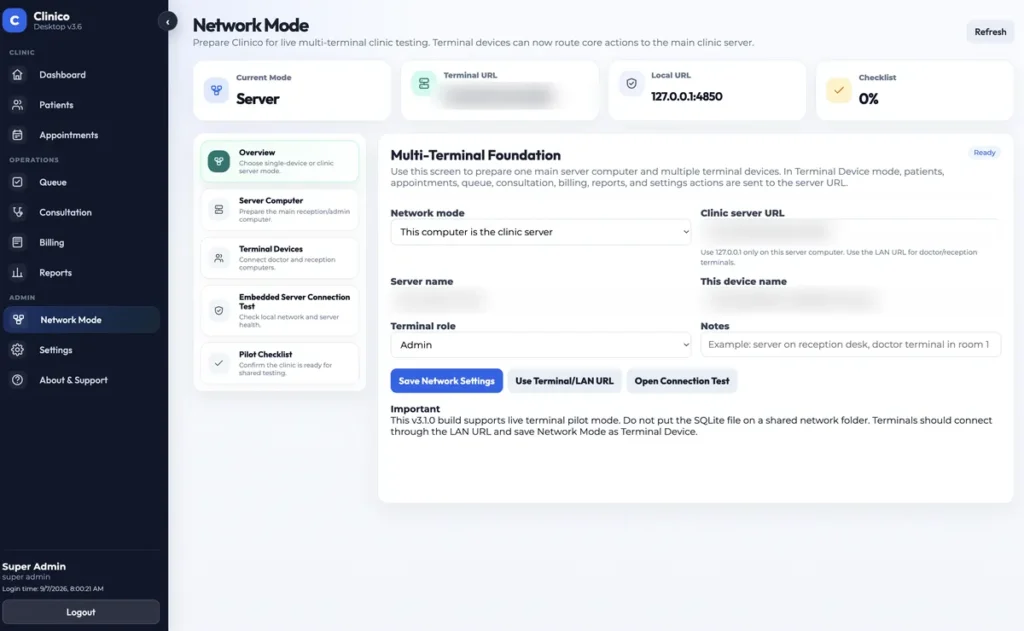
Turns the main computer into the clinic server so reception and doctor terminals write to one shared record set.
The app itself
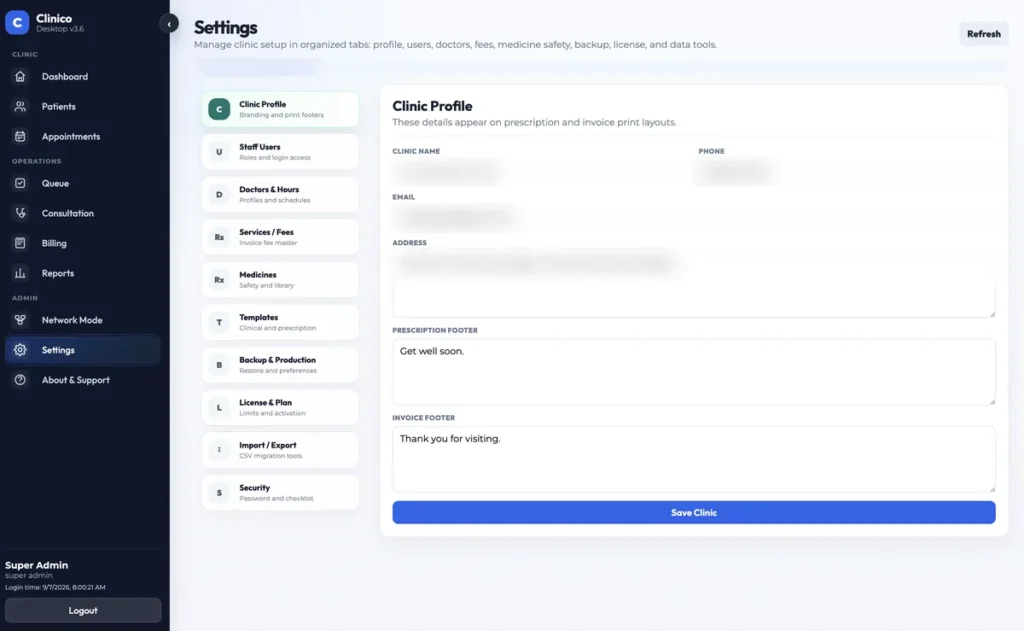
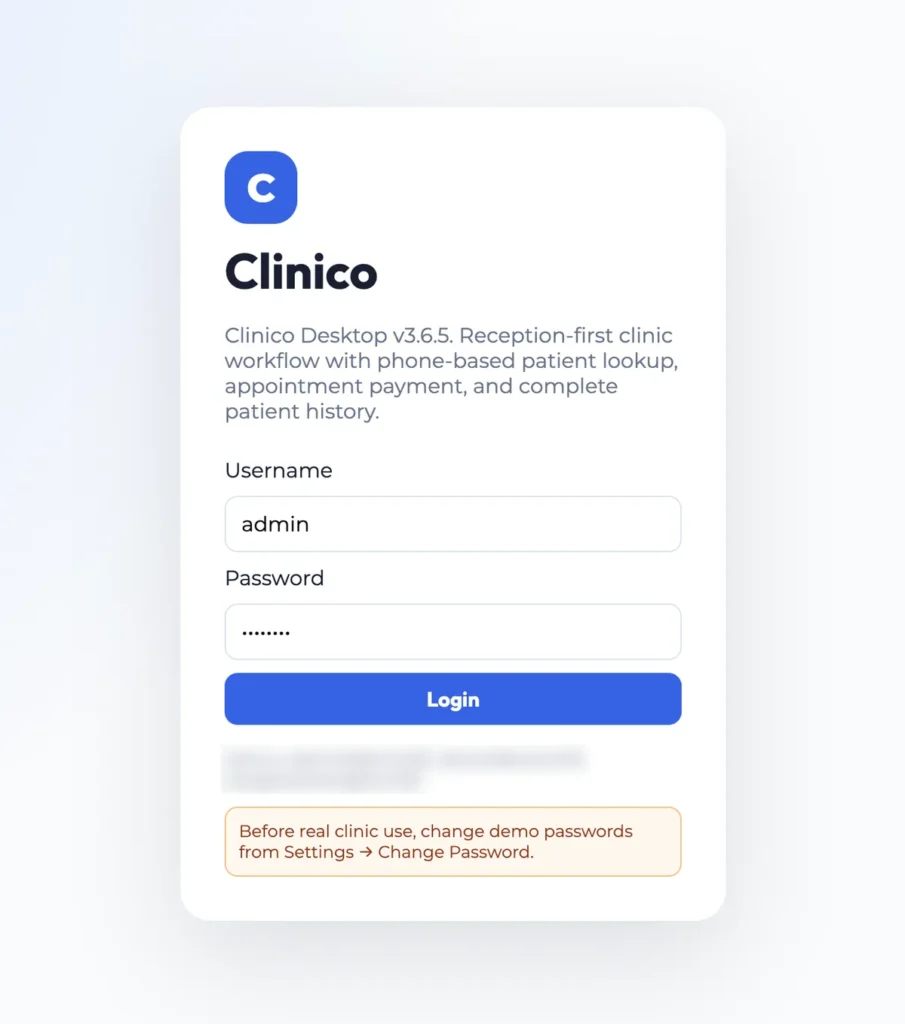
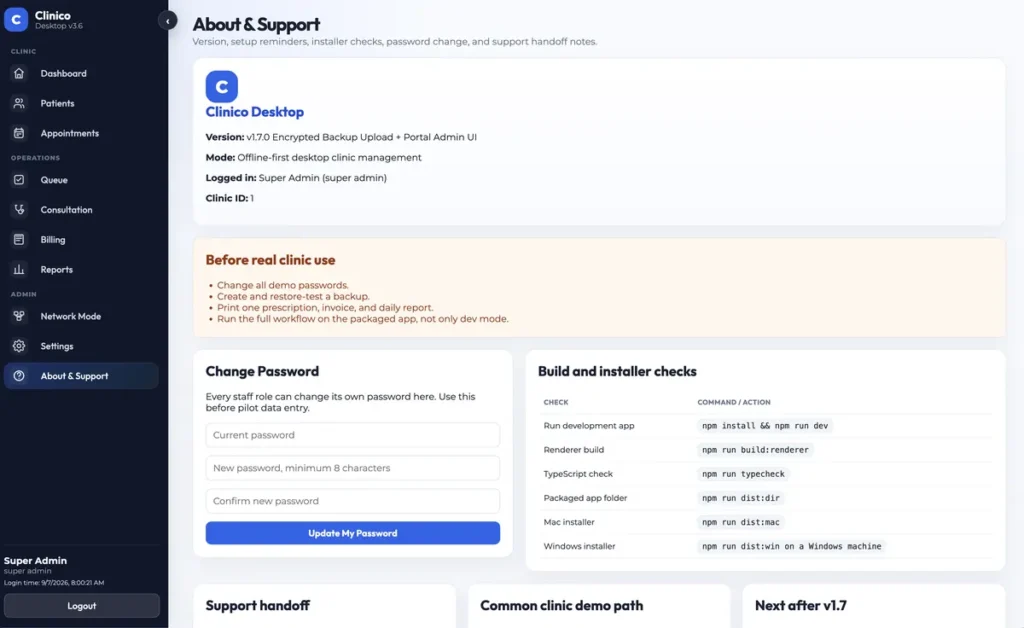
Captured from a demo install. Patient names, clinic details and network addresses are obscured.
How a visit moves
Roles are deliberate. The doctor never has to raise an invoice, and reception never has to guess a diagnosis.
- Reception finds the patient by phone, or adds a new one.
- An appointment or walk-in is booked and payment is taken.
- Vitals are recorded at check-in.
- The patient joins the queue.
- The doctor opens the queue and saves the consultation and prescription.
- Reception prints the prescription, closes the invoice and takes any balance.
Many terminals, one record
- One main computer holds the data. It runs the app and an embedded HTTP server on the clinic network.
- Terminals connect by LAN address. Reception and doctor machines route their writes through RPC endpoints instead of touching a shared file.
- No shared SQLite file over a network folder. That pattern corrupts databases, so it was ruled out from the start.
- Live event notifications. Workstations poll an events endpoint, so a new patient, a check-in, a completed consultation or a payment raises a toast on the other desks.
- Device-bound licensing. Activation is stored in the database and in a local backup file, so a machine is activated once and stays activated.
- Installer-first delivery. Separate DMG builds for Apple Silicon and Intel plus a Windows installer. Clinic machines never need Node installed.
Choices worth defending
A clinic cannot stop taking patients because a connection dropped. Everything runs against a local database, and the network is only used to keep terminals in step inside the building.
Because that is who is free when the patient arrives. Moving vitals ahead of the consultation means the doctor opens a chart that is already complete instead of typing numbers back.
Billing belongs to reception. Separating it keeps the consultation screen clinical and keeps money handling in one place, which matters when the clinic reconciles the day.
Names repeat and get spelled differently. A phone number is what the clinic asks for at the desk, so search-first on phone cuts duplicate records sharply.
The clinic wanted software they install, own and run, with data on their premises. Electron gives a desktop install on both macOS and Windows from one codebase, with native SQLite underneath.
The app carries backup and restore, and the roadmap adds cloud backup storage. For now the clinic keeps its own copies, which is what they asked for.
Release history
- Compact filter layout on the appointment list.
- Pagination at 10, 25 or 50 rows with previous and next controls.
- Better behavior on smaller laptop screens.
- Reception now searches by phone, books, takes payment and adds vitals on one screen.
- The patient screen focuses on phone lookup to cut duplicate records.
- Report-style filter bar on appointments.
- Fixed seven day date strip and local date defaults.
- Filters for today, week, month, year and a custom range.
- Stable app data folder so activation survives restarts and updates.
- Migration of an existing database and license from earlier folders.
- Reload shortcuts blocked so an accidental refresh cannot reset the session.
- Patient record tabs: overview, visit history, appointments and billing, files.
- Visit history grouped by month with full consultation detail.
- Searchable patient and open-invoice selectors in billing.
- Client handoff build with live notifications.
- Sidebar trimmed to clinic-facing sections only.
Running a clinic on paper?
Clinico is licensed per clinic and installed on your own machines. Get in touch for a walkthrough of a full clinic day.