IProduct Bundles
Free product bundles for WooCommerce. Sell fixed bundles, Mix & Match boxes, optional add-ons and Frequently bought together offers, with no paid upgrade.
Bigger orders, without a paid add-on
Bundles are one of the simplest ways to raise the average order: a starter kit, a gift box, or the accessories that go with what is already in the cart. In WooCommerce, that usually means a paid extension with a yearly license.
IProduct Bundles adds a Product bundle type to WooCommerce for free. Build fixed bundles or let customers mix and match, offer optional extras, and suggest products that are often bought together, all with stock tracked on each item.
What it does
Four ways to sell more per order, all in the free plugin.
Fixed bundles
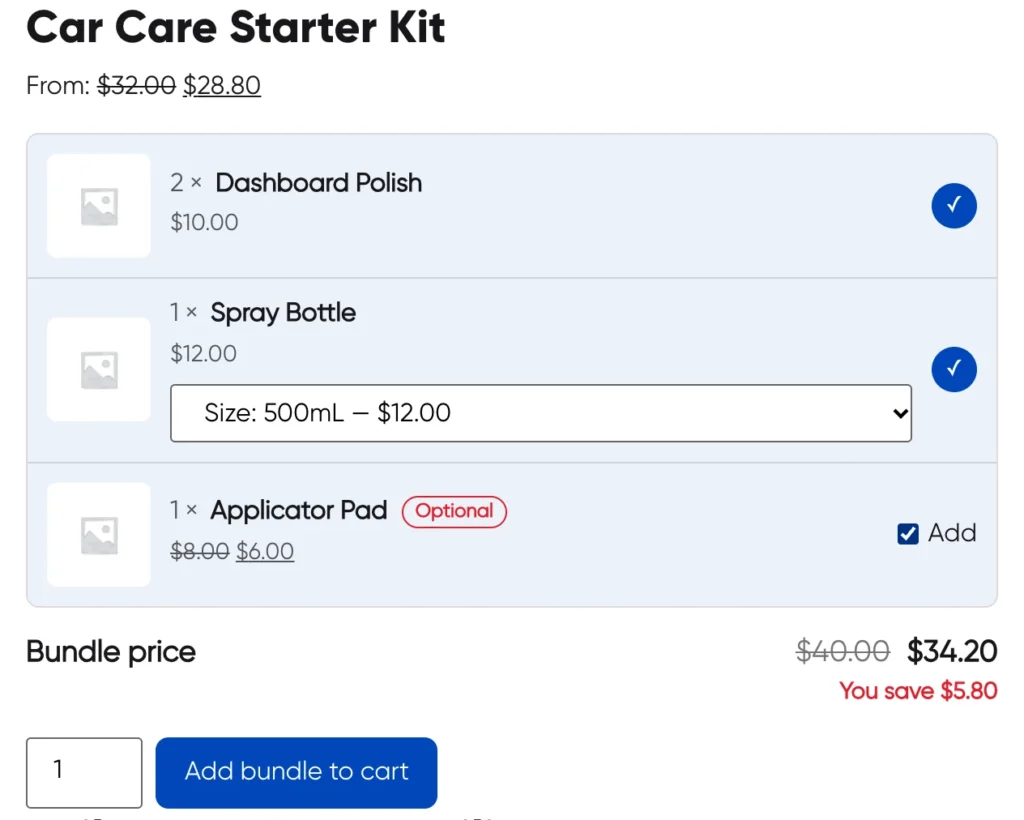
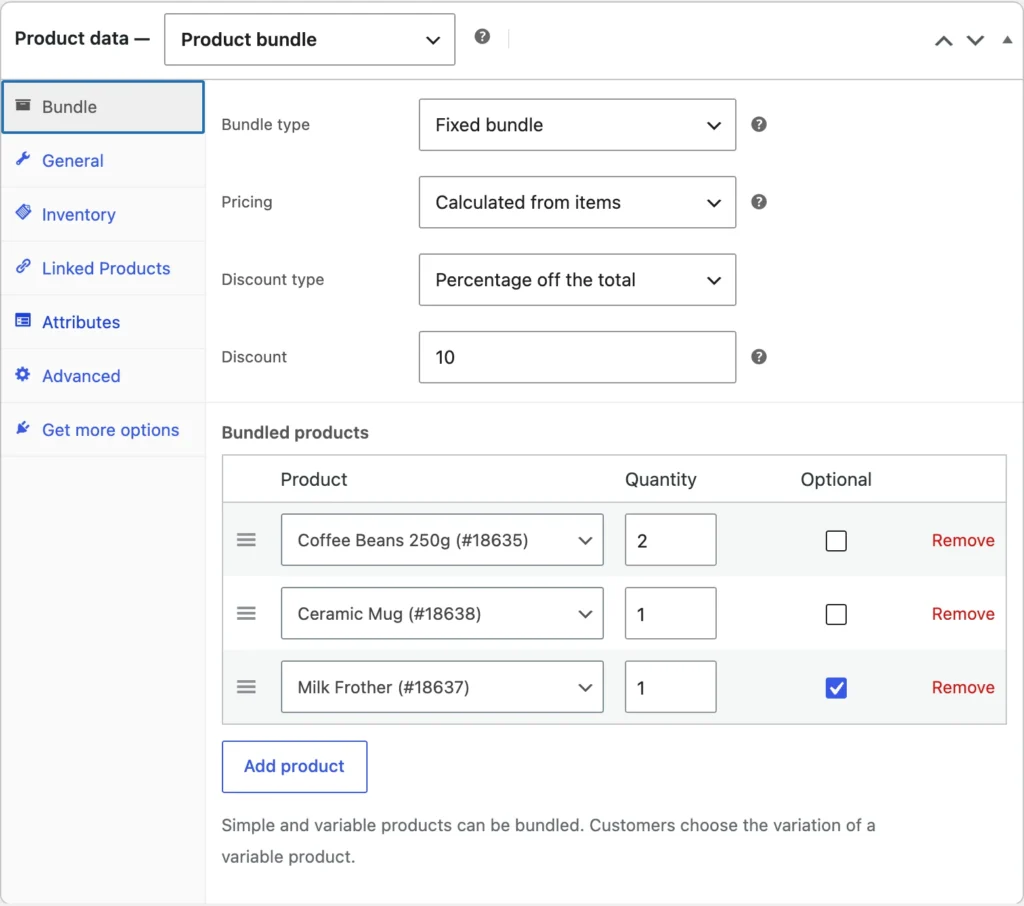
A set list of products and quantities sold as one, like Camera + Lens + Bag, with each item shown in the bundle.
Optional add-ons
Mark any item in a fixed bundle as optional, and customers tick the extras they want.
Mix & Match boxes
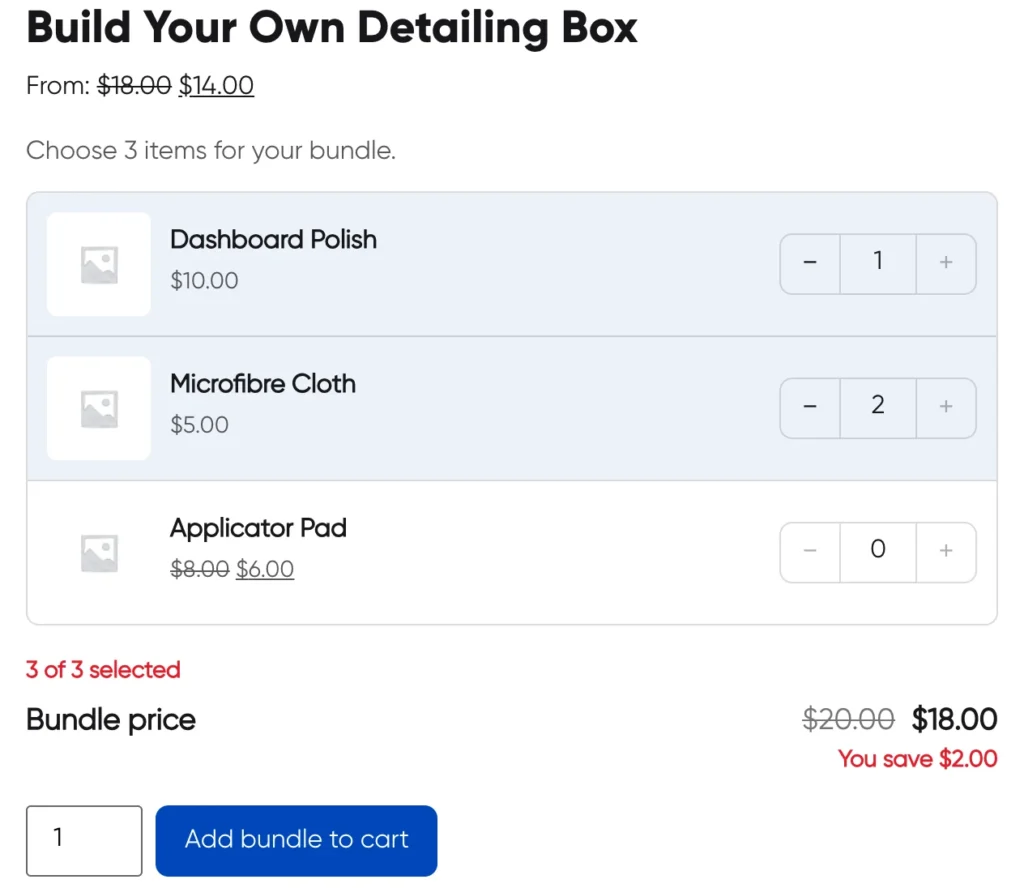
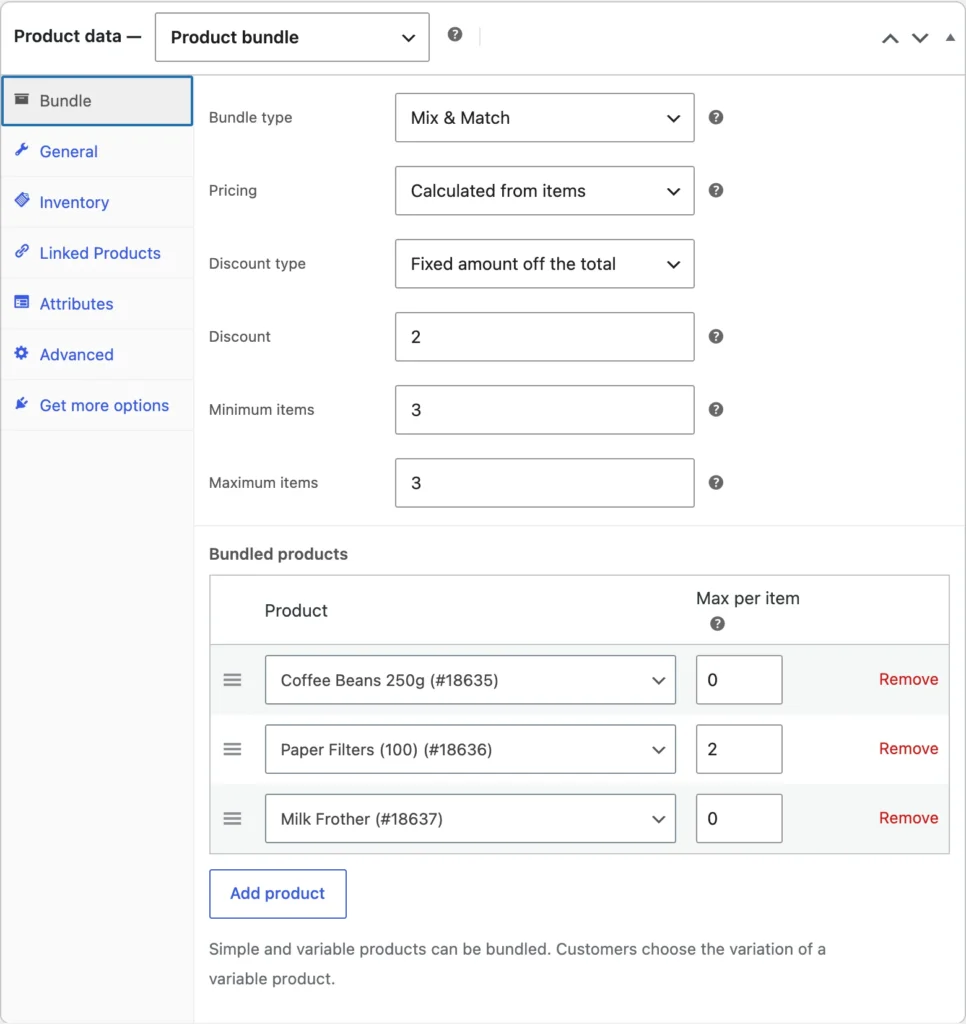
Customers build their own box from a list, with a minimum and maximum size and an optional limit per item. Think "pick any 6 cookies".
Frequently bought together
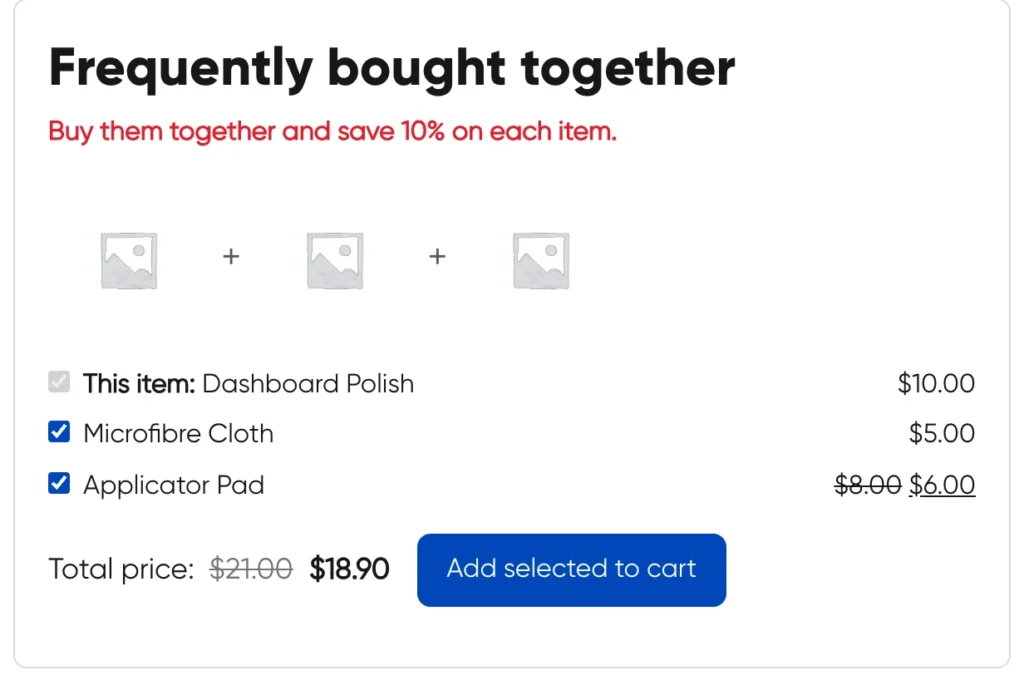
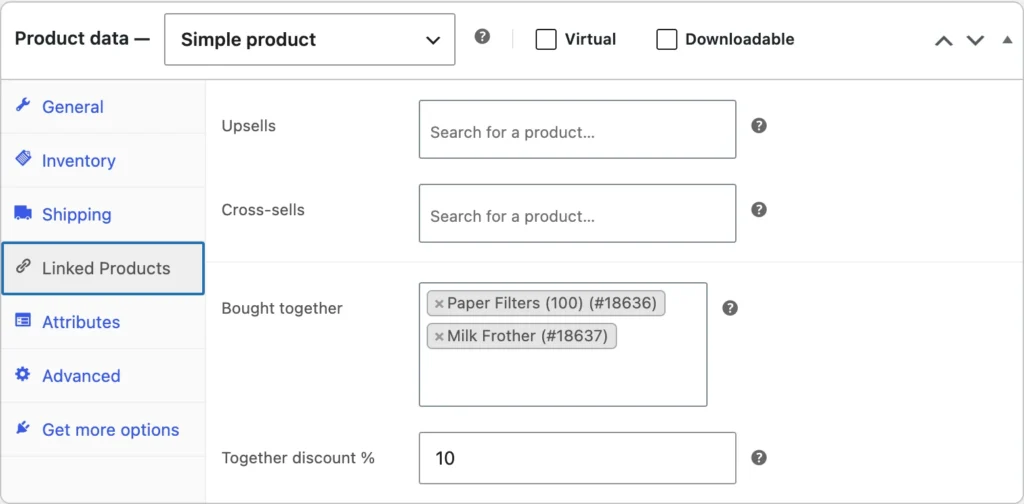
Offer up to 4 related products on any simple product, with checkboxes and a discount when they are bought together.
Flexible pricing
Price a bundle from its items less a percentage or a fixed amount, or set one fixed price whatever the customer picks.
Accurate stock
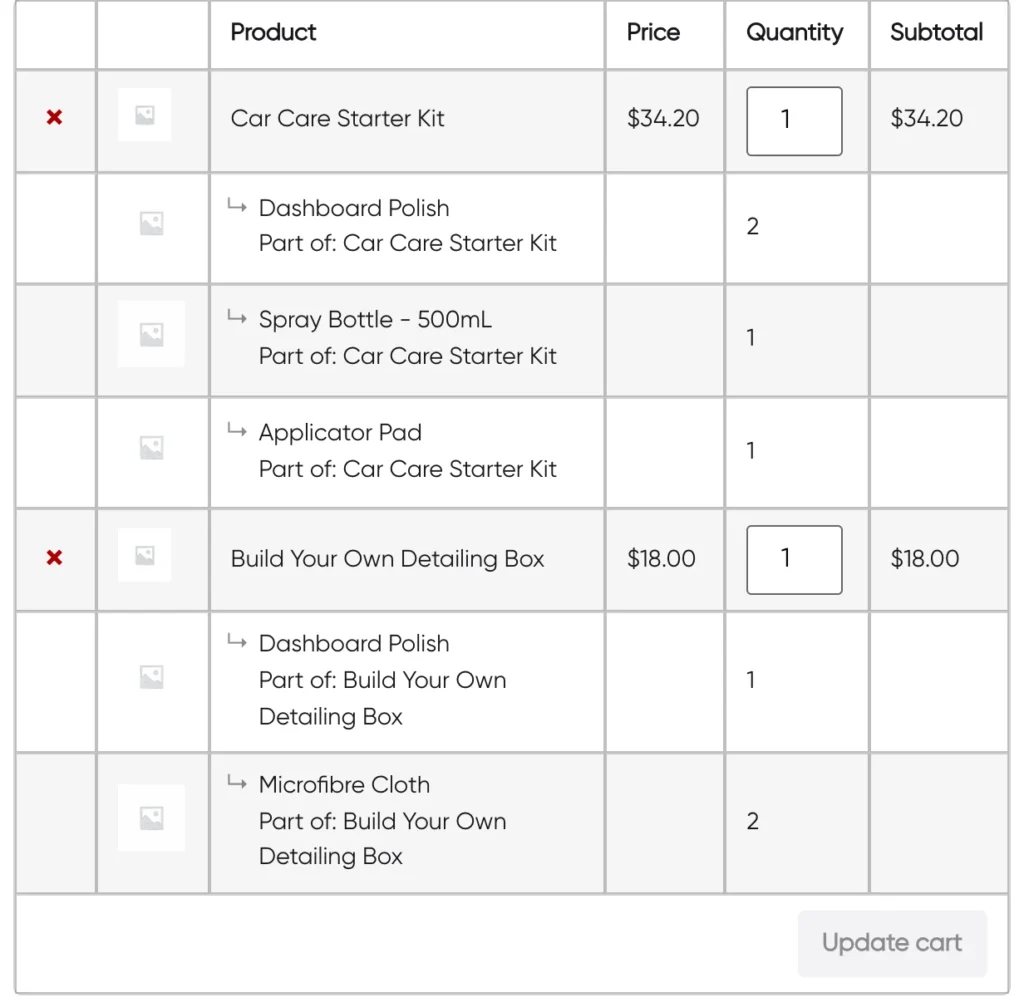
Stock is reduced on each bundled product, and a bundle shows as out of stock when a required item runs out.
Looks like your store
Uses your theme's colors by default, from block themes and from Elementor, Astra, Kadence and Blocksy. Three layouts, and every label can be renamed.
Light and compatible
No jQuery on the front end and about 5 KB of script and styles. Works with variable products, HPOS, and both the block and classic checkout.
See it in a store
Shown in a test store with sample products.
Installation
Your first bundle takes a few minutes.
- Upload the plugin under Plugins, Add New Plugin, Upload Plugin, then activate it. WooCommerce must be active.
- Go to Products, Add New and choose Product bundle from the product type dropdown.
- Open the Bundle tab, choose the bundle type and pricing, then add the products.
- For Frequently bought together, edit a simple product and open Linked Products.
- Optional: adjust colors, layout and labels in WooCommerce, Settings, Bundles.
Frequently asked
Yes. Every feature on this page is in the free plugin, with no paid upgrade.
Simple and variable products. For variable products, the customer picks the variation, like size or color. Grouped, external and other bundle products cannot be bundled.
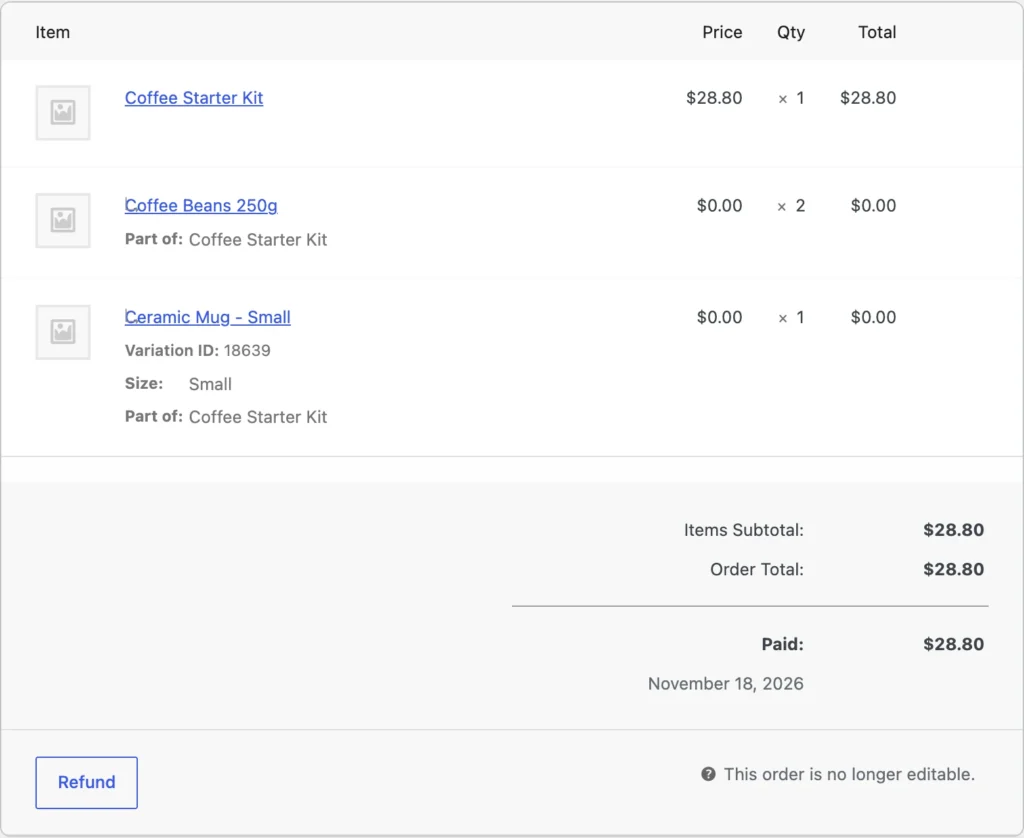
As one bundle line with the bundle price, followed by each bundled product grouped underneath it. Stock is reduced on the bundled products, so your inventory stays accurate.
Yes. Bundles appear where your product template shows the add-to-cart button. You can also place any bundle or Frequently bought together box with the Product Bundle block or a shortcode.
Yes. It supports the Cart and Checkout blocks as well as the classic cart and checkout, and High-Performance Order Storage.
It is on its way. Ask for early access and I will send it to you, or tell me what your store needs and I can set it up for you.
Release history
- First release: fixed bundles, optional add-ons, Mix & Match and Frequently bought together, with HPOS and Cart and Checkout blocks support.
- Theme or custom colors, three layouts, button styles and editable labels.
- Product Bundle block and the [iproduct_bundle] and [iproduct_fbt] shortcodes.
Want it before it launches?
IProduct Bundles is on its way to WordPress.org. Ask for early access, or tell me about your store and I will set up bundles that fit your products.