Walk into most shops in Lahore and you will find one of three setups. A register and a notebook. An old billing program that only runs on the counter PC. Or a cloud POS that is great until the internet drops in the middle of a busy evening and the queue starts growing.
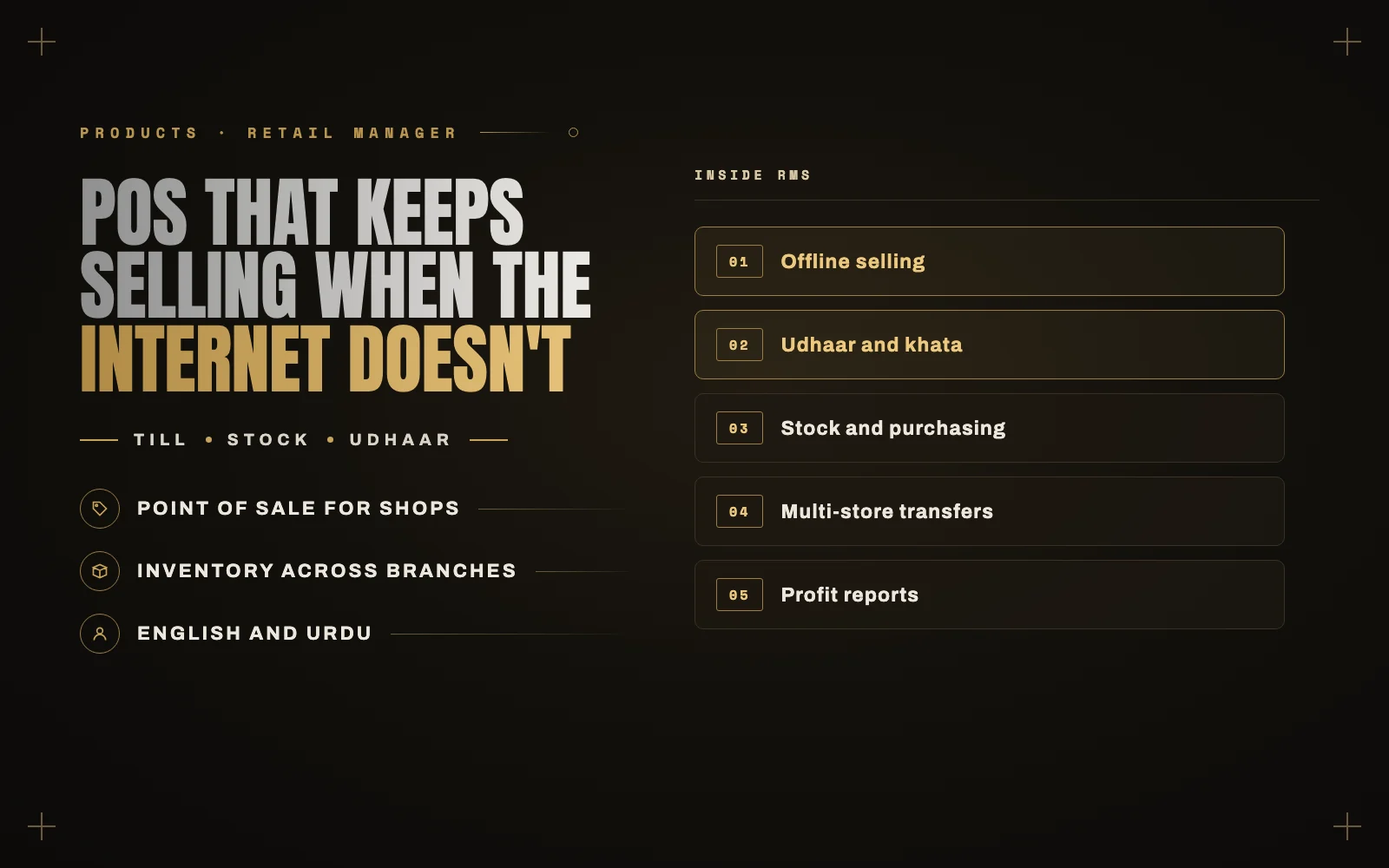
I built something for the shops in between. It is called RMS (Retail Manager): point of sale, inventory, purchasing, customers, udhaar and reports in one system, built around how shops in Pakistan actually work.
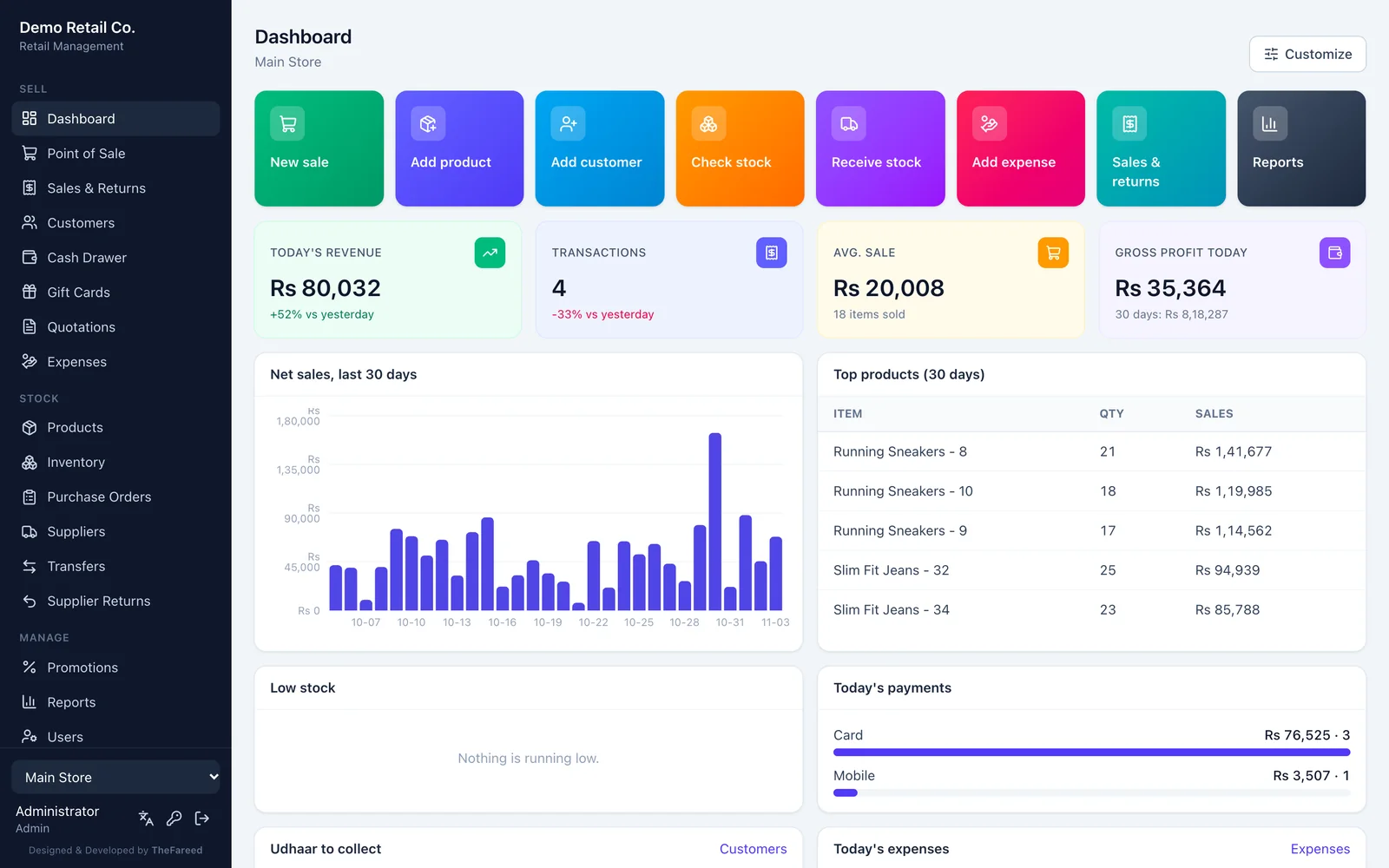
This post walks through what it does, with real screens from the built-in demo shop. Every product, customer and sale you see below is sample data.
Selling keeps going when the internet does not
This was the first design decision, and everything else follows from it.
RMS installs on one computer inside the shop, ideally on a UPS. Every till, laptop or tablet in the shop opens it in a browser over the local network. Nothing is installed on the tills, and a new counter is ready in about a minute.
Because the server sits in the shop, a dead internet connection does not stop a single sale. And if a till loses the shop network too, it saves sales on the device with a provisional receipt and sends them when the connection comes back. Every sale carries a unique reference, so a retry never creates a duplicate.
A till that is fast for cashiers
Cashiers do not read manuals, so the till is built to be obvious:
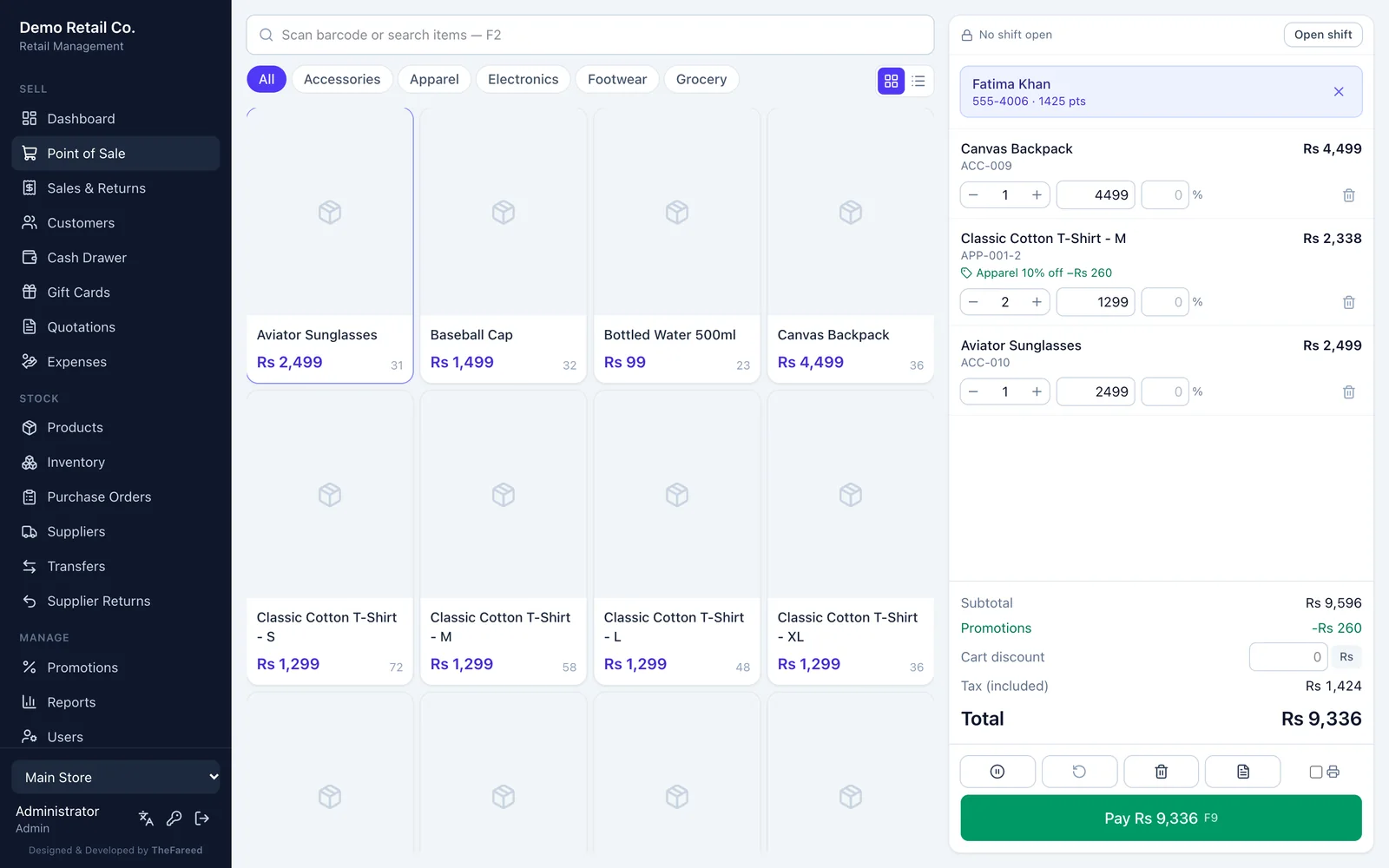
- Scan a barcode or tap a product tile by category.
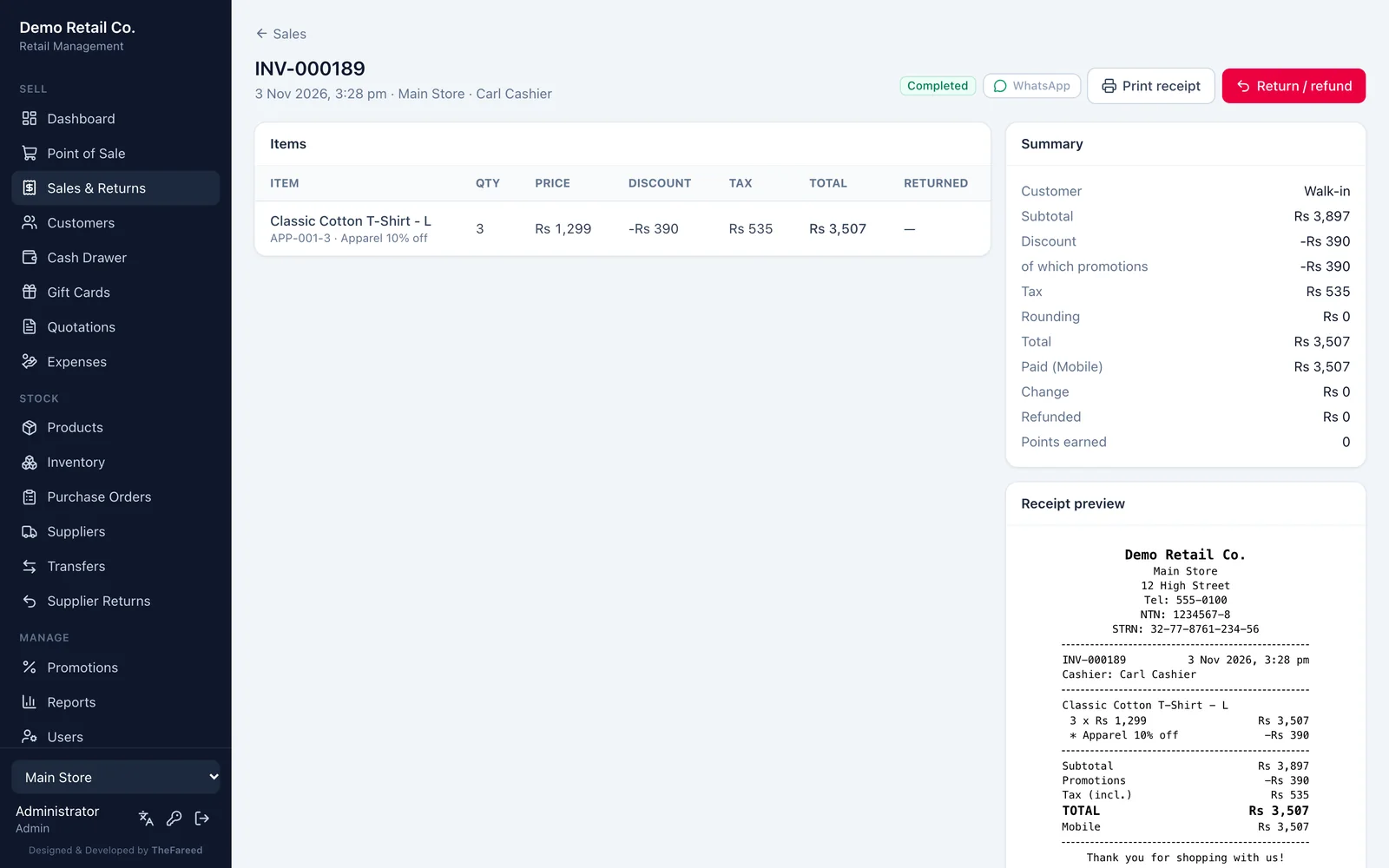
- Promotions apply on their own, like the 10% off apparel in the screen below.
- Find a customer by phone with F4, or add a new one in two fields.
- Take cash, card, mobile wallet or cheque, or split one bill across several.
- Press F9 to pay, and the 80 mm receipt prints with your NTN and STRN.
Cash drawer shifts are there when you want them. The cashier opens with a float, records pay-ins and pay-outs, then closes with a blind count. The Z-report shows straight away whether the drawer is over or short.
Udhaar and khata, without the notebook
Selling on credit to regular customers is how a lot of shops survive, and the notebook is where the arguments start. In RMS, a sale can go fully or partly on the customer’s account. A manager sets a credit limit per customer, part-payments are recorded against the balance, and you can print a statement with the running total whenever someone asks “how much do I owe?”
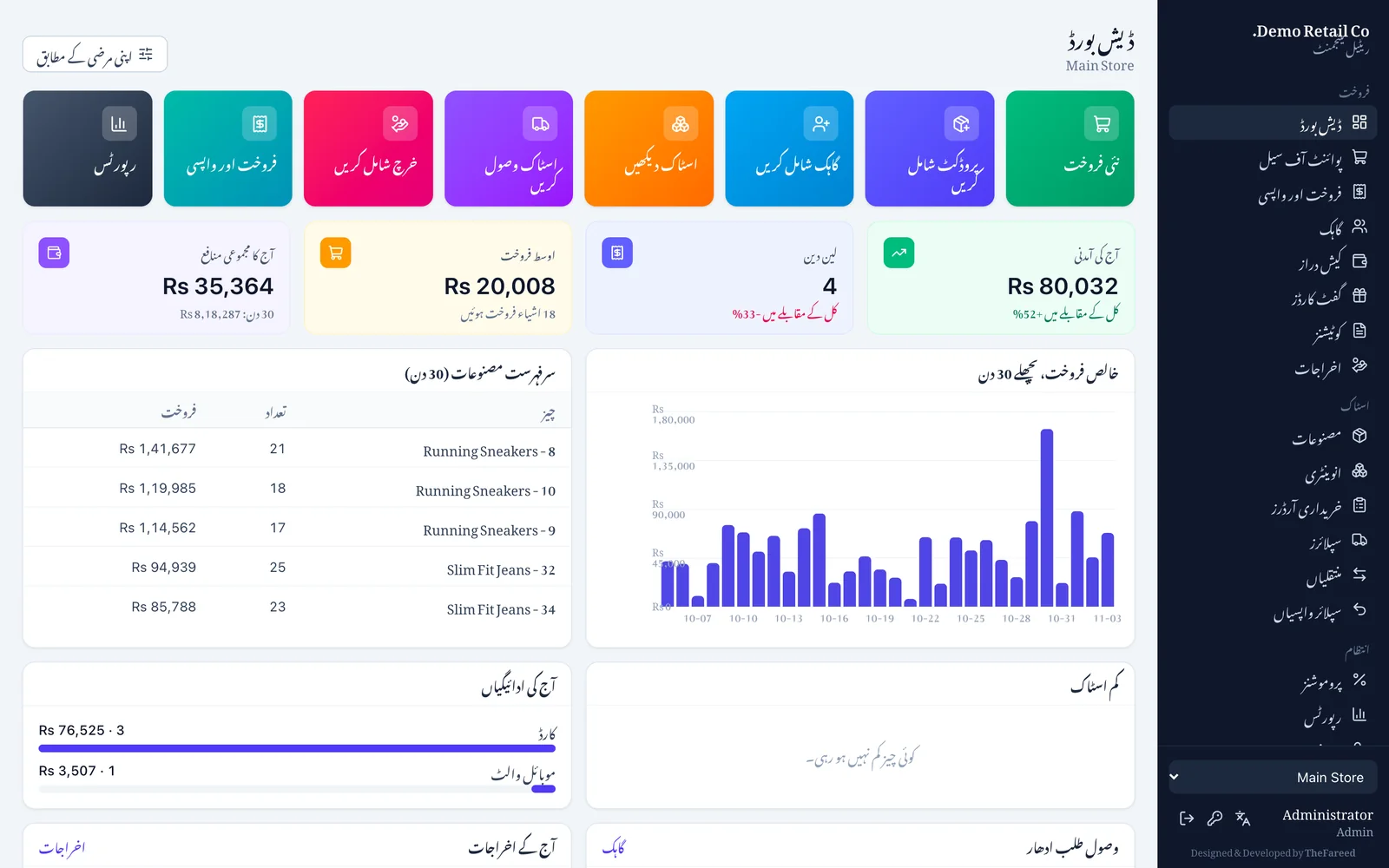
The dashboard shows the total udhaar to collect, and one filter lists everyone who owes you money.
Stock you can trust
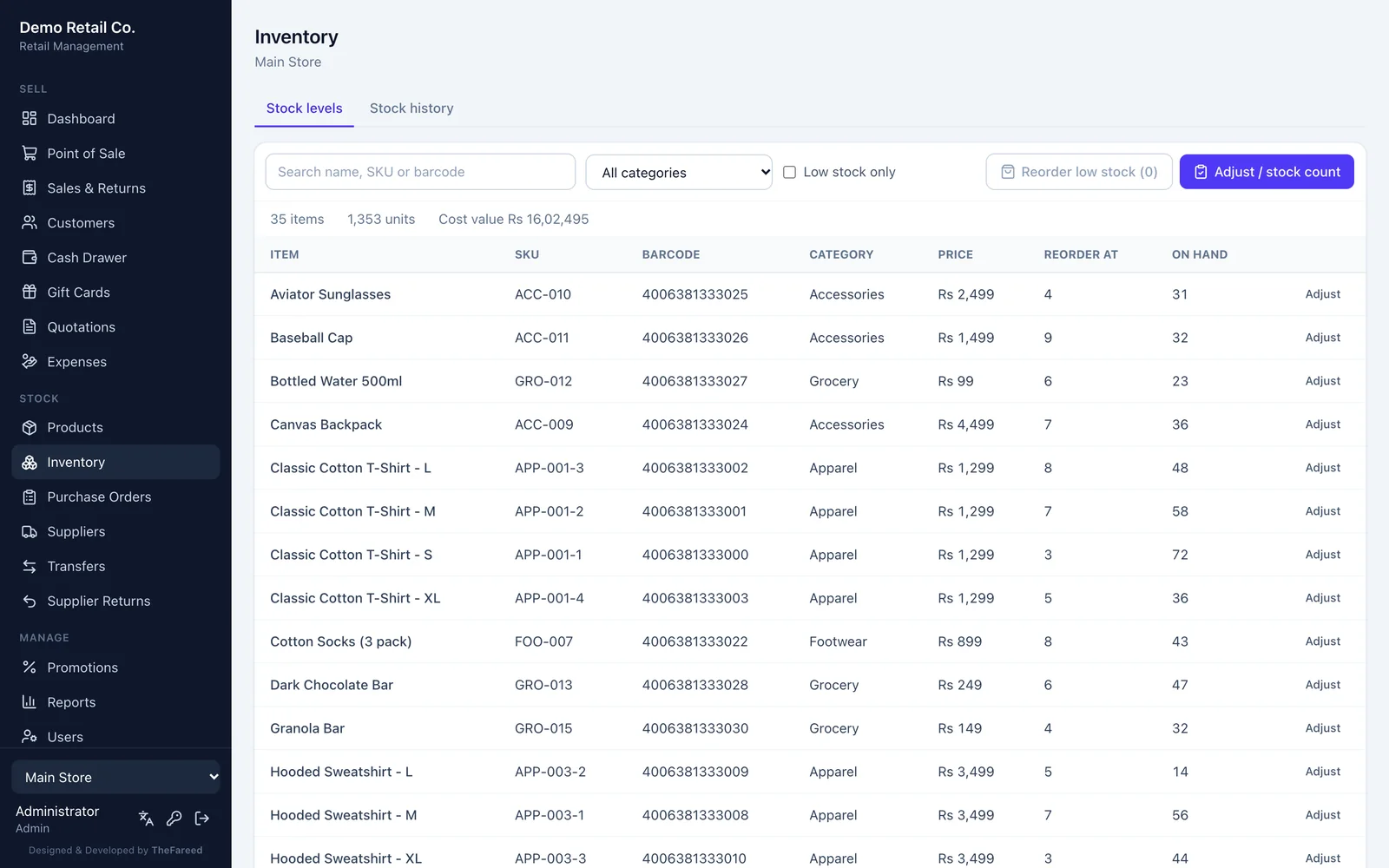
Every stock change in RMS is recorded as a movement: sales, returns, counts, deliveries and transfers. The number on screen is always the sum of that history, so you can see exactly where a missing item went.
- Inventory per store, with SKU, barcode, reorder point and cost value.
- Reorder low stock turns everything running low into a ready purchase order.
- Purchase orders go from draft to received, including partial deliveries.
- Transfers move stock between branches. It leaves one shop at once and lands when the other confirms it.
- Returns to supplier for damaged or wrong stock, limited to what you actually received.
Reports that answer one question: did we make money?
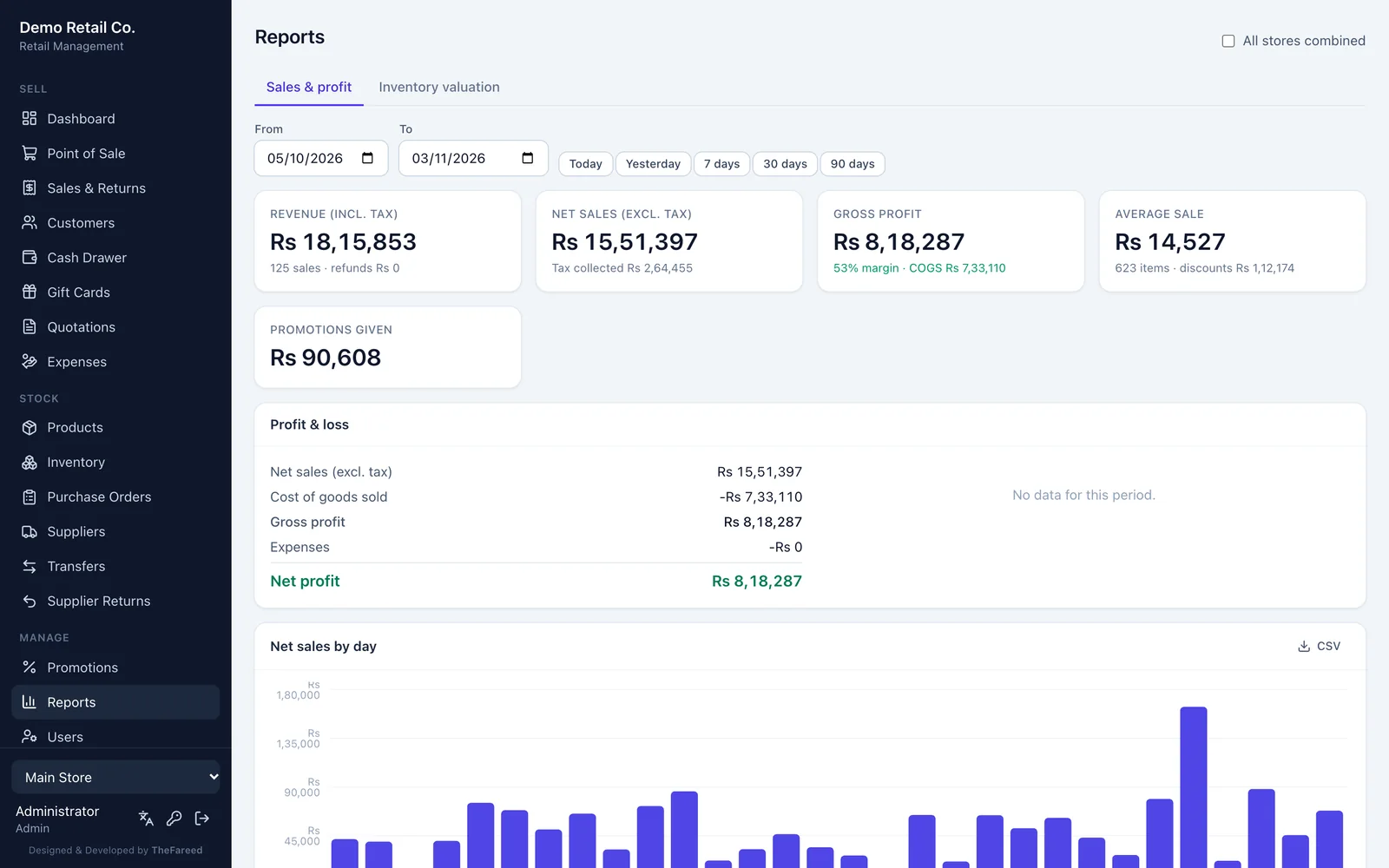
Revenue is not profit. RMS reports sales and profit for any date range, by day, category, product, staff member, payment method and hour. It subtracts the cost of goods and your expenses (rent, salaries, bills, petty cash), so the last line is real net profit, not a guess. Any report exports to CSV for your accountant.
Built for Pakistan, ready for anywhere
Everything regional is a setting, and the Pakistan preset fills them all in:
- Rupees with no paisa, and lakh and crore digit grouping (Rs 12,34,567).
- 18% GST included in prices, with NTN and STRN on every receipt.
- A full Urdu interface, mirrored right to left. Each device picks its own language, so the till can be in Urdu while the back office stays in English.
Presets for India, Bangladesh, the UAE, Saudi Arabia, the UK and the US are there too.
Pay only for what your shop uses
A corner shop and a five-branch chain should not pay for the same software. RMS comes as a core with add-ons:
- RMS Basic covers the till, products, inventory, sales and returns, customers, the dashboard, CSV import and export, Urdu and daily backups, for one store and three users.
- Add-ons switch on what you need: udhaar, cash drawer shifts, purchasing, multi-store, promotions, gift cards and loyalty, quotations, expenses, advanced reports, variants and labels, Shopify and WooCommerce sync, automatic WhatsApp messages, the activity log, offline selling and more users or stores.
Adding one later is a new license key. No reinstall, and no data moves anywhere.
What about FBR?
The FBR POS integration is built: invoices are posted with your POS ID, the FBR invoice number and QR code print on the receipt, and returns go as credit notes. It is switched off for now, and I will turn it on once it has been checked against FBR’s final integration requirements. I would rather tell you that plainly than sell it as finished.
Your data stays in your shop
There is no monthly server bill and nobody else holds your sales. RMS backs itself up every day (keeping the last 30), again before every update, and on demand, with an optional second copy on a USB drive or a synced folder. The installer starts RMS with the computer and restarts it if it ever stops. Shop data lives outside the program folder, so an update never touches it.
What it does not do yet
Honest limits matter more than a long feature list. Today RMS does not sell by weight or length (kg or metre), has no wholesale price levels, and does not track batches, expiry dates or IMEI numbers. If your shop depends on one of those, tell me. It shapes what gets built next.
See it on your own products
If you run a shop, or a few, and you are tired of the notebook or of a cloud POS that freezes with the internet, I would be glad to show you RMS on a call with products like yours. See the RMS page for every screen and module, or request a demo and tell me a little about your shop.