Most small businesses answer support from a shared inbox. It works until it doesn’t. A message gets buried, two people reply to the same customer with different answers, and nobody can say which requests are still waiting.
The usual fix is a help desk subscription. Those are good products, but they charge per agent, every month, and your customer conversations end up on someone else’s servers.
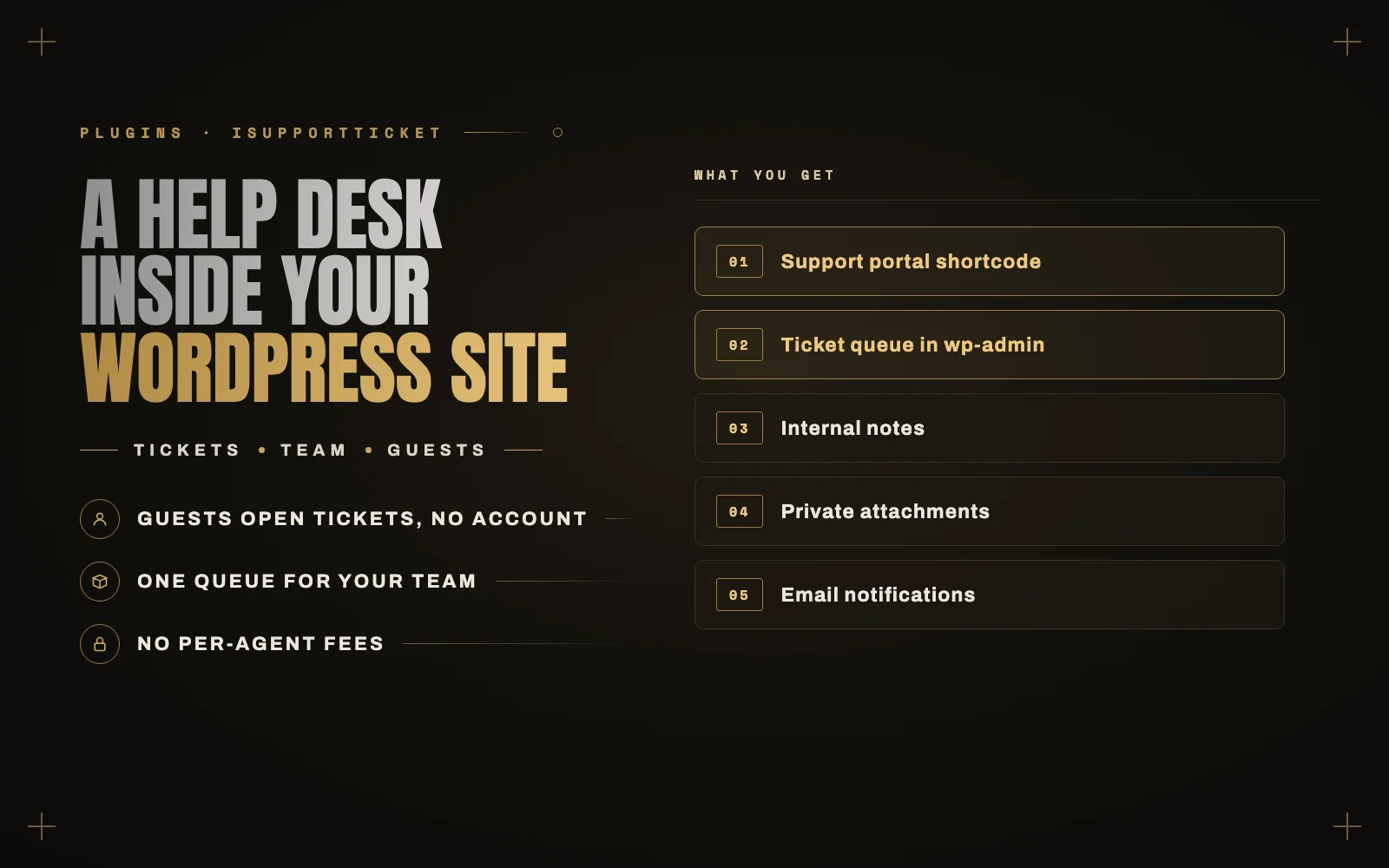
So I built iSupportTicket, a help desk that lives inside WordPress. Add one shortcode to a page, and customers can open tickets, follow the conversation and reply. Your team works every ticket from the WordPress dashboard. There are no ticket limits and no per-agent fees, and the data stays in your own database.
Every screenshot in this post comes from a real install on this site, with demo customers.
What your customers see
The [isupportticket] shortcode turns any page into a support portal. Customers with an account see a list of their tickets. Visitors without one can still write in with just a name and email address.
Guests follow their ticket through a private link that arrives in the confirmation email. If they lose it, a “Find my tickets” form emails every link to them again. The form gives the same answer whether or not the address has tickets, so it can’t be used to check who your customers are.
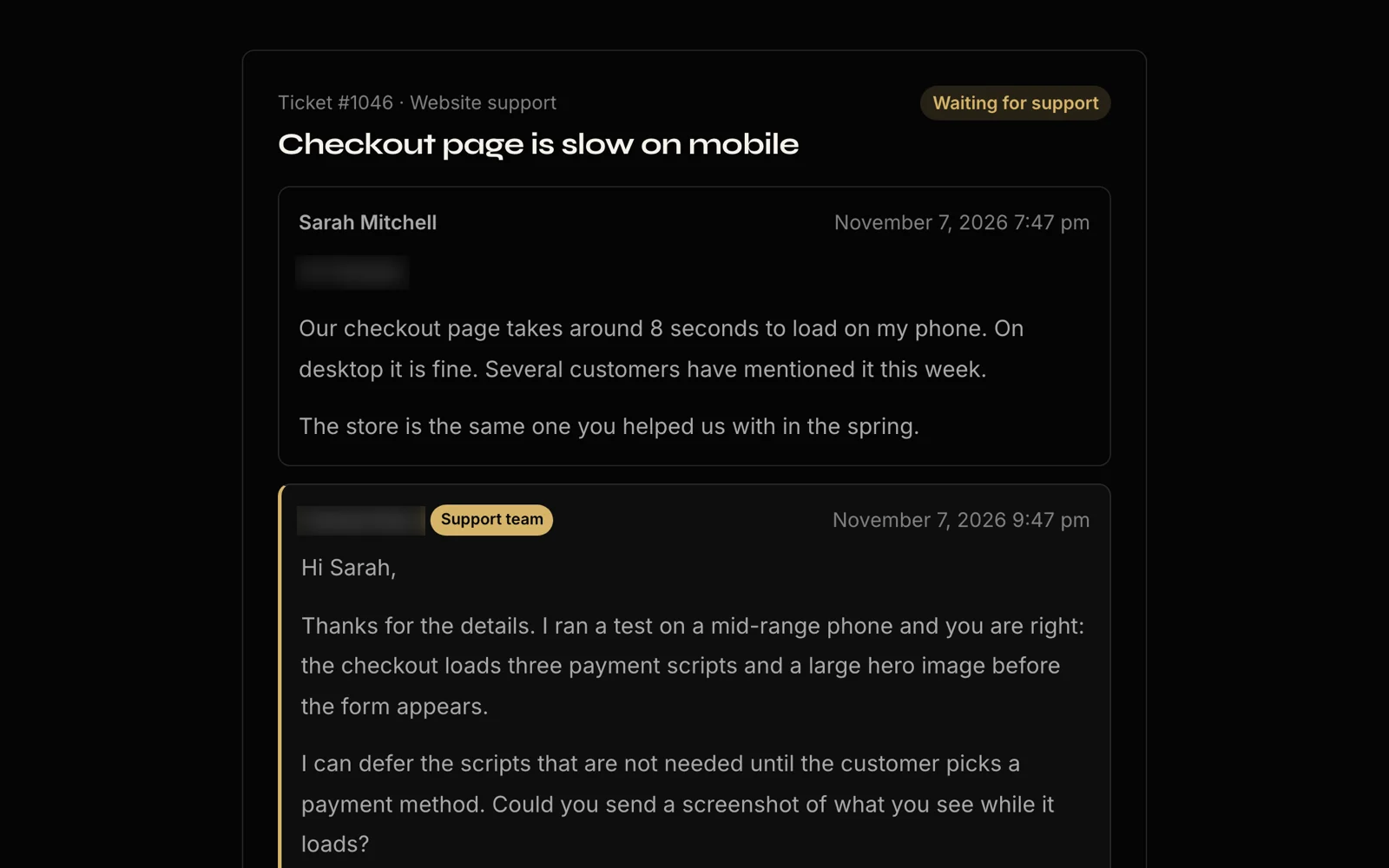
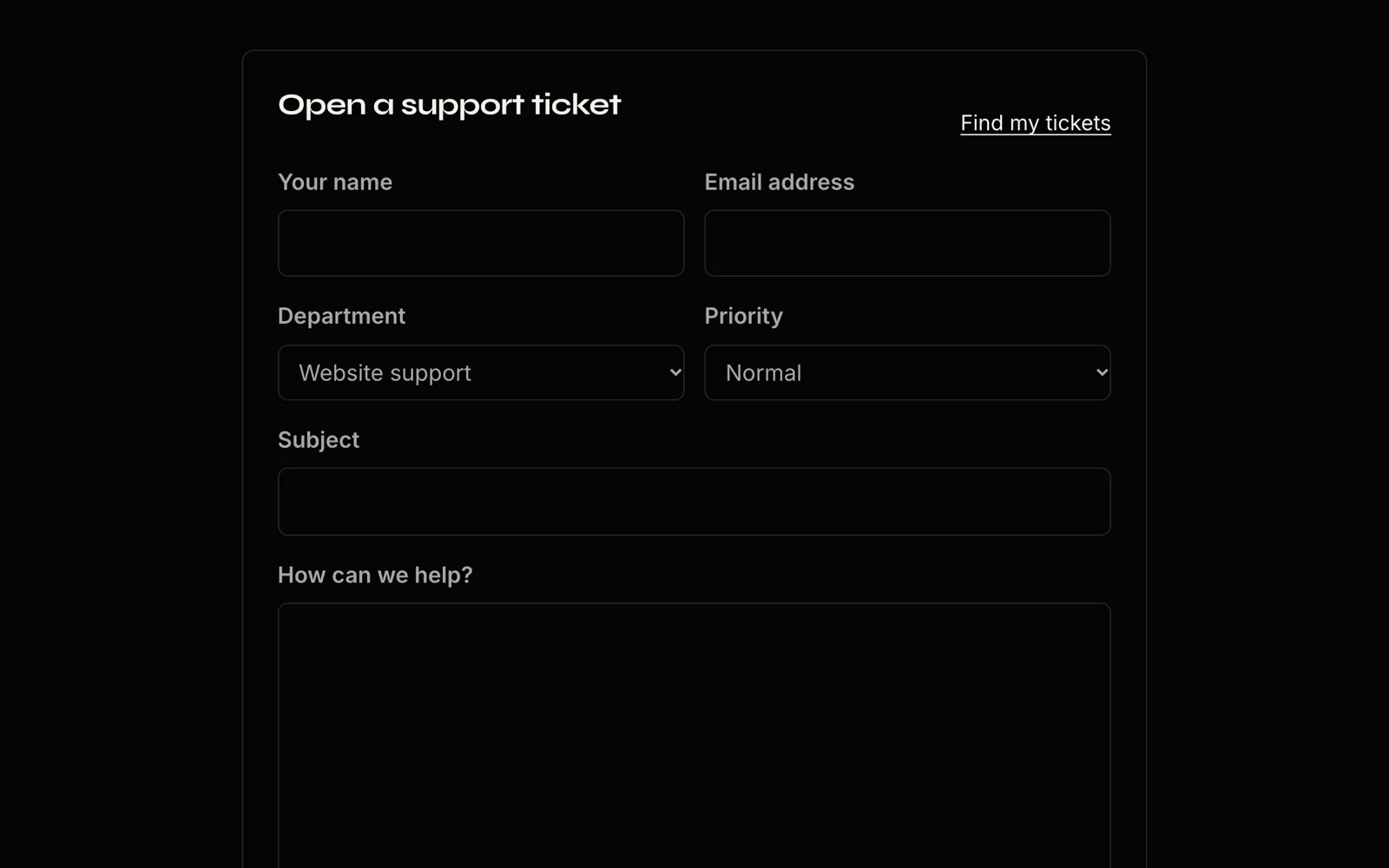
The form asks for a subject, a message, an optional department and priority, and attachments if you allow them. Customers can close a ticket themselves once the problem is solved, or reply later to open it again.
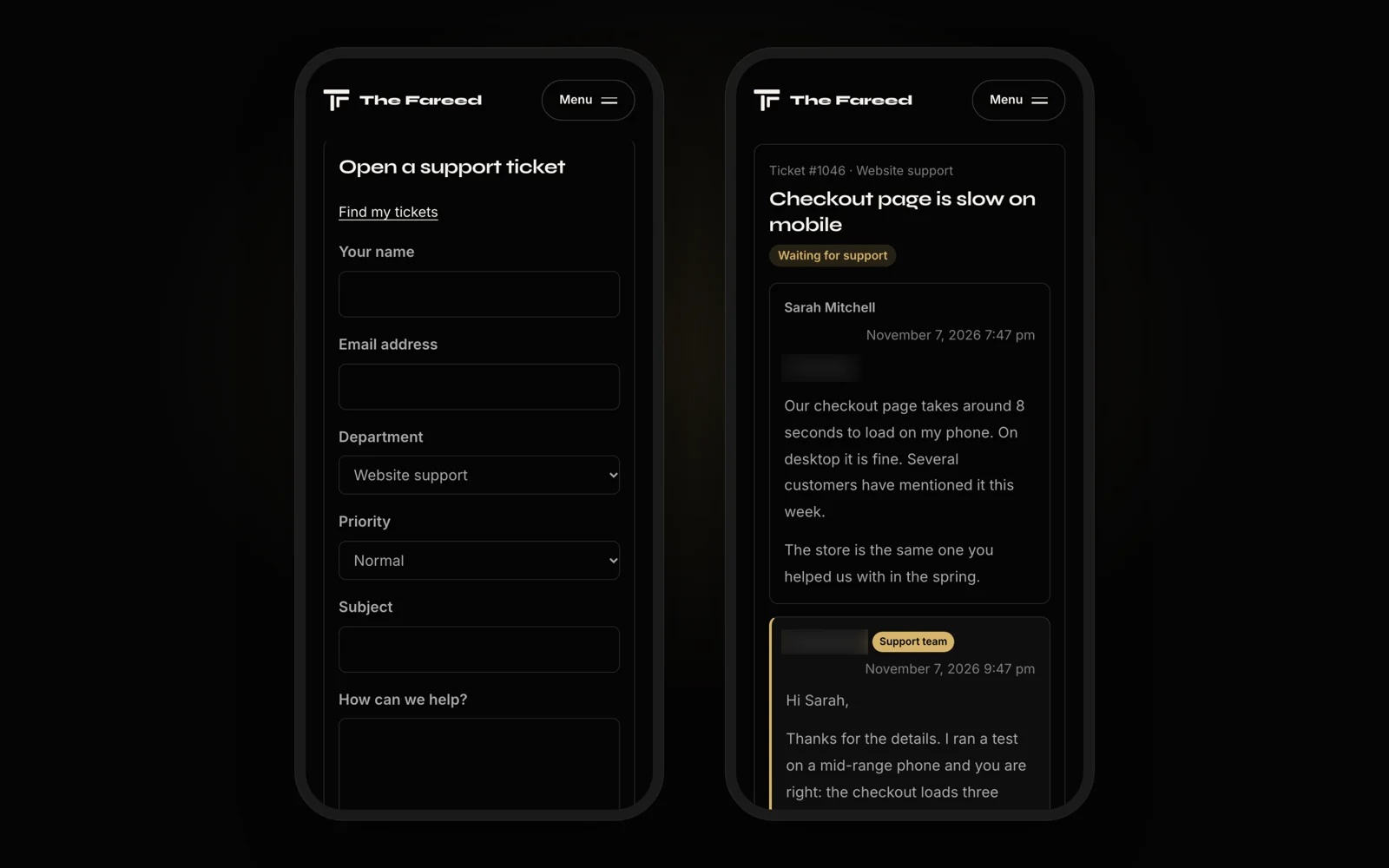
It works on phones without any extra setup.
What your team sees
Tickets land in one queue under Support in the WordPress dashboard. The menu shows a count of tickets waiting for a reply, so nobody has to go looking.
The question that matters most in a support queue is “who is this waiting on?” Every open ticket answers that with a Waiting on agent or Waiting on customer flag, worked out from who replied last.
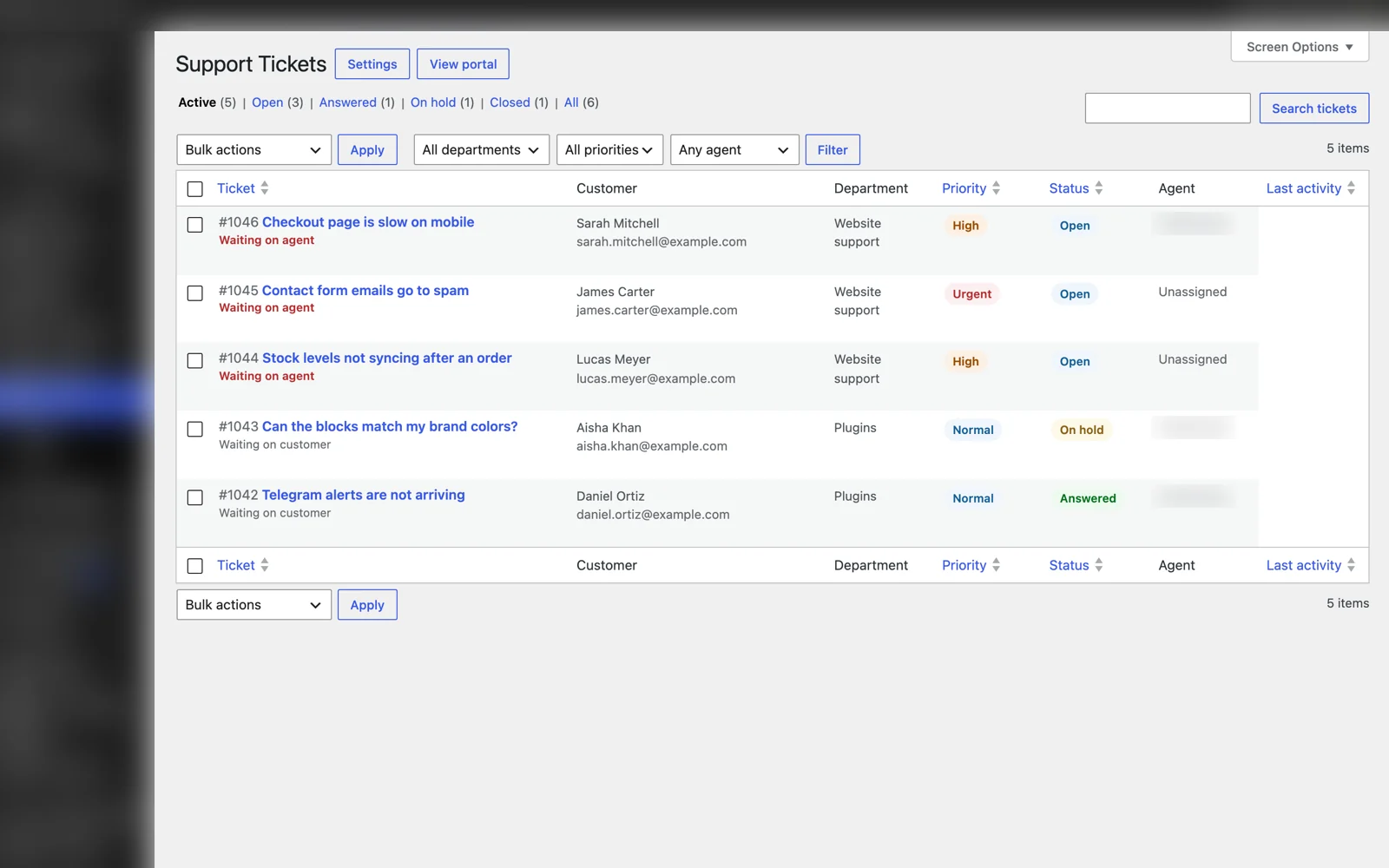
You can search by ticket number, subject, name, email or message text, and filter by department, priority or agent.
Inside a ticket, your team sees the whole conversation, can reply or add an internal note that the customer never sees, and can change status, priority, department or agent from the sidebar. Every change is logged in the conversation, so you can see who closed a ticket or handed it to someone else.
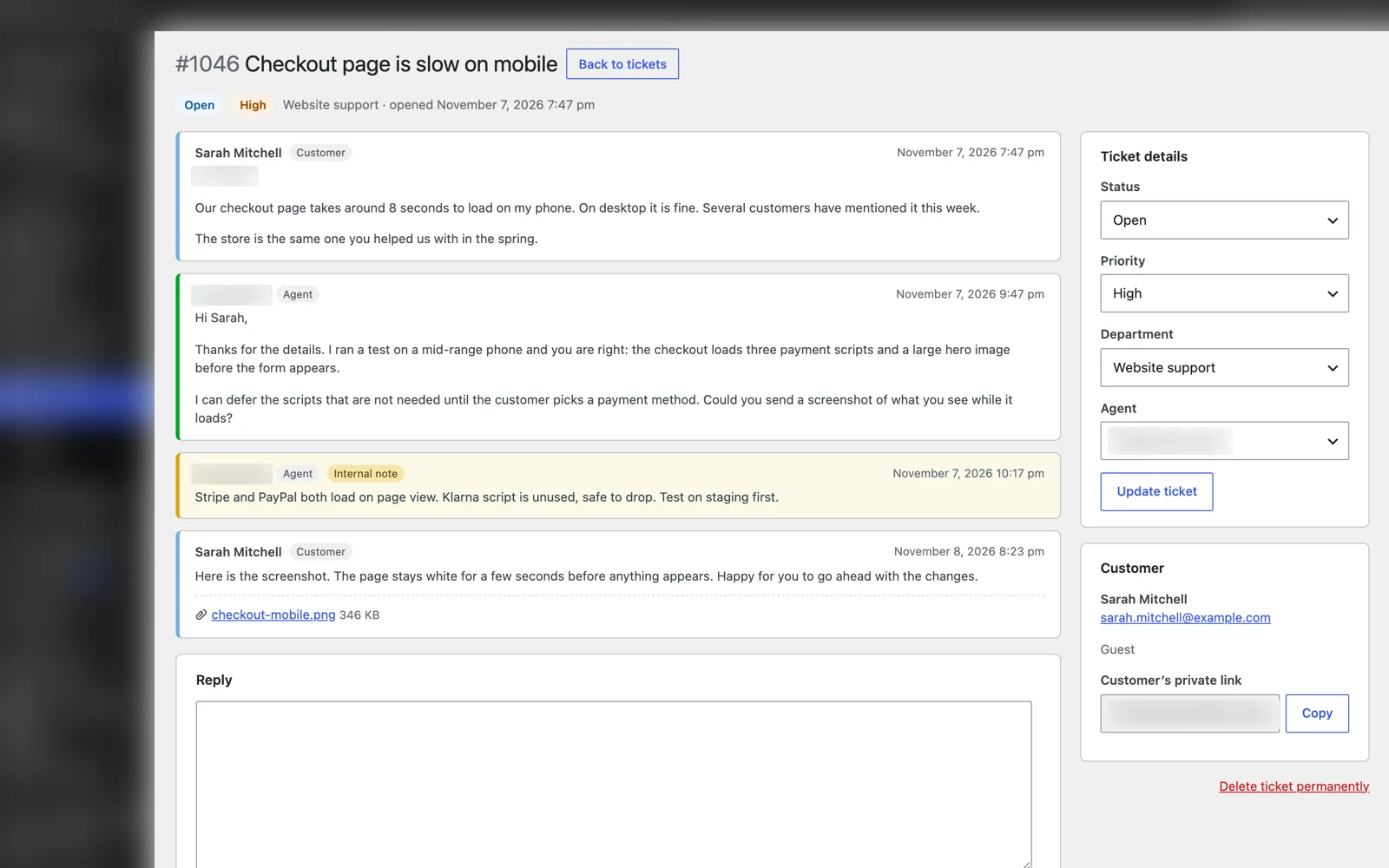
A few small things save real time:
- An agent who replies to an unassigned ticket takes it automatically.
- Agents get an email when someone hands them a ticket.
- The sidebar shows how many other tickets the same customer has opened.
- There is a copy button for the customer’s private link, for when they call and can’t find it.
A role for your team
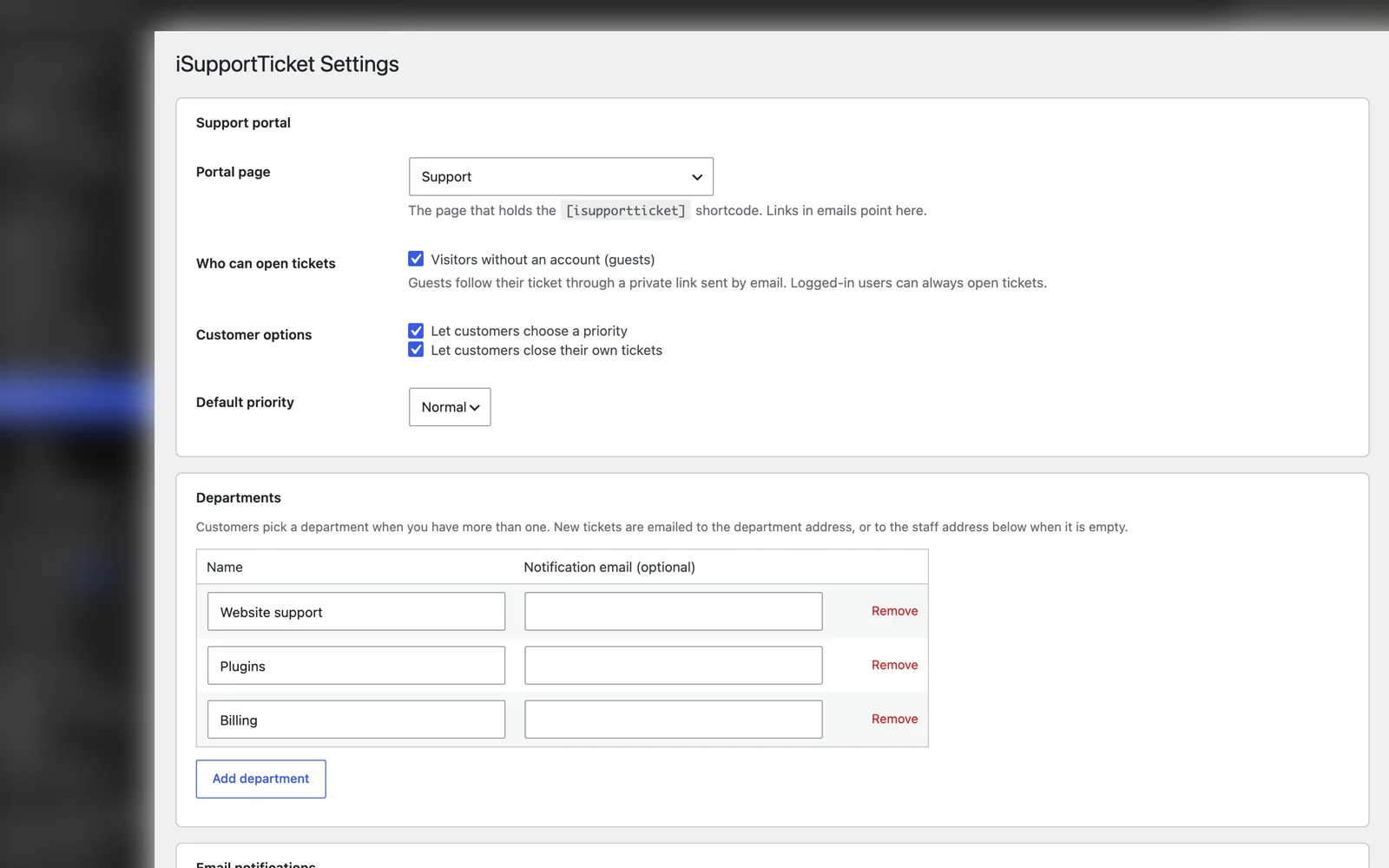
iSupportTicket adds a Support Agent role. Agents can work the ticket queue and see nothing else in the dashboard: no posts, no plugins, no settings. Only administrators can change settings or delete tickets.
That makes it easy to give a part-time helper or a virtual assistant access to support without handing them the keys to the whole site.
What I found by testing it on a live site
I tested the plugin on a local WordPress install first, and everything passed. Then I installed it on this site, which runs LiteSpeed Cache, and found a problem a local test could never show.
Page caches store pages with query strings, and a guest’s private ticket link is a page with a query string. With caching on, a guest could reply and then come back to an old copy of the conversation.
The fix is in the plugin now. Private ticket pages, form results and replies tell LiteSpeed Cache, WP Rocket, W3 Total Cache and other caching plugins not to store them. The new ticket form itself can still be cached, so the support page stays fast.
That is why I test my plugins on a real site before I release them.
Built to stay out of the way
- Spam protection without a CAPTCHA. A hidden spam trap, a time check and an hourly limit per visitor stop most bots without making real customers solve puzzles.
- Private attachments. Files get long random names in a protected folder, and the plugin serves them only to people who can see the ticket.
- Plain text email notifications. New tickets and customer replies go to your team, or to the department’s address or the assigned agent. Customers get a confirmation and every reply, with a link back to the ticket. You can edit the customer emails in the settings.
- Privacy tools. It works with the WordPress export and erase personal data tools and adds suggested text to your privacy policy.
- Light on your site. No framework and no build step. The portal’s styles and script only load on the support page.
- Auto-close, if you want it, for answered tickets that go quiet for a set number of days.
What it does not do
I would rather be clear about this up front:
- Customers reply through the portal, not by replying to the email. Turning emails into replies (email piping) needs a mail server connection, and it is not in this version.
- There is no live chat, knowledge base or canned responses yet. I kept the first version focused on tickets. Canned responses are the most likely next addition.
- Email delivery depends on your site. Notifications go through WordPress’s normal mail function, so if your site’s emails land in spam or never arrive, set up an SMTP plugin with a sender address on your own domain first.
How to get it
iSupportTicket is being prepared for the WordPress.org plugin directory. Until it is listed there, I am sending copies to anyone who wants to try it early. Ask for early access and I will send it over.
Setup takes about five minutes. Activating the plugin creates a Support page with the shortcode. Add your departments under Support, Settings, give team members the Support Agent role, and link the page from your menu. It needs WordPress 6.4 or later and PHP 7.4 or later.
There are more details and every screenshot on the iSupportTicket page.
If your support workflow needs more than this, such as WooCommerce order details next to each ticket, a connection to your CRM, or tickets created from another system, that is the kind of work I do in custom WordPress plugin development. Tell me what you need and I will reply within one business day.