Your rankings held but your traffic fell. Here is what AI search is doing to it
Same positions, same keywords, half the visitors. AI Overviews and AI Mode now answer many questions before anyone clicks. Here is how to confirm that is what happened to you, and what to change.
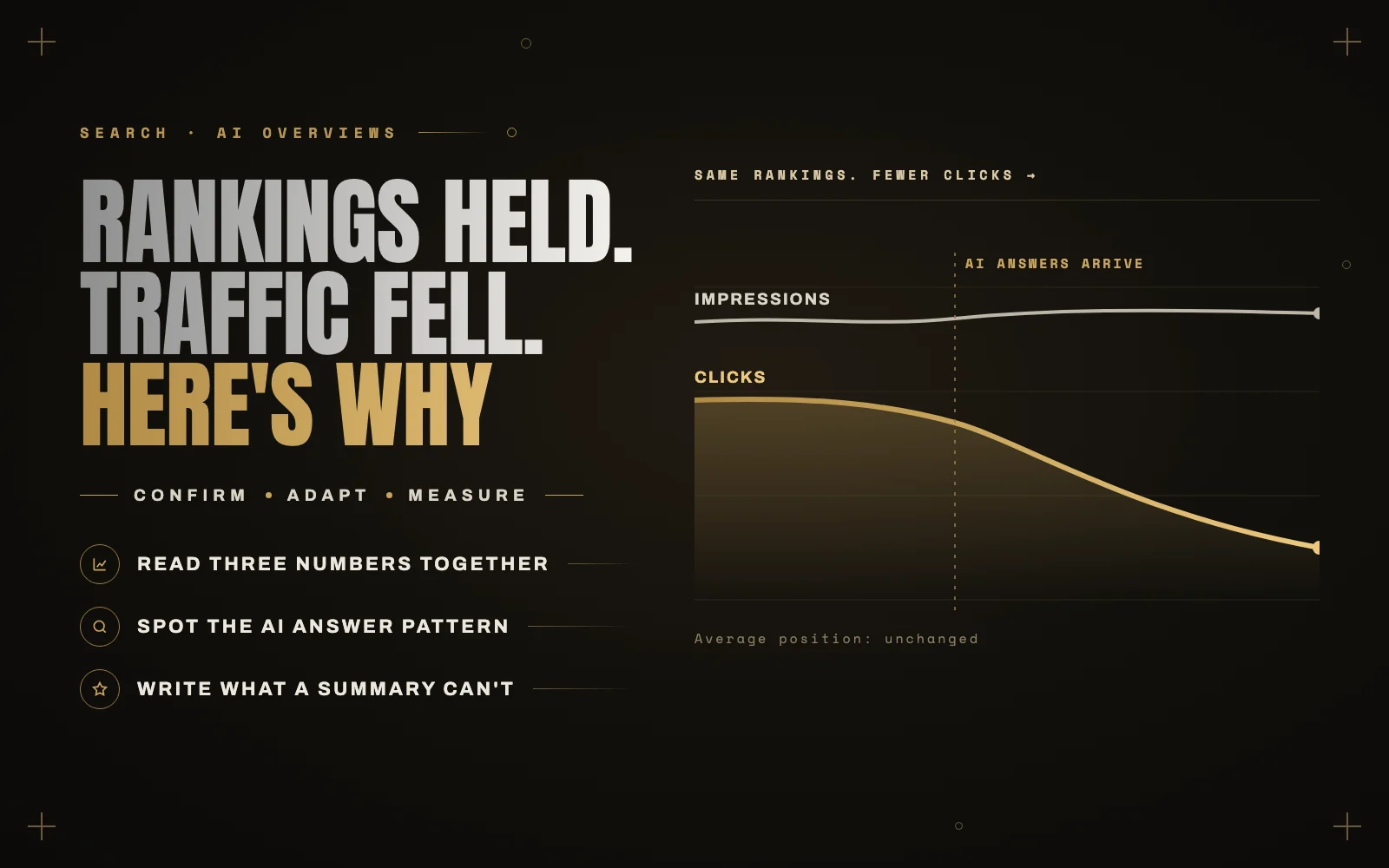
The email I get most often this year goes something like this: nothing has changed on the site, we still rank in the same places for the same keywords, and traffic is down by a third. Sometimes by half.
They are usually right on every count. The rankings did hold. What changed is the page those rankings sit on. For a growing share of searches, Google now answers the question at the top of the results before anyone reaches the first link, and a lot of people never scroll.
What actually changed
Two things sit above the organic results now. AI Overviews, the generated summary at the top of an ordinary search, and AI Mode, a separate conversational search that behaves more like a chat assistant than a list of links.
The effect on clicks is well measured by now, even if the exact size depends on who is measuring:
- Ahrefs found that an AI Overview reduces clicks to the top ranking page by roughly 35 percent.
- Seer Interactive, working from more than 25 million impressions, reported organic click-through falling by around 61 percent on queries that showed an AI Overview.
Google’s position is that overall search use is growing and that the clicks it does send are higher quality. Both of those can be true and your traffic can still be down, because the clicks that disappeared are the easy, low intent ones that used to pad out your analytics.
Which searches are hit, and which are not
The losses are not spread evenly. They land hardest on informational searches: how to, what is, comparisons and best practice questions. That is exactly the kind of content most small business blogs were built on, because it was the content that used to rank easily.
Other searches have held up much better:
- Local searches like “web developer near me” still lead with the map pack.
- Branded searches for your business name still go to you.
- Decision stage searches, where someone is comparing providers or looking at prices, see a much smaller hit, because people want to look at the actual options before they commit.
How to confirm it is AI answers and not something else
Before you change anything, make sure you are fixing the right problem. A traffic drop from AI answers has a recognizable shape in Search Console, and it is different from a ranking or indexing problem.
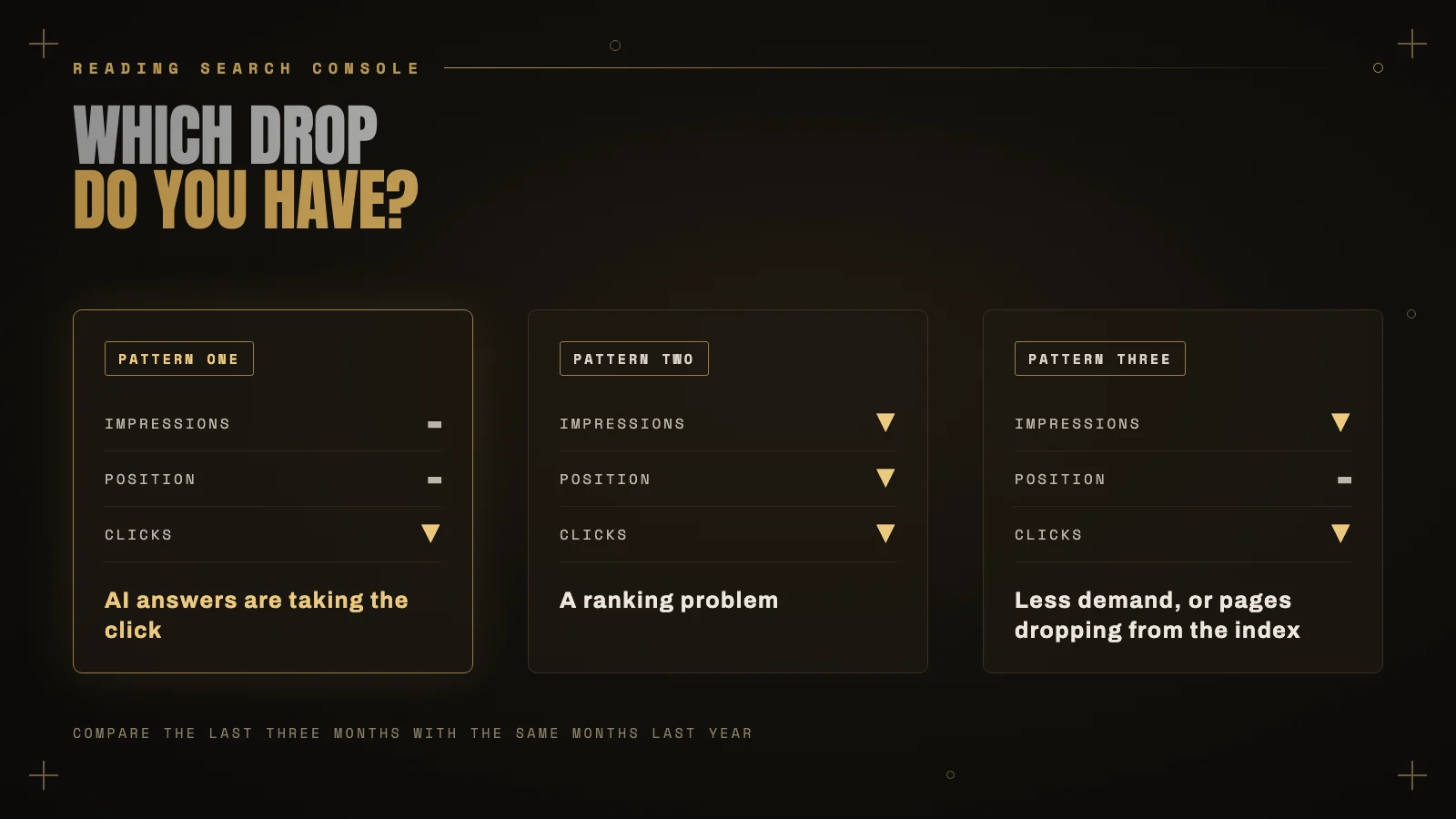
Open the Performance report, compare the last three months with the same three months last year, and look at impressions, clicks and average position together.
- Impressions steady or rising, position steady, clicks and CTR falling. That is the AI answer pattern. People are still seeing you; fewer of them need to click.
- Impressions falling with position. That is a ranking problem. Check the dates against Google’s core updates and look at which pages lost ground.
- Impressions falling, position steady. Usually fewer people searching, or pages dropping out of the index. Check the Pages report.
Then split it further. Filter the queries to questions (who, what, how, why) and compare them with your branded and service queries. If the questions lost clicks and the rest held, you have your answer.
Search Console also has a Generative AI report now, rolled out to every property over the summer. It shows how often your pages appear inside AI Overviews and AI Mode. It does not show clicks from them, so treat it as a visibility measure, not a traffic one.
What to change
You cannot opt out of AI answers and keep your search listing, and there is no trick that puts the clicks back. What you can do is stop relying on the kind of content a summary can replace, and get more from the visitors who still arrive.
Write what a summary cannot
A generated answer is very good at restating what twenty other pages already say. It is much worse at things only you know. Your own numbers, a project you actually delivered, the mistake you see clients make every month, a clear opinion with reasons behind it. That kind of content gets cited in the answer rather than replaced by it.
Since May, Google has also been placing links inline, next to the sentence they support, instead of in a footnote. That rewards pages where each section makes one clear point and can stand on its own. Write each section as though it might be quoted alone, because increasingly it is.
Put effort into decision stage pages
If your blog was mostly how to articles, shift some of that time to the pages people visit right before they get in touch: your services, pricing, case studies and comparisons. Those searches lost the least, and those visitors are worth far more.
Make the click worth it
When your result appears under an AI Overview, the summary has already given the basic answer. Your title and description need to promise what the summary did not: the worked example, the template, the real figures, the checklist.
Measure enquiries, not sessions
A site that loses 40 percent of its blog visits and keeps every enquiry has not lost anything that mattered. Set up conversions in GA4 for the forms, calls and bookings that actually make you money, and judge changes by those.
Fewer visits is not the same as fewer customers. Find out which one you actually have.
What not to do
There is a lot of new advice around AI search, and some of it is a waste of time. Google says you do not need special AI text files or extra markup to appear in AI Overviews or AI Mode; ordinary pages that are crawlable, indexed and genuinely useful are what it uses. That includes llms.txt, which plenty of agencies are now selling as the way into AI answers. Google has said plainly that it does not use it.
Do not mass produce AI written articles to make up the volume either. If a summary can replace your article, a summary written from your article can replace it too.
The order I work in
- Confirm the pattern in Search Console before touching anything.
- Separate question queries from branded and service queries.
- Set up conversion tracking so you can see what actually matters.
- Rewrite your strongest informational pages around first hand experience.
- Move effort to services, pricing and case study pages.
- Re-check every month. Field data takes time, and so does this.
If your traffic has dropped and you want someone to read the numbers properly before you start rewriting things, that is part of what I do in a site audit. Send me the site and what you are seeing, and I will tell you which of the three patterns you are in.
Keep reading
 Plugins
How to remove image backgrounds without leaving WordPress
The slow part of removing backgrounds is not the editing, it is the download and re-upload round trip. Here is how to… Read article ↗ WooCommerce
Why your WooCommerce checkout is slow, and the fixes that actually work
Checkout cannot be cached like a landing page, runs more JavaScript and waits on other people servers. Here are the six causes… Read article ↗ Working Together