 WordPress Plugin
iTransparent – Media Background Remover
Cut image backgrounds straight from the WordPress Media Library, one image or a whole selection at a time, and save a clean transparent or solid color PNG or WebP. No downloading, no photo editor, no uploading anything back.
Four steps become one
Clearing a background normally means downloading the image, editing it somewhere else, exporting it, and uploading it again. Repeat that across a product catalog and an afternoon disappears.
iTransparent keeps the whole job inside the dashboard. Open an image, click once, compare before and after, and save it, or select a whole batch and let it run in the background. The original file is never touched, so nothing is lost if you change your mind.
What the plugin does
Bulk processing
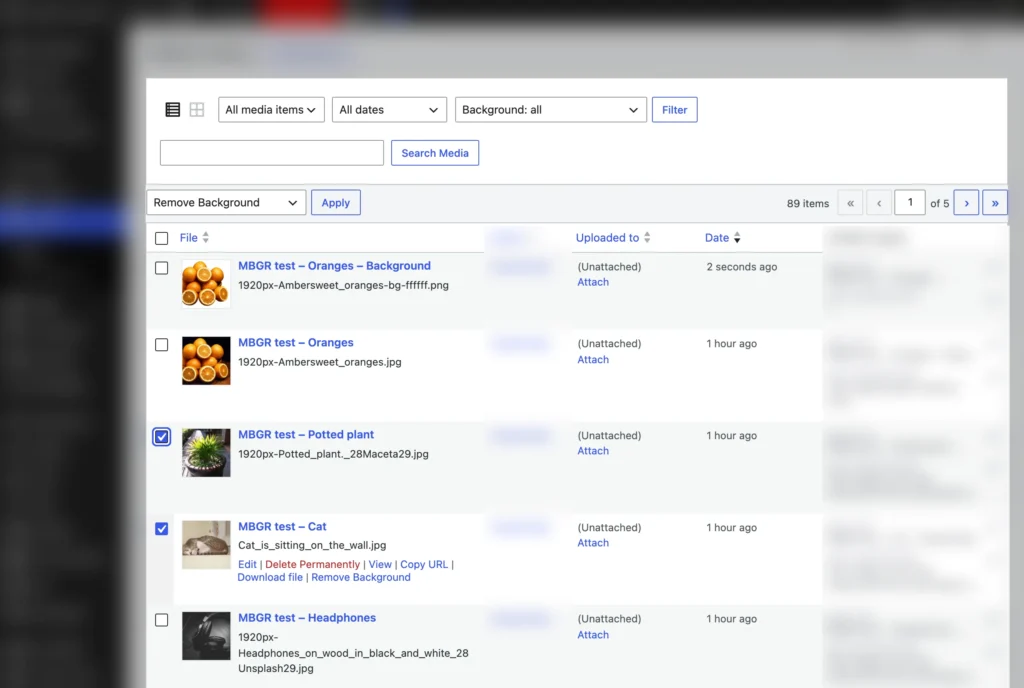
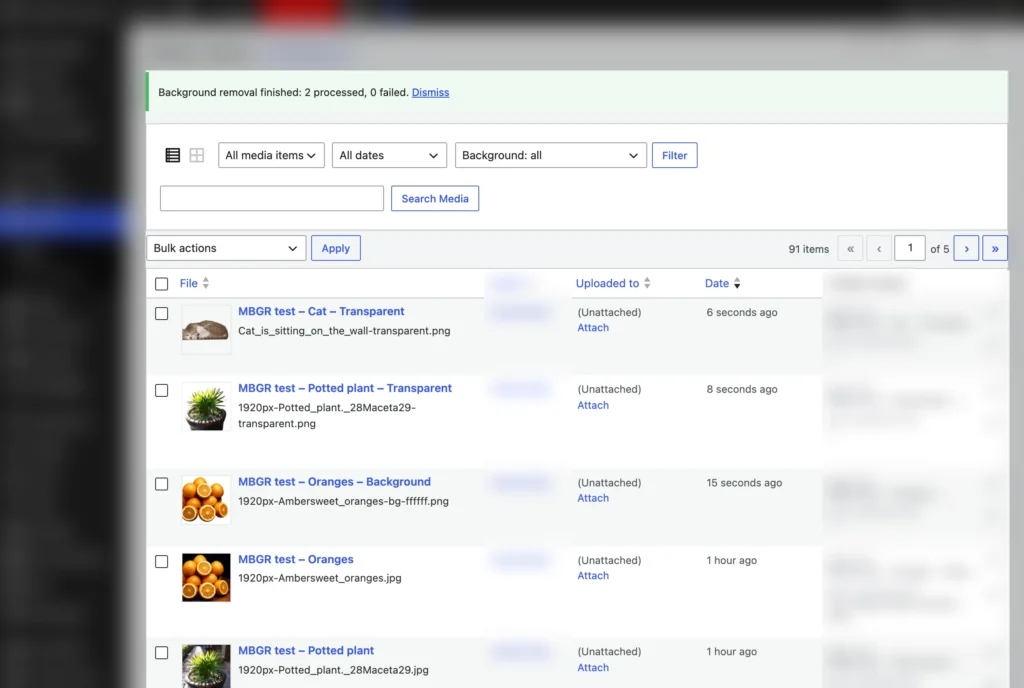
A Remove Background bulk action in Media Library list view. Images are processed in the background with WP-Cron, with a progress notice showing done and failed counts, failure reasons and a Cancel button.
WooCommerce product images
Process a product image and its gallery in one click from the product edit screen, or a batch from the Products list. Optionally process automatically when a product image is set, and swap the processed copies into the product.
Before/after slider
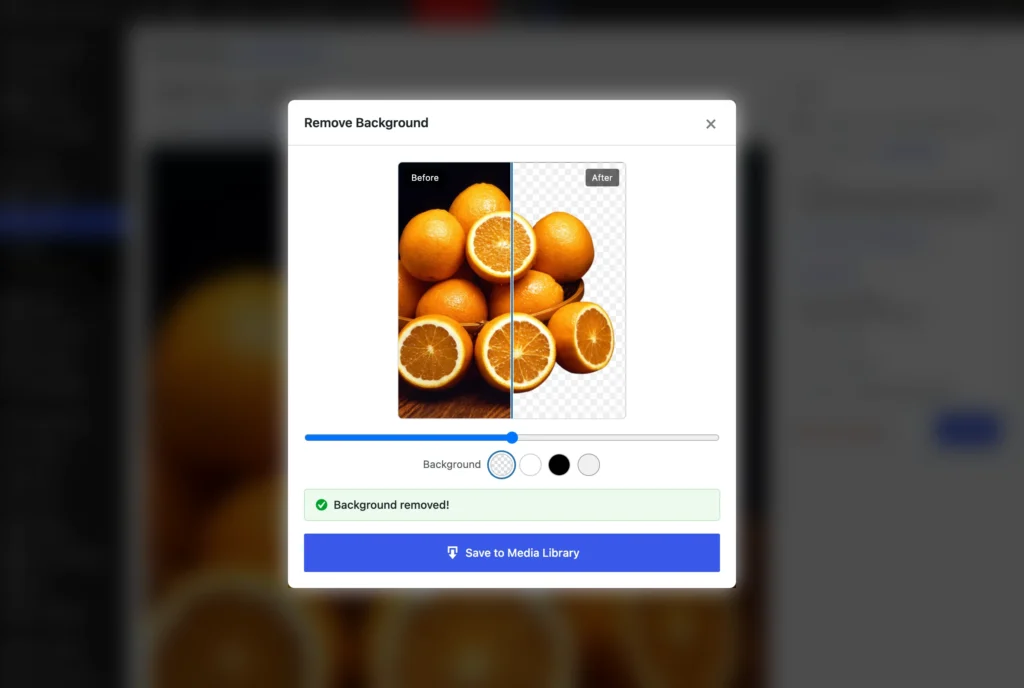
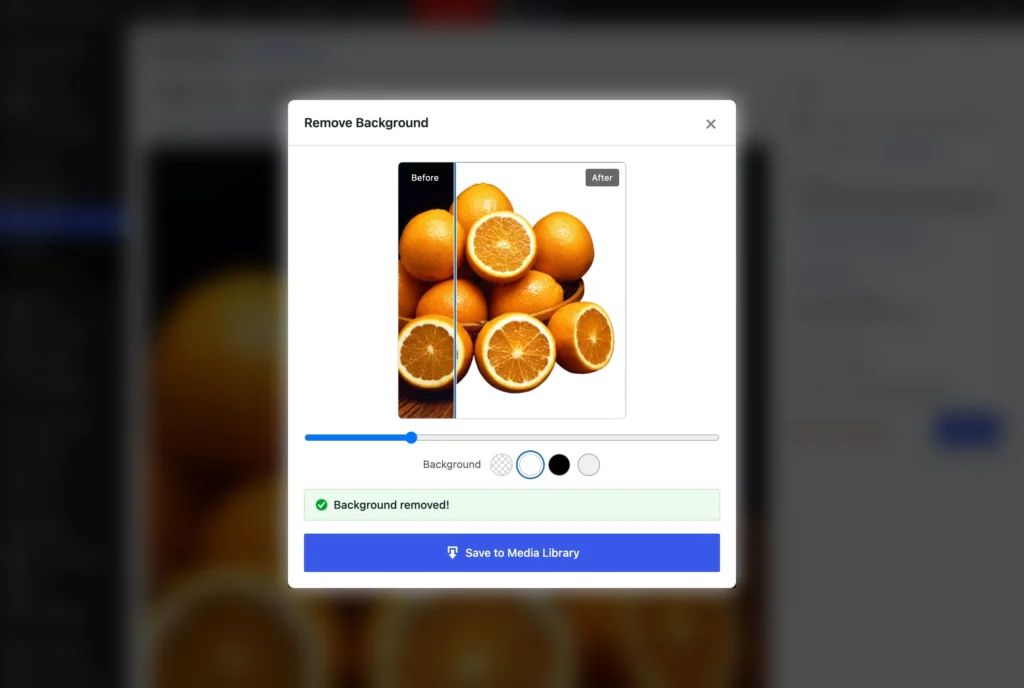
The preview window has a comparison slider, so you can check the edges before anything is saved.
Solid color backgrounds
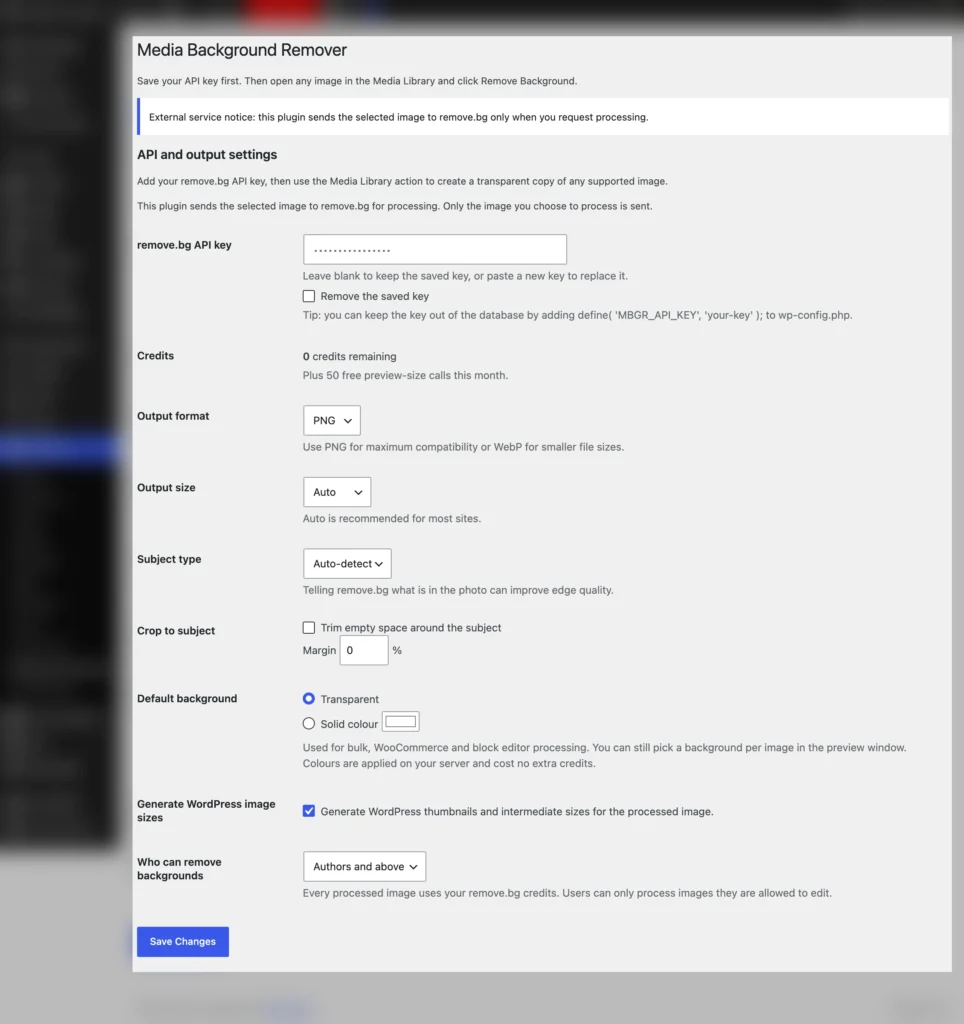
White, black or any custom color, plus a default background setting. Applied on your own server with GD, so they cost no extra remove.bg credits.
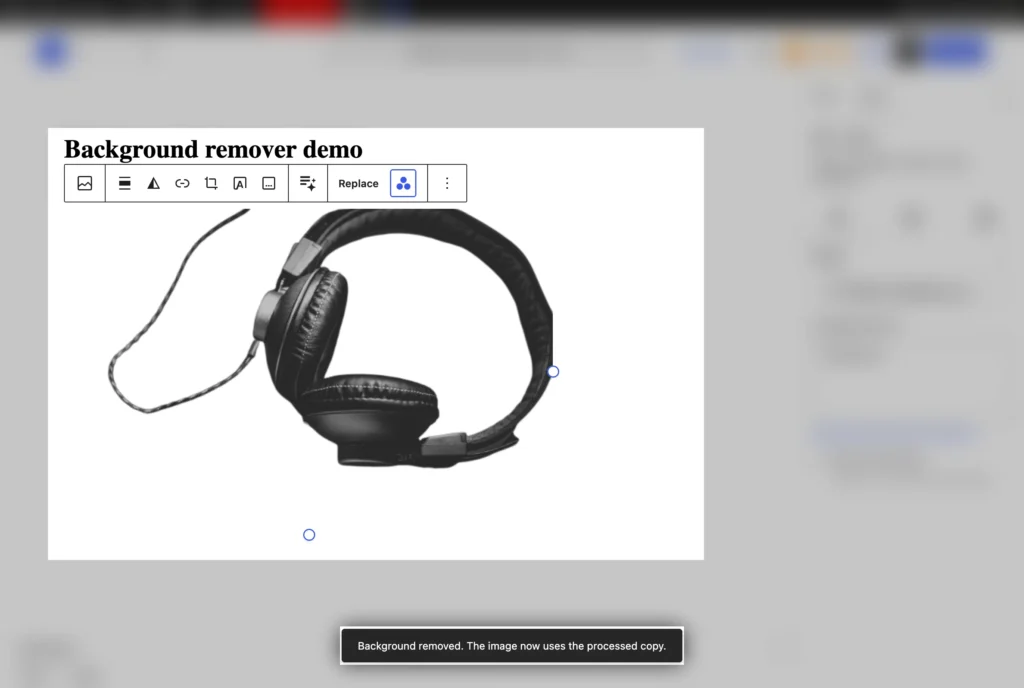
Block editor button
A Remove background button in the Image block toolbar. The block switches to the processed copy in place.
Crop to subject
Crop to the subject with an adjustable margin, and give a subject type hint (product, person or car) for better edges.
Originals stay untouched
Every result is saved as a separate attachment and inherits the original's alt text. Your source file keeps its filename, its sizes and every existing reference to it.
PNG and WebP output
Accepts JPG, PNG and WebP. Writes a transparent or solid color PNG or WebP, whichever you set in the plugin settings.
Know where you stand
Remaining remove.bg credits on the settings page, and a Media Library filter for processed images, originals with a processed copy, and images not processed yet.
Access control
Choose who can remove backgrounds: Authors, Editors or Admins only. Users can only process images they are allowed to edit, and a double click never spends credits twice.
Key kept out of the database
Define MBGR_API_KEY in wp-config.php instead of saving the key in settings. A saved key is never printed in the settings page HTML.
Developer hooks
The mbgr_required_capability and mbgr_api_fields filters, and the mbgr_queue_item_processed action. Passes WordPress.org's official Plugin Check with no errors.
A look inside the dashboard
Installation
About two minutes, most of which is fetching your API key.
- Install the plugin from Plugins, Add New, or upload the ZIP.
- Activate it.
- Open Settings, then Background Remover.
- Paste your remove.bg API key and save, or define MBGR_API_KEY in wp-config.php.
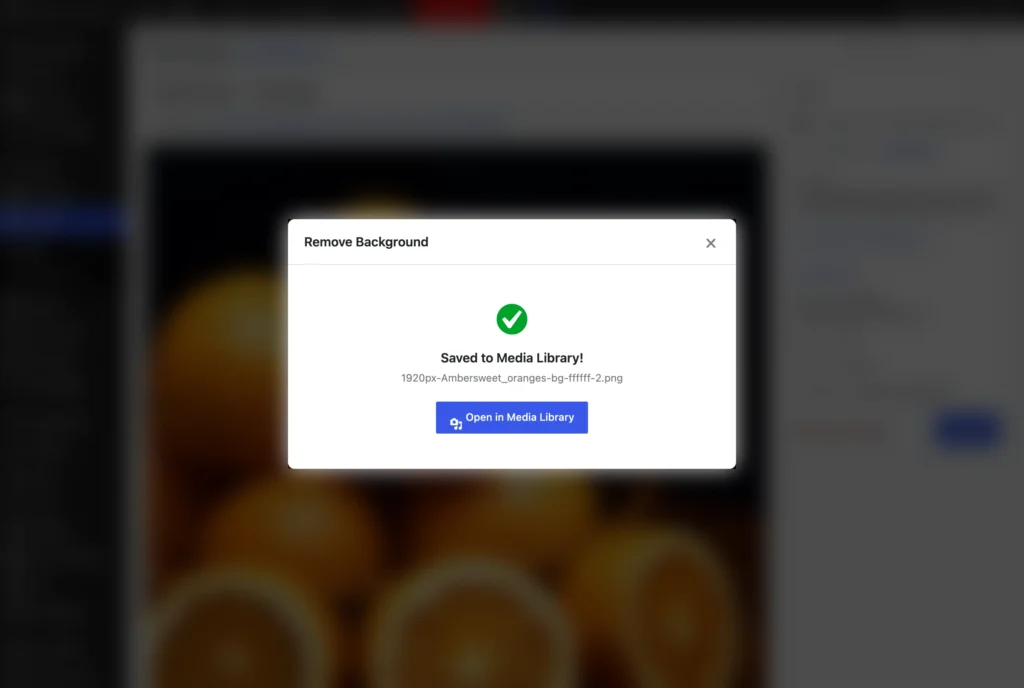
- Open Media, Library, and click any image, then Remove Background and Save to Media Library.
- For a batch, select images in list view and choose Remove Background from Bulk actions.
Where the processing happens
Cutouts are produced by remove.bg. An image is sent only when someone you have allowed to use the plugin processes it: a single image, a bulk selection, the Image block button or, if you turn it on, automatically when a WooCommerce product image is set. Bulk jobs run in the background with WP-Cron. The request carries the image, your chosen options and your API key. Solid color backgrounds are added on your own server afterwards.
You need your own remove.bg API key. Their free plan gives 50 preview-resolution calls a month. API documentation, terms of service, privacy policy.
Frequently asked
No. Every result is saved as a new attachment and the original stays exactly as it was. Even when the WooCommerce option swaps the processed copy into a product, the original stays in your Media Library.
Yes. Select images in Media Library list view and choose Remove Background from the bulk actions. They are processed in the background, with a progress notice showing done and failed counts, failure reasons and a Cancel button.
JPG, JPEG, PNG and WebP go in. A transparent or solid color PNG or WebP comes out, depending on your settings.
Yes, your own remove.bg key. Enter it under Settings, Background Remover, or define MBGR_API_KEY in wp-config.php to keep it out of the database. Their free plan gives 50 preview-resolution calls a month.
No. White, black or a custom color is applied on your own server with GD, after the cut out comes back from remove.bg.
You choose: Authors, Editors or Admins only. Users can only process images they are allowed to edit.
The free remove.bg tier caps output at 0.25 megapixels, which is preview quality. On a paid plan, set the size option to auto and you get full resolution back.
Uninstall clears the plugin settings, its post meta and its transients. Images you already saved stay in the Media Library.
Release history
- The plugin is now called iTransparent – Media Background Remover. Same plugin, settings and images; only the name changed.
- New plugin banner and icon.
- Bulk Remove Background action in Media Library list view, processed in the background with WP-Cron, with progress, failure reasons and Cancel.
- WooCommerce: product image and gallery in one click, a Products list bulk action, optional automatic processing and optional swapping into the product.
- Remove background button in the Image block toolbar.
- Before/after comparison slider in the preview window.
- Solid color backgrounds applied with GD at no extra credit cost, plus a default background setting.
- Crop to subject with an adjustable margin, and a subject type hint.
- Remaining credits on the settings page and a Media Library processing filter.
- Access control, MBGR_API_KEY in wp-config.php and new developer hooks.
- Users can only process images they can edit, the saved API key is no longer printed in the page, double clicks no longer spend credits twice, unsaved previews are cleaned up and processed copies inherit alt text.
- Simplified flow: click, loader, preview, save. The options step is gone.
- Two step AJAX, so the preview comes first and the library write happens on confirmation.
- Processed images are marked and no longer offer the button again.
- A processed image links back to its original.
- Retry button on error, and an inline saving state on the save button.
- AJAX modal on the attachment edit page with a live spinner.
- Hover overlay button on the image preview.
- All API calls moved to the WordPress HTTP API, removing direct cURL.
- Duplicate processing guard against double clicks.
- Wider uninstall cleanup covering post meta and transients.
- API key field switched to a masked input.
- Uninstall cleanup for plugin settings.
- Privacy policy helper content and clearer external service disclosure.
- Tighter sanitisation on request and settings values.
- Initial release.
Try it on your Media Library
Free, open source, and hosted on WordPress.org. If something breaks or you want a feature, the support forum is the fastest way to reach me.