Why your WooCommerce checkout is slow, and the fixes that actually work
Checkout cannot be cached like a landing page, runs more JavaScript and waits on other people servers. Here are the six causes I find on real stores, in the order I work through them.
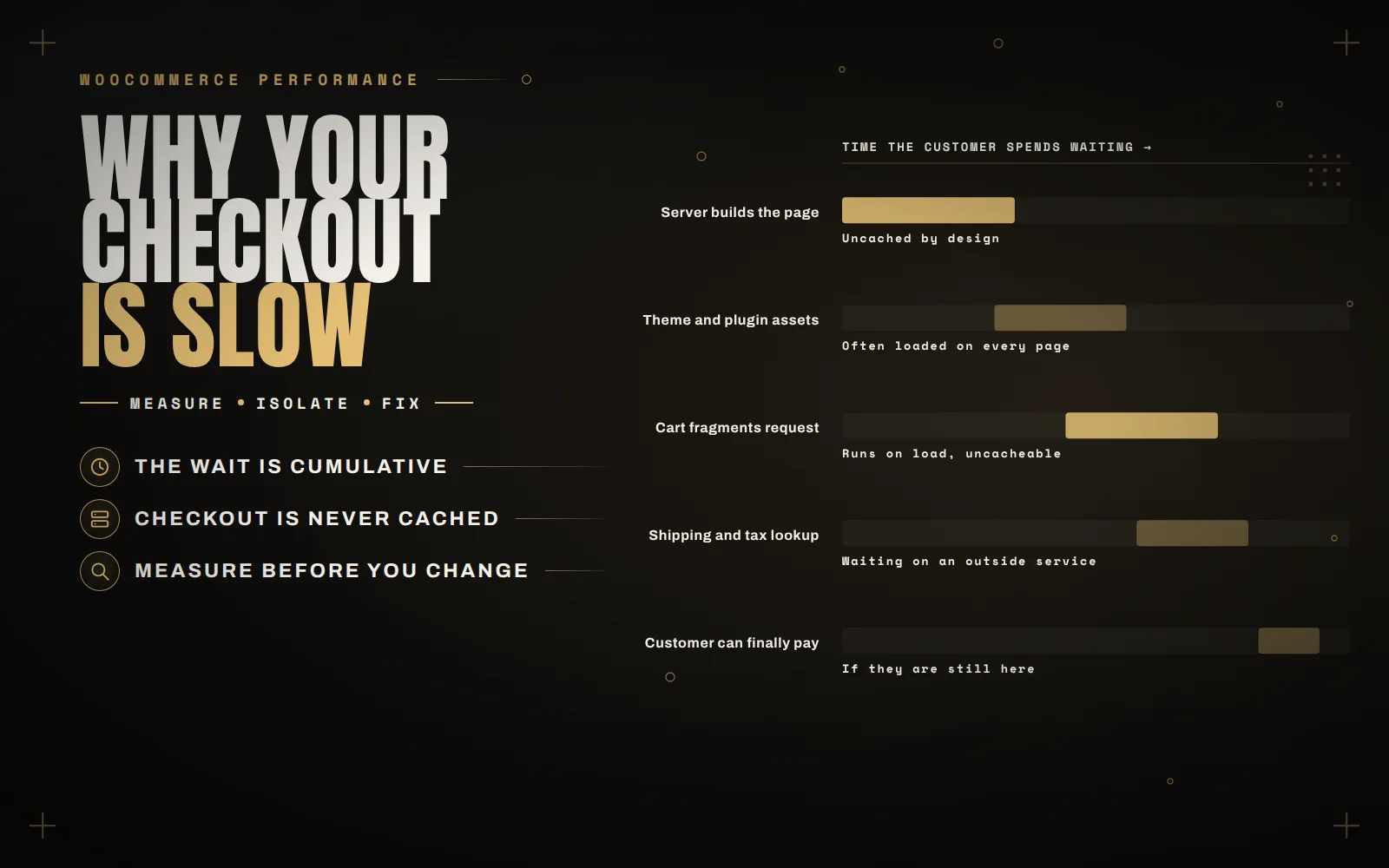
A slow checkout is the most expensive bug a store can have. Everywhere else on the site, slowness costs you attention. At checkout it costs you money from someone who had already decided to buy.
It is also the page people optimise last, because most speed advice is written about home pages. Checkout behaves differently: it cannot be cached the way a landing page can, it runs more JavaScript, and it talks to shipping and payment services while the customer waits.
Measure the checkout, not the home page
Almost every store I am asked to look at has a fast home page and a slow checkout, and the owner has only ever tested the home page. Test the actual cart and checkout URLs, with a product in the cart, logged out and logged in.
Two kinds of data matter, and they answer different questions.
- Lab data (Lighthouse, PageSpeed Insights) runs one test on one connection. Useful for finding causes and comparing before and after.
- Field data (Core Web Vitals from real visitors, visible in Search Console) is what Google actually judges you on, and it reflects real phones on real networks.
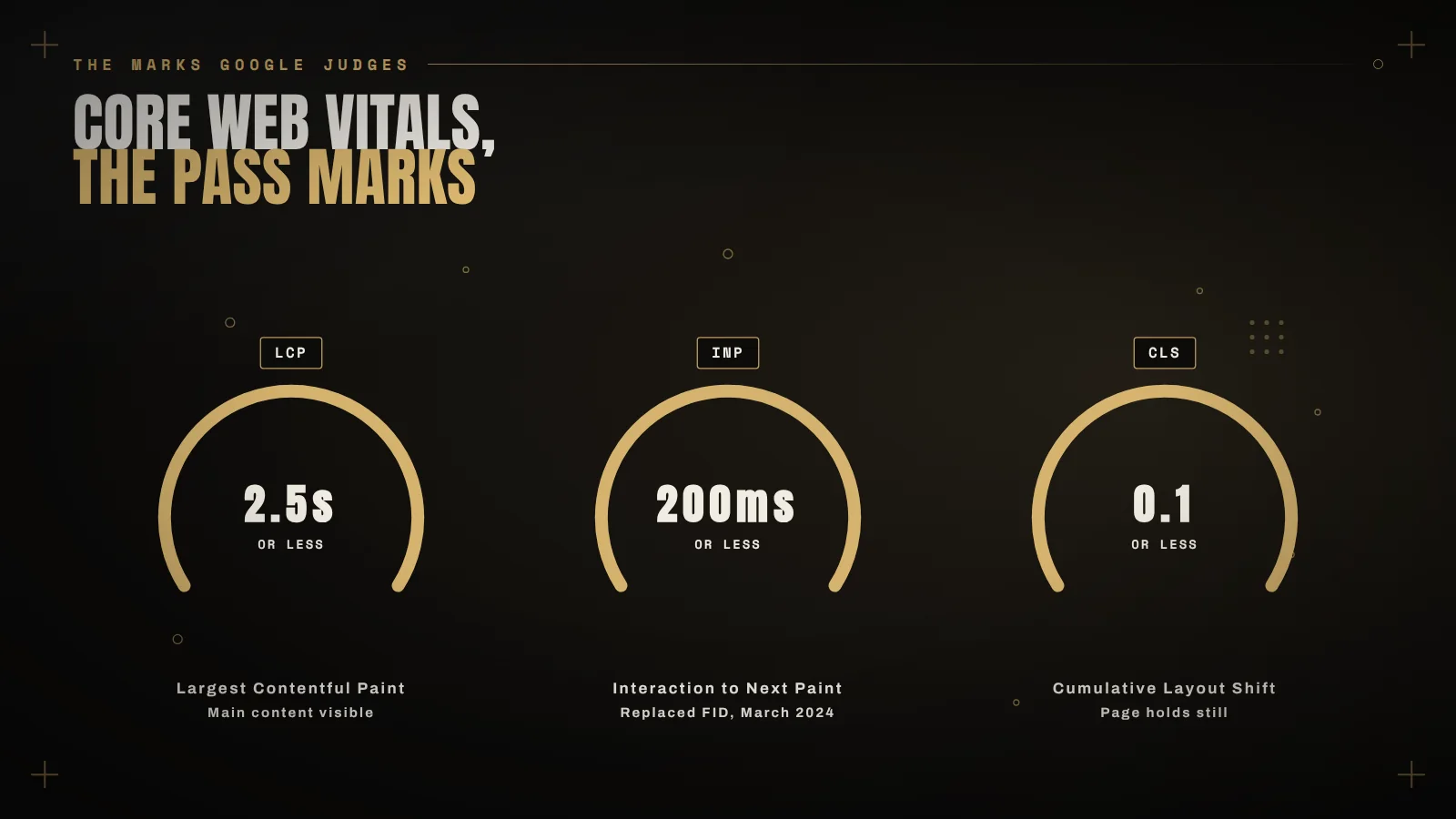
The current thresholds are worth knowing by heart. A page passes when at least 75 percent of visits are good on all three:
- LCP, how fast the main content appears: under 2.5 seconds.
- INP, how fast the page responds when someone interacts: under 200 milliseconds.
- CLS, how much the layout jumps around: under 0.1.
INP replaced First Input Delay in March 2024, and it is the metric that catches out checkouts, because it measures every interaction rather than the first one. A checkout that feels sluggish when you pick a shipping method will fail INP even if it loaded quickly.
Cause one: cart fragments on every page
WooCommerce keeps the little cart counter in your header up to date with an AJAX request called cart fragments. It runs on page load, it cannot be cached, and on a busy shared host it regularly takes longer than the page itself.
Open your browser dev tools, go to the Network tab, and look for a request with wc-ajax=get_refreshed_fragments. If it is taking more than a few hundred milliseconds, you have found your first problem.
The fix is not to blindly disable it, which is the advice you will find in most forum threads. If your header shows a live cart count, disabling fragments breaks it, and a cart counter stuck at zero costs more than the milliseconds you saved. Limit it to the pages that actually need it, or replace the counter with a server rendered one and then turn fragments off.
Cause two: server response time, because checkout is never cached
Page caching has to exclude cart, checkout and account pages, otherwise customers would see each other’s carts. That means checkout speed is raw server speed: PHP, the database, and whatever your plugins do on every request.
What actually helps here:
- Persistent object caching with Redis, so repeated database queries are answered from memory. On a store with a large catalogue this is often the single biggest win.
- A current PHP version. Each recent release has been meaningfully faster, and stores running something three years old are paying for it on every request.
- Hosting that is not oversold. If your time to first byte is over a second on an otherwise clean install, no plugin will save you.
Cause three: plugins loading where they are not needed
The average store I audit loads a slider library, a review widget, a popup builder and two analytics scripts on the checkout page, where none of them are used.
Install Query Monitor on a staging copy and load the checkout. It shows you every query, every hook and how long each plugin took. You will usually find two or three plugins responsible for most of the time, and the honest fix for at least one of them is to remove it entirely.
The fastest request is the one that never happens.
Cause four: a database that has never been cleaned
Stores running for a few years accumulate expired transients, orphaned order meta, abandoned session rows and a wp_options table full of autoloaded data that gets read on every single request.
Check the total size of your autoloaded options. Anything much over a megabyte is worth investigating, and the culprit is usually a plugin that was uninstalled years ago and left its settings behind. Take a backup before you delete anything, and do it on staging first.
Cause five: the checkout waiting on someone else’s server
Live shipping rates, tax lookups and address validation all mean your checkout is waiting on an external API while the customer watches a spinner. If that service is slow, your checkout is slow, and no amount of image optimisation changes that.
Cache rate lookups where the rules allow it, set a sensible timeout so a struggling provider cannot hold your checkout hostage, and ask whether you genuinely need live rates or whether flat rates by zone would serve customers just as well.
Cause six: the form itself
Not everything is a performance problem. Some of it is just friction: fields nobody needs, a company name field that is required for consumers, validation messages that appear below the fold, and error text that pushes the form down the page as you type, which is both annoying and a layout shift.
Reserve space for validation messages instead of letting them push content around, and delete every field you do not actually use when fulfilling the order.
The order I work in
- Measure the checkout, logged out and logged in, and write the numbers down.
- Check time to first byte. If the server is slow, fix that before touching the front end.
- Profile with Query Monitor and remove or limit the worst offenders.
- Deal with cart fragments properly, without breaking the cart counter.
- Add object caching, then clean the database.
- Re-measure the same way you measured at the start, then watch field data for a few weeks.
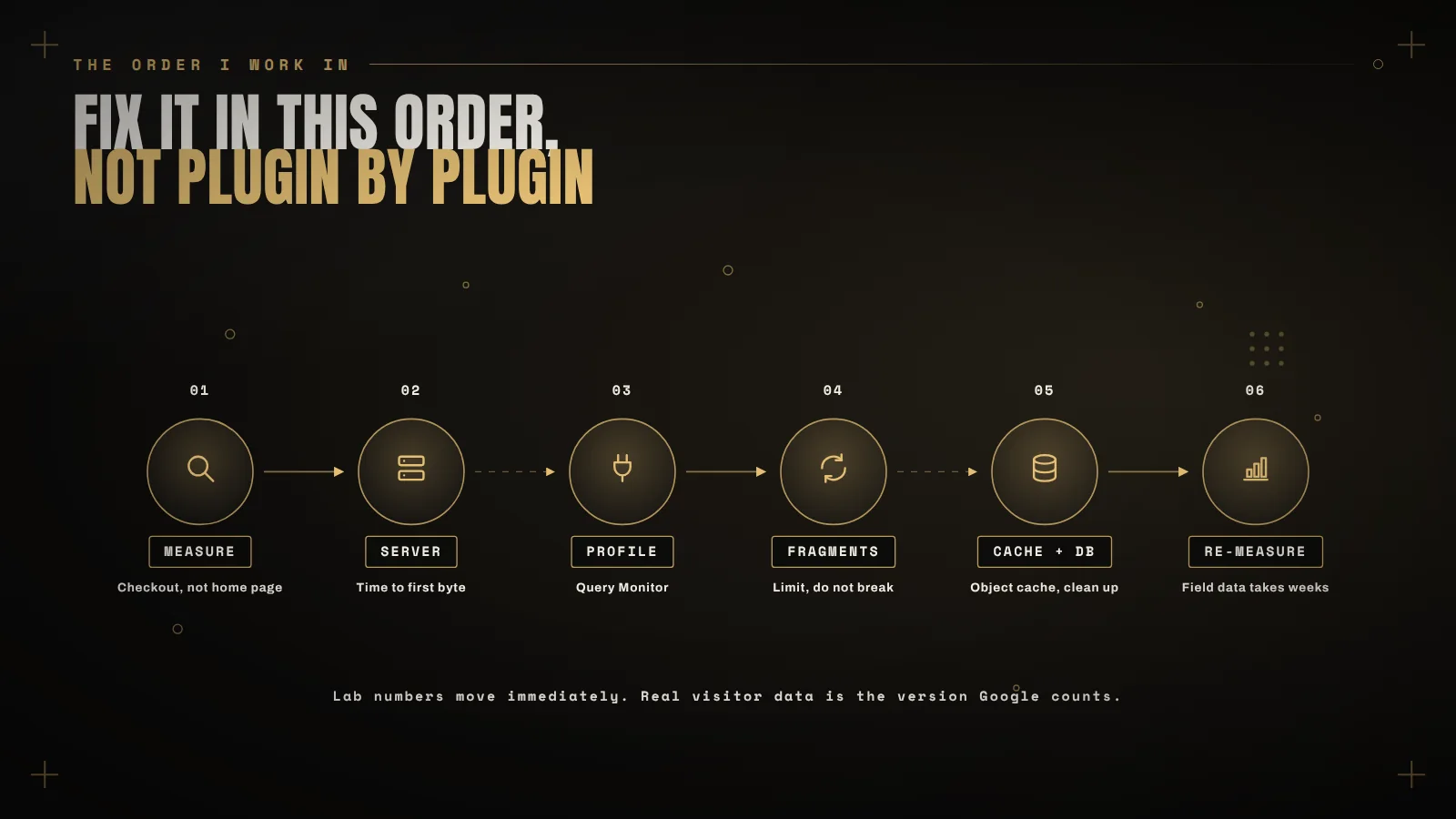
That last step is the one people skip. Lab numbers improve immediately; real visitor data takes weeks to catch up, and it is the only version Google counts.
If your checkout is slow and you would rather have someone measure it properly than guess at plugins, that is exactly what a speed audit is for. Tell me the store and what you are seeing, and I will tell you what is actually costing you the time.
Keep reading
 Plugins
How to remove image backgrounds without leaving WordPress
The slow part of removing backgrounds is not the editing, it is the download and re-upload round trip. Here is how to… Read article ↗ Working Together