iMegaSearch: instant WordPress search that does not wait for the server
My new free plugin, iMegaSearch, replaces WordPress search with a full-screen overlay that shows grouped results as you type. The difference is where the matching happens: in the visitor's browser, in a few milliseconds, with no server request per keystroke.
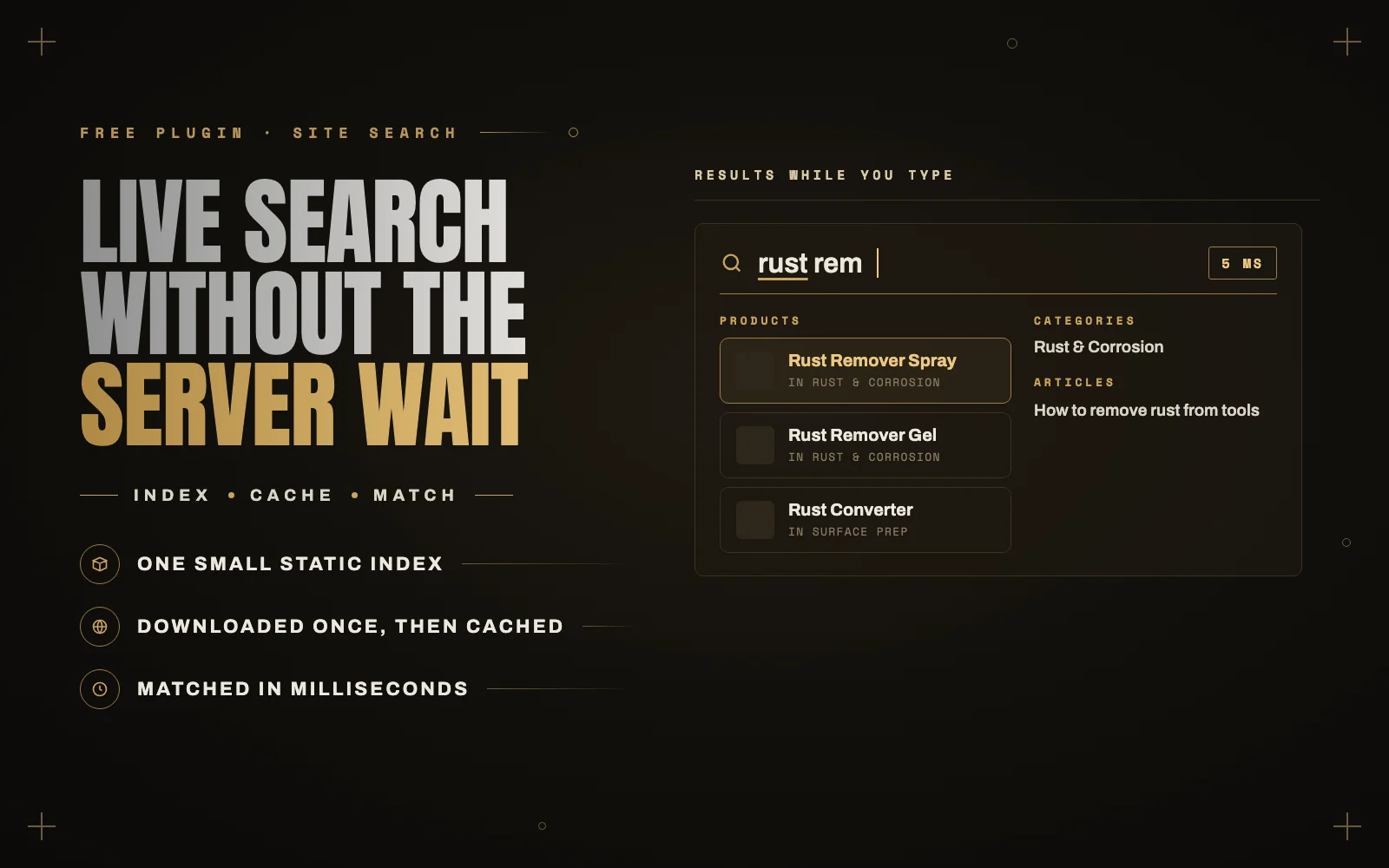
My new plugin, iMegaSearch, is now live on WordPress.org. It is free, it passed the WordPress.org plugin review, and it does one thing I have wanted on client sites for a long time: search that answers while you are still typing, without making the server work for every letter.
It replaces your site’s standard search with a full-screen overlay. As the visitor types, results appear grouped into sections such as Products, Categories, Articles and Tags, with the matched words highlighted.
Why most live search feels slow
Live search is not a new idea. Plenty of plugins show results as you type. Most of them work the same way under the hood: every keystroke sends a request to the server, and the server answers with matching results.
The problem is what each of those requests costs. On a typical WordPress host, every request loads WordPress itself and every active plugin before it can run a single search query. Type “rust remover” and that can be a dozen full WordPress page loads, one after another, each waiting its turn. On a busy store with a heavy plugin stack, each one can take a second or more. That is why live search so often feels laggy, and why it can put real load on a server during a sale.
What iMegaSearch does instead
iMegaSearch moves the matching to the visitor’s device.
- It builds one small index. The plugin writes a static file containing your content’s titles, links, thumbnails, short excerpts and a compact word index of the body text.
- The browser downloads it once. The first time a visitor opens search, the file is fetched and cached like any other static file. It is served compressed, so even a store with around a thousand products is a small download.
- Every search after that is local. Each keystroke is matched in the browser in a few milliseconds. No requests go to the server while typing.
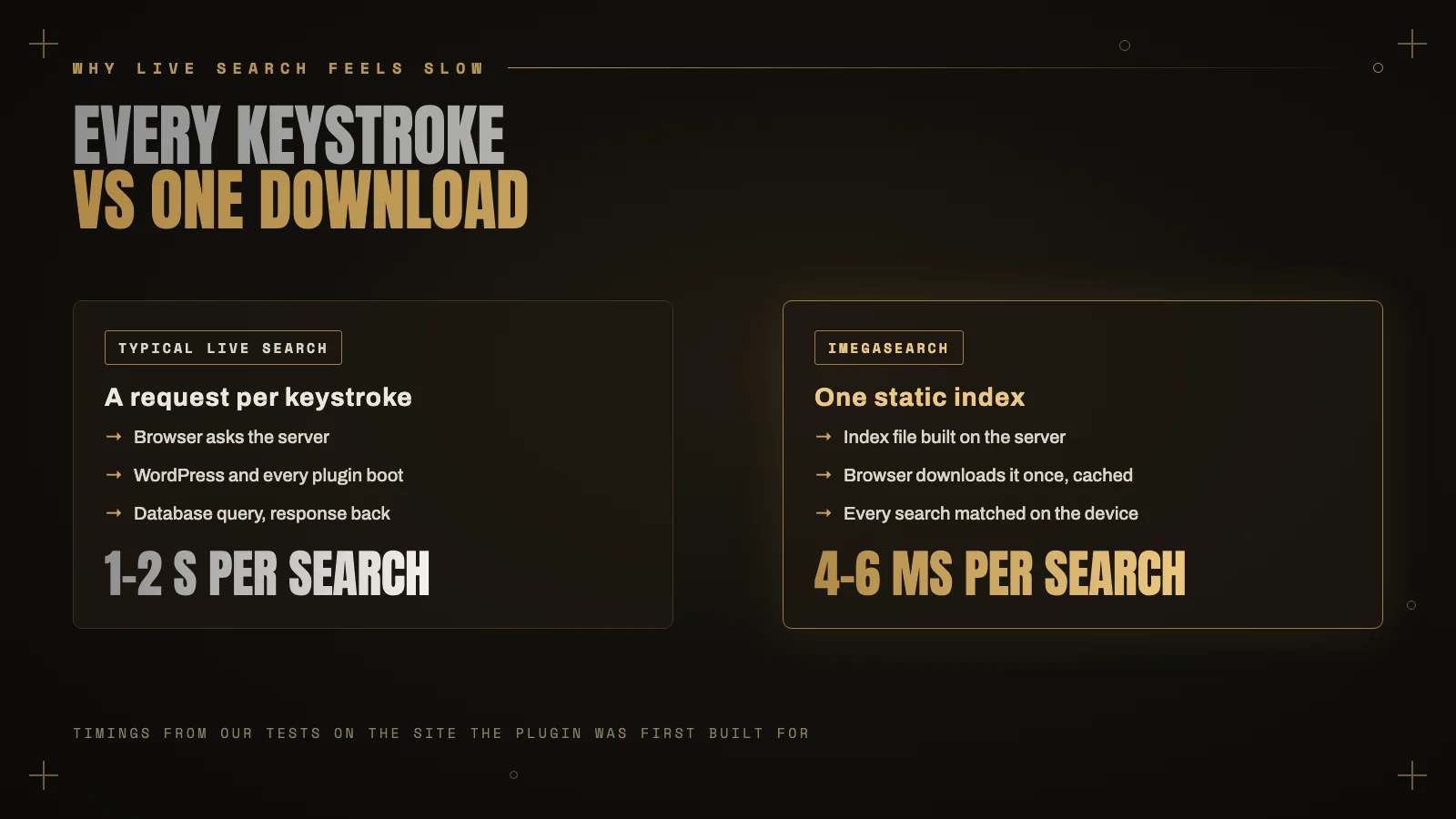
I first built this as a custom search for a manufacturer’s website with a large product catalog. The original server-based version took 1 to 2 seconds per search. In our tests on that same site, the static index approach takes about 4 to 6 milliseconds. It worked so well that I turned it into a free plugin for everyone.
What you get
- A full-screen search overlay with a large search field, results as you type and the matched words highlighted.
- Results grouped by type, with a “See all” link for each group.
- A full results page with a tab and a count for each group. It can replace your theme’s search page, or you can place it anywhere with a shortcode.
- Any content you choose: posts, pages, WooCommerce products, product categories and tags, and any public custom post type or taxonomy.
- Ranking that makes sense. Title matches always come first. Body text matches whole words from the start, so searching “rust” does not return every page that contains the word “trusted”.
- An index that keeps itself current. It rebuilds automatically a couple of minutes after content changes, plus a daily refresh as a safety net. There is a “Rebuild index now” button and a WP-CLI command for developers.
- Popular searches as one-click buttons, custom colors, and the option to open the overlay from your theme’s existing search icon.
- Accessibility built in: keyboard friendly, Escape to close, focus returned where it was, screen reader friendly and respectful of reduced motion settings.
- No external services. No tracking, no account, no monthly fee. Everything runs on your own site and in the visitor’s browser.
Who it is for
iMegaSearch is built for WooCommerce stores and content-heavy WordPress sites: blogs, product catalogs, documentation and agency-built business sites. If your visitors search for products or articles and you want that search to feel instant, without paying for a hosted search service, this is for you.
It is also friendly to your server. Because typing does not trigger requests, a burst of shoppers searching at once costs your host almost nothing.
Setting it up
- Install it from Plugins, Add New by searching for “iMegaSearch”, or download it from WordPress.org.
- Go to Settings, iMegaSearch and choose which content to include.
- Make the overlay easy to reach. Either add the
[imegasearch_button]shortcode to your header, or enter your theme’s search icon selector (for example.header-search) under “Opened by”. - Save. The index is built straight away.
To show the grouped results page somewhere specific, use the [imegasearch_results] shortcode. Developers can rebuild the index from the command line with wp imegasearch rebuild.
The fastest request is the one you never send. iMegaSearch sends one, once, and does the rest on the visitor’s device.
A few honest limits
A static index is a trade-off, and it is worth knowing where the edges are.
- Updates are not instant. New or edited content appears after the automatic rebuild, usually within a couple of minutes. On a site with very little traffic, WP-Cron can run later, so use the rebuild button if you need it straight away.
- Only public content is indexed. Private and password-protected posts are left out on purpose.
- Very large catalogs mean a bigger file. For most stores and blogs it stays small, but a site with tens of thousands of products will download more on the first search.
Try it and tell me what you think
iMegaSearch joins my other free plugins, iStyleBlox and Media Background Remover. You can find everything about it on the iMegaSearch plugin page.
If you try it, I would really appreciate a review on WordPress.org. It is a new plugin and early reviews make a big difference. Feature requests and bug reports are welcome in the support forum.
And if you would like fast search, or a faster site in general, set up properly on your store, have a look at my services or get in touch.