PHP2Shell: the PHP bug AI found, and what WordPress site owners should do today
PHP2Shell is a pair of critical PHP bugs found with the help of AI, and attackers are already using them. Here is what it means for a WordPress site, how to check if yours is patched in two minutes, and what to do if your host has not updated yet.
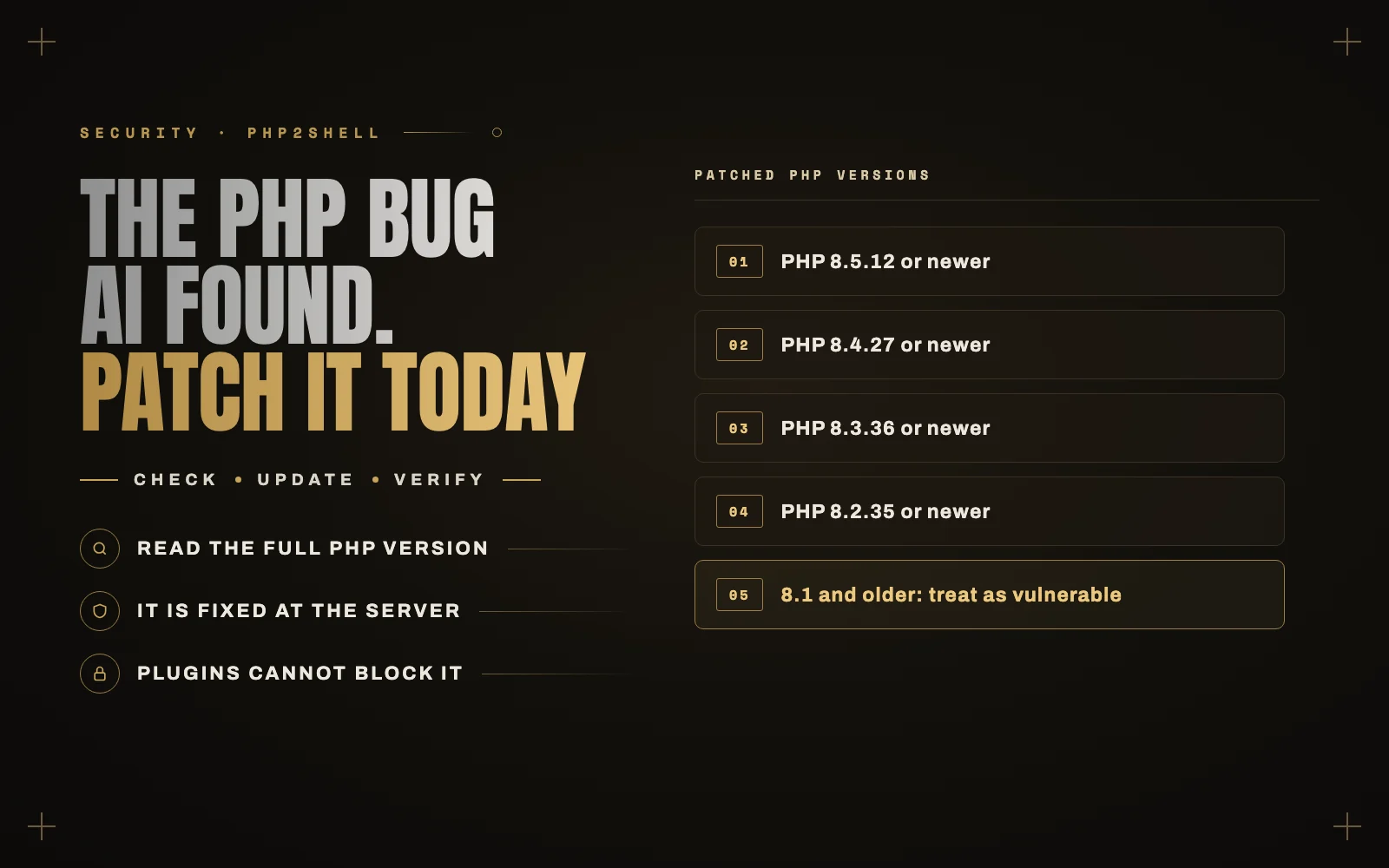
This week, a single bug made news across the whole web. Governments took websites offline, the Internet Archive briefly went dark, and security teams worked through the night. The bug is called PHP2Shell, and AI helped find it.
If you run a WordPress site, this one is about you. WordPress runs on PHP, and so does almost every WordPress host. Here is what happened, how to check your own site in two minutes, and what to do if your host has not caught up yet.
What PHP2Shell is
PHP2Shell is the name for two critical vulnerabilities in PHP itself, tracked as CVE-2026-109618 and CVE-2026-109619. The PHP project rated both 9.2 out of 10 and says they can let an attacker run their own code on the server without logging in. In plain terms, someone on the internet can take over the server.
- CVE-2026-109618 comes from how PHP cleans up after it runs out of memory partway through handling a request.
- CVE-2026-109619 comes from leftover data from one request that the next request on the same PHP worker can reuse.
The important detail for site owners: this is not a WordPress bug, a plugin bug or a theme bug. It is in the engine underneath all of them, and an attack can fire before any WordPress code runs. Your security plugin, your strong passwords and your up-to-date plugins do not stop it. Only patched PHP does.
Almost every PHP version from the last ten years is affected, all the way back to PHP 5.4.
How AI found it
This bug had been sitting in PHP’s code for more than a decade. According to OpenAI’s Greg Brockman it had been there for 14 years, and a PHP developer had even spotted part of the problem in 2024, but no one had shown it could be exploited, so it stayed.
Two teams found it independently in August. Ryan Austin at the security firm Calif found the first issue using OpenAI’s GPT-5.6 Sol model. Researchers at Wiz found it on their own using Google’s Gemini 4 Argon, GPT-5.6 Sol and their own tool, Wiz Atlas. By August 21 they had working attacks against WordPress.
What AI changed was not just finding a weak spot. In Wiz’s words, it was “the ability to understand the weaknesses and turn them into a working exploit.” That is the uncomfortable part. The same kind of tool that found this bug for the good guys is available to attackers, and the time between “a patch is out” and “attacks are everywhere” is now hours, not weeks.
That is exactly what happened here. The news leaked a day early, and Cloudflare reported tens of thousands of attack attempts within 45 minutes, rising to millions by the end of the day. Amazon saw attempts as early as October 17, before the public announcement.
Check your site in two minutes
The fixed versions are:
- PHP 8.5.12
- PHP 8.4.27
- PHP 8.3.36
- PHP 8.2.35
Your site needs to be on one of these, or newer. Anything lower in the same branch is vulnerable. PHP 8.1 and older are no longer supported, so the PHP project only released source patches for 7.4, 8.0 and 8.1, which your host would have to build and install themselves. If your site is on PHP 8.1 or older, treat it as vulnerable.
Three ways to see your version:
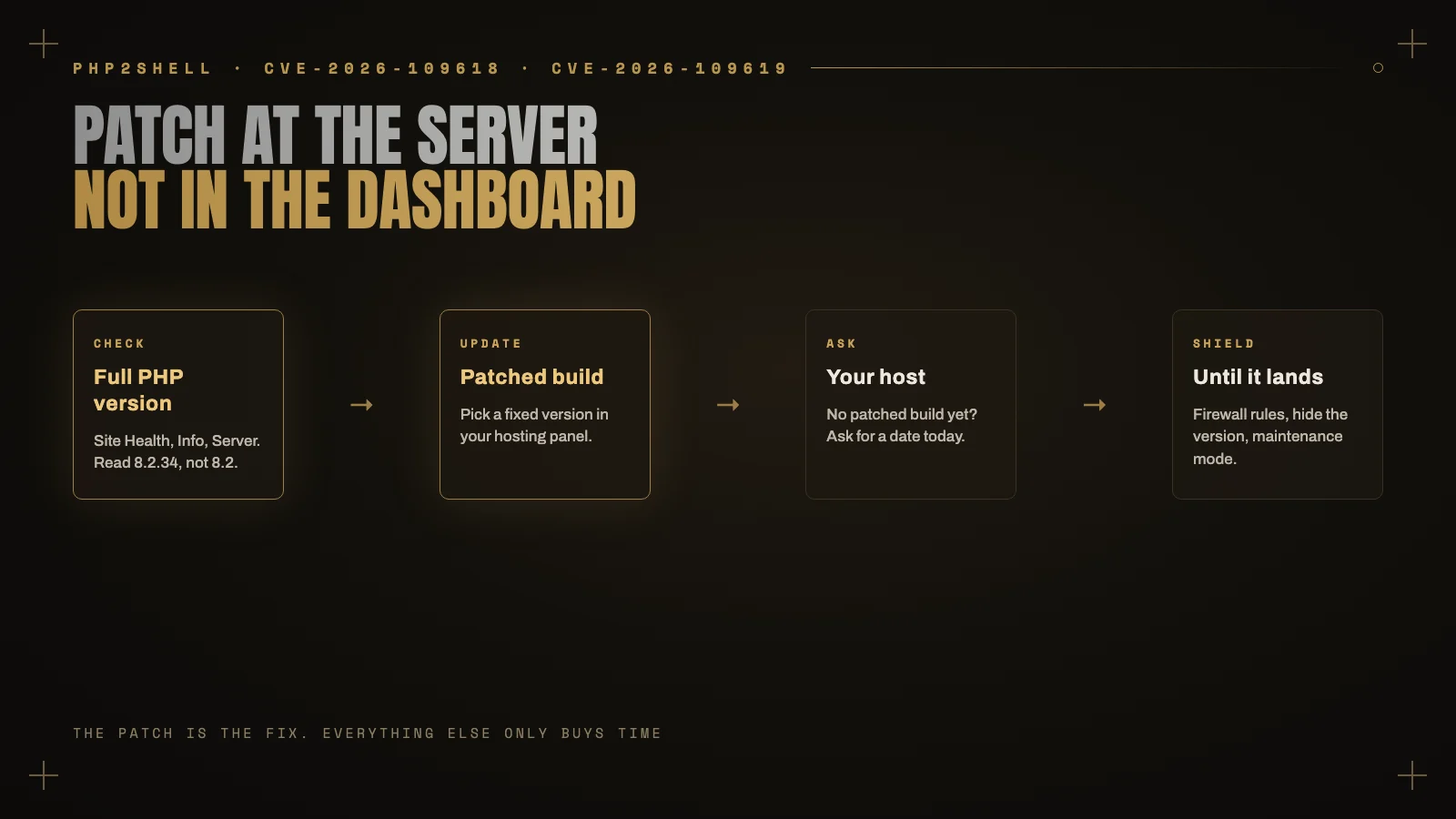
- In WordPress: go to Tools > Site Health > Info, open the Server section and read the PHP version. Make sure you read the full number, like 8.2.34, not just 8.2.
- In your hosting panel: most hosts show the PHP version for each website, usually under a PHP configuration or PHP version menu.
- From the outside: many servers announce their PHP version in a response header called X-Powered-By. If yours does, anyone can read it, including attackers scanning for unpatched sites.
If you can update, update now
On most managed and shared hosts, you do not update PHP yourself. The host installs new builds and you pick a version in the panel. So:
- Check the full version number again. Many hosts already pushed the patched builds automatically on October 21 or 22. If yours shows 8.2.35, 8.3.36, 8.4.27 or 8.5.12, you are patched.
- If your panel lets you switch versions, check whether another branch has a patched build. Moving from 8.2 to 8.3 or 8.4 is usually safe for an up-to-date WordPress site, but test it on a staging copy first if you can. PHP 8.2 also stops getting security updates on December 31, 2026, so this is a good moment to move anyway.
- If you run your own server or VPS, update the PHP packages from your Linux distribution or your PHP repository and restart PHP-FPM or your web server so the old workers are gone.
If your host has not patched yet
This is the situation many small business sites are in right now, especially on shared hosting. The panel lists several PHP versions, and none of them are the fixed builds yet. On one shared server I checked, every available version was exactly one release behind the fix.
Here is what to do:
- Open a ticket with your host today. Ask one direct question: “When will PHP 8.2.35 / 8.3.36 / 8.4.27 / 8.5.12 be available on my server for CVE-2026-109618 and CVE-2026-109619?” A good host will have a date. A vague answer tells you something too.
- Put a firewall in front of the site. Cloudflare has deployed rules for PHP2Shell, and other providers like Fastly and Akamai have done the same. If you already route your site through Cloudflare, make sure the managed rules are on. This does not fix the bug, but it blocks the attacks already circulating.
- Ask your host about the interim settings. The PHP project lists settings that reduce exposure, such as turning off session.upload_progress.enabled, lowering post_max_size, and adjusting memory_limit. They have to be set at the server level, not from inside WordPress, which is why this is a question for your host. The PHP team is clear that these reduce risk but do not make an install safe.
- Hide your PHP version. Ask your host to turn off expose_php, or remove the X-Powered-By header. It does not fix anything, but it stops your site from appearing on a scanner’s list of unpatched versions.
- For a store or a site that holds customer data, seriously consider maintenance mode until the patch lands. Several governments and large sites took exactly that route this week, and the NSA recommended it for anyone who could not update right away.
Your plugins being up to date does not protect you here. This one is fixed at the server, not in the dashboard.
After the patch: check you were not already hit
Attacks started before the patch was public, so once your server is updated, spend fifteen minutes making sure nothing got in first:
- Look at Users and check every administrator account. Remove anyone you do not recognize.
- Look for PHP files where they do not belong, especially in wp-content/uploads. Images never need PHP files.
- Check wp-content/mu-plugins. Must-use plugins load automatically and do not show in the normal plugin list, which makes them a favorite hiding place.
- Look for files changed in the last week that you did not change. Your host’s file manager or malware scanner can usually sort by date.
- Watch for signs of the attack itself: bursts of 500 errors, “allowed memory size exhausted” errors you have not seen before, or PHP processes restarting unusually often.
If anything looks wrong, follow the steps in my guide to what to do when your WordPress site is hacked. The order you do things in matters.
The bigger lesson
PHP2Shell will not be the last bug found this way. AI is now good enough to read old, trusted code and find attacks that people missed for years, and it is available to both sides. The sites that come through these weeks fine are not the ones with the most security plugins. They are the ones where someone is watching, knows who to call at the host, and can act the same day.
That is what proper maintenance is for. I explain what a good plan should include in what a WordPress maintenance plan should include.
Need a hand?
If you are not sure whether your site is patched, your host is not giving you a straight answer, or you want someone to check your site for signs of an attack, I can help. I check the server, deal with the host, and harden the site so you are ready for the next one. See my services or contact me and tell me which site you are worried about.
Keep reading
 Working Together
Hiring an offshore WordPress developer: how to do it safely, from someone on the other side
I am a WordPress developer in Lahore, and most of my clients are in other countries. Here is how to hire an… Read article ↗ Performance
Elementor site slow? How to speed it up without a rebuild
Elementor gets blamed for a lot of slow websites, and usually it is not Elementor's fault alone. Here is how I speed… Read article ↗ WooCommerce